Free 0.1.0 and Pro 0.1.0 documentation.
Vacation Mode pauses new orders with one switch while the store stays visible. Every product reports not purchasable through WooCommerce's native purchasability filters, new add-to-cart and checkout submissions are rejected server-side, and one sanitized store notice renders. It is one bounded pause switch, not a maintenance page, scheduler, or catalog editor.
Requirements
| Component | Requirement |
|---|---|
| WordPress | 6.2 or newer |
| PHP | 7.4 or newer |
| WooCommerce | 8.9 or newer, active |
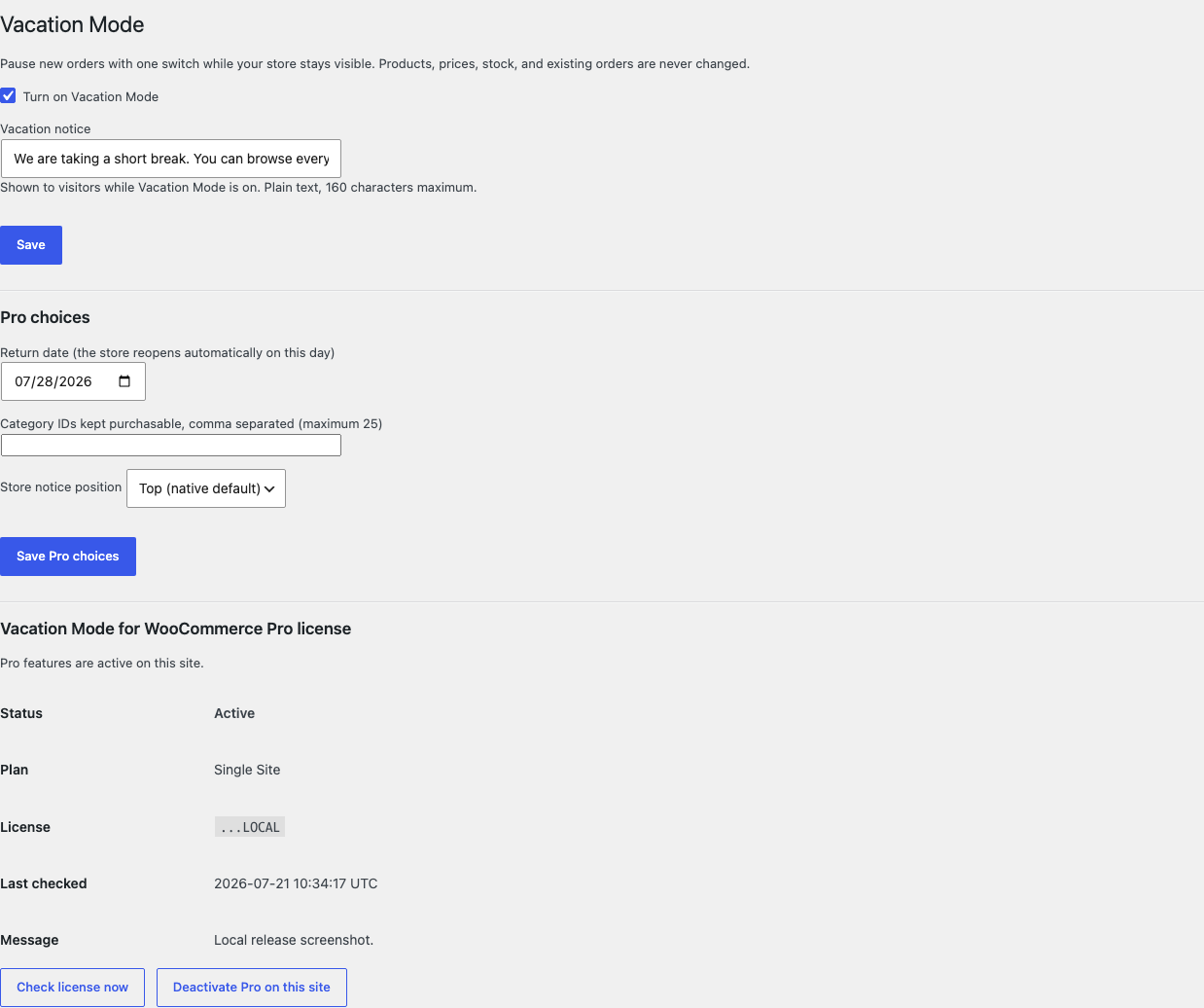
| Free rule | One global switch and one plain-text notice of at most 160 characters |
| Pro plan | One site, $39/year after a 14-day trial |
Turn on the Free pause
- Install and activate WooCommerce.
- Install Vacation Mode for WooCommerce from WordPress.org after its listing is approved, or upload the supplied Free 0.1.0 ZIP.
- Open WooCommerce > Vacation Mode.
- Enable Turn on Vacation Mode and optionally edit the one-line notice.
- Select Save.
Verify the paused storefront
- Open the shop while signed out.
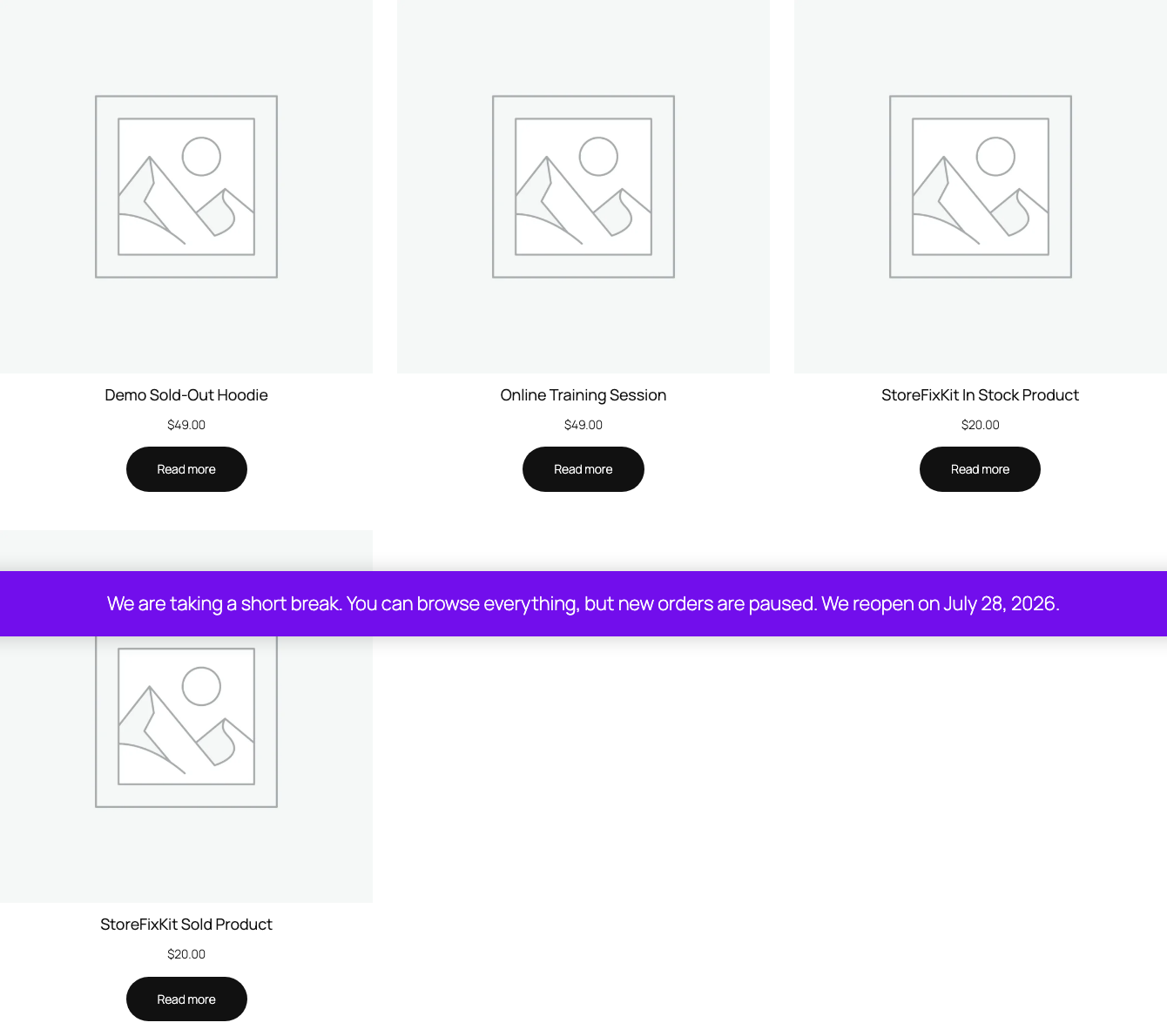
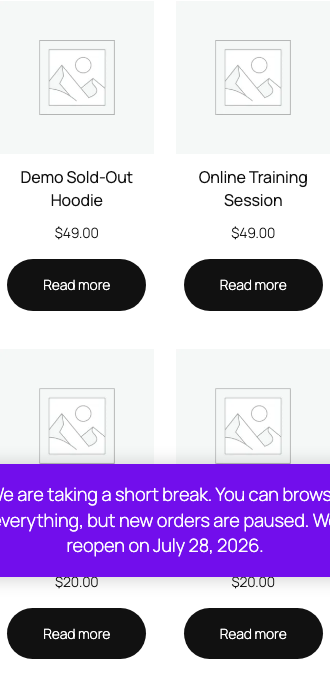
- Confirm one store notice renders and every product still shows its native page and price.
- Confirm products offer no purchase action while browsing stays open.
- Submit a direct add-to-cart request and confirm the server rejects it with one notice.
- Turn the switch off and confirm native purchasing returns immediately.

What Free changes
Free stores one local option, sfk_vm_settings, containing the switch and one sanitized plain-text notice of at most 160 characters. While the switch is on, WooCommerce's native product and variation purchasability filters receive false, new classic add-to-cart and checkout submissions are rejected server-side with at most one escaped notice per request, and one store notice renders through the native store notice output.
Free writes no product, price, sale price, stock value, inventory status, visibility, category, or template. It never edits, cancels, or refunds an existing order, never hides products or redirects shoppers, and never blocks non-commerce browsing. Turning the switch off restores native behavior immediately.
What Pro adds
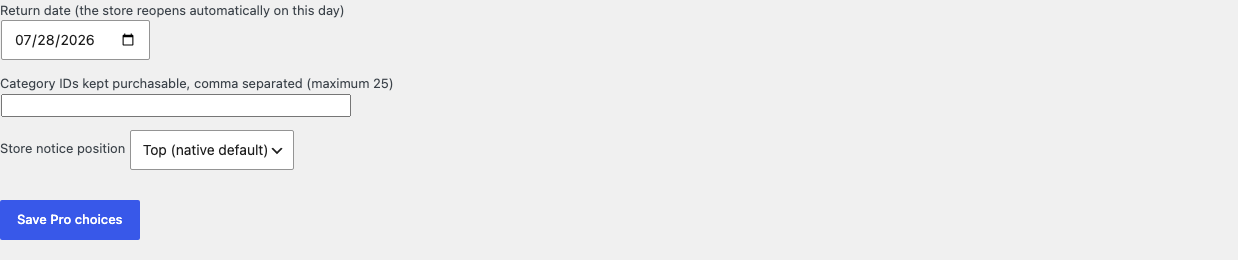
Pro adds three bounded local choices:
- one return date shown as plain text inside the notice and compared lazily at read time, so the store reopens automatically without cron;
- at most twenty-five category exceptions that stay purchasable, where exact product membership in an excepted category wins;
- one of two fixed notice positions offered by the native store notice hook.

If Pro, Stripe, the network, or the StoreFixKit license API is unavailable, the valid Free switch and notice continue locally.
Start the 14-day Pro trial
- Open the Vacation Mode product page.
- Select Start 14-day trial. No card is required to begin.
- Stripe returns to StoreFixKit after checkout; a signed webhook creates a product-bound license.
- Copy the license key and download the Pro 0.1.0 ZIP.
- Keep Free active, upload and activate Pro, then activate its license.
- Add a payment method before day 14 only if you want the $39/year subscription to continue. Without one, Stripe cancels it at trial end.
Compatibility boundary
This release returns false through WooCommerce's native product and variation purchasability filters, rejects classic add-to-cart and checkout submissions server-side, and renders the native store notice. A theme that suppresses the native store notice, or a checkout flow that never runs WooCommerce's classic validation hooks, owns that surface; WooCommerce itself still treats every product as not purchasable.
StoreFixKit does not build maintenance pages, overlays, popups, redirects, countdown timers, weekly calendars, or opening hours, and does not handle existing orders, refunds, or emails while the store is paused.
Privacy, security, and resource use
- Settings writes require
manage_woocommerceand WordPress's settings nonce. - The notice is sanitized plain text capped at 160 characters and escaped on output.
- Each decision reads at most two options and evaluates at most twenty-five category terms.
- Existing orders, carts of completed purchases, and customer records are never created, edited, cancelled, or refunded.
- The storefront performs no StoreFixKit or third-party HTTP request and stores no personal data.
- There is no custom table, cron, Action Scheduler job, queue, telemetry, JavaScript, or stylesheet.
Troubleshooting
Products can still be purchased
Confirm the switch is saved, then clear object and page caches. A Pro category exception keeps its products purchasable on purpose, and exact product membership in an excepted category wins.
The store notice does not appear
Confirm the switch is on and a notice sentence is saved. A theme that suppresses WooCommerce's native store notice output owns that surface; the purchasability pause still applies.
A shopper carted items before the pause and reached checkout
The checkout is rejected server-side with one escaped notice, and the cart contents, products, and orders remain unchanged. No order is created until the store reopens.
The store did not reopen on the return date
Confirm Pro is active and the saved date has arrived in the site timezone. The comparison happens lazily at read time with no cron, so clear page caches that may still show the paused catalog.
Pro choices do not apply
Confirm Free and Pro are active, the license belongs to Vacation Mode Pro, and the return date, category exceptions, and notice position were saved. When licensing is unavailable, Free intentionally continues its local switch and notice.
Rollback and uninstall
- Back up the database and keep the deterministic 0.1.0 Free and Pro ZIPs.
- Deactivate Pro and confirm the Free switch and notice remain.
- Deactivate Free and confirm native purchasing returns immediately while products, prices, stock, and orders remain unchanged.
- Reinstall the 0.1.0 Free ZIP, then the matching Pro ZIP if needed.
- Verify one paused browse and one reopened purchase before relying on the restored release.
The verified release drill installed a synthetic 0.0.1 baseline, updated to 0.1.0, downgraded, rolled forward, deactivated, and exercised both uninstall modes while preserving WooCommerce product and order data.
Normal uninstall preserves Free settings, Pro settings, and the license for accidental recovery. Define STOREFIXKIT_DELETE_DATA as true before deletion only when you deliberately want Free to remove sfk_vm_settings and Pro to remove sfk_vm_pro_settings plus its license option. Products, prices, stock, carts, orders, customers, and third-party data are never deleted.
StoreFixKit Support
Use StoreFixKit Support and include the switch state, the saved notice, any Pro return date and category exceptions, expected and actual storefront behavior, theme, cache/CDN status, Free and Pro versions, WordPress and WooCommerce versions, and redacted desktop/mobile screenshots. Never send credentials, customer or order data, API keys, payment details, or a complete license key.
For feedback, describe the shortest repeatable setup and whether a default store pauses and reopens cleanly with one switch. After resolution, support will provide the correct WordPress.org review link once the official listing exists.