No card required. Add a payment method before day 14 to continue; otherwise Stripe cancels the subscription automatically.
Real WordPress interfaceFree 0.1.0 / Pro 0.1.0
One jobPause new orders with one switch while the store stays visible: every product reports not purchasable through native filters, new add-to-cart and checkout submissions are rejected server-side, and one sanitized notice renders.
RequiresWooCommerce 8.9 or newer
Free statusRelease candidate prepared for WordPress.org review
Three decisions
Set it up without code.
01
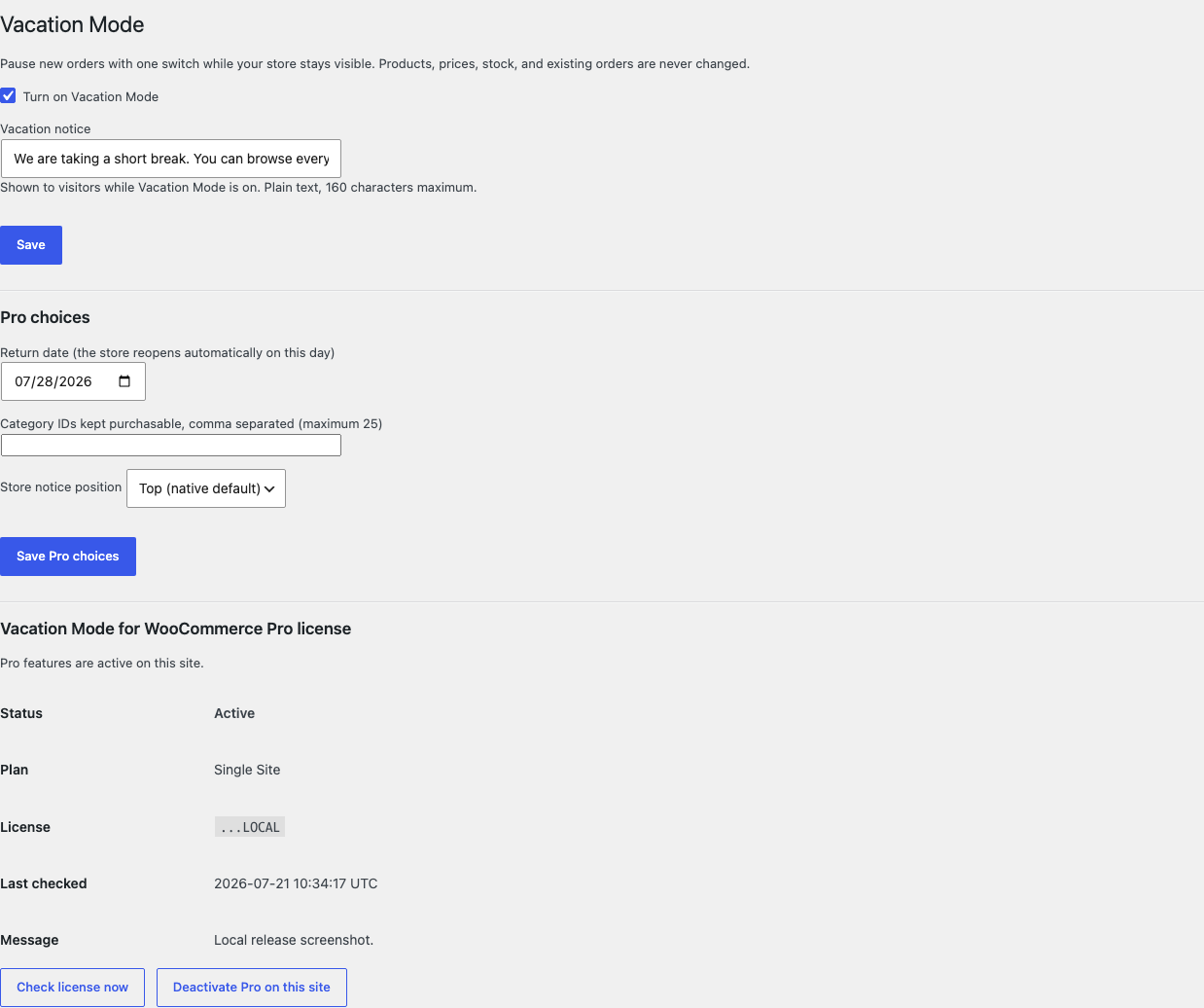
Open WooCommerce > Vacation Mode, turn the switch on, and optionally edit the one-line notice.
02
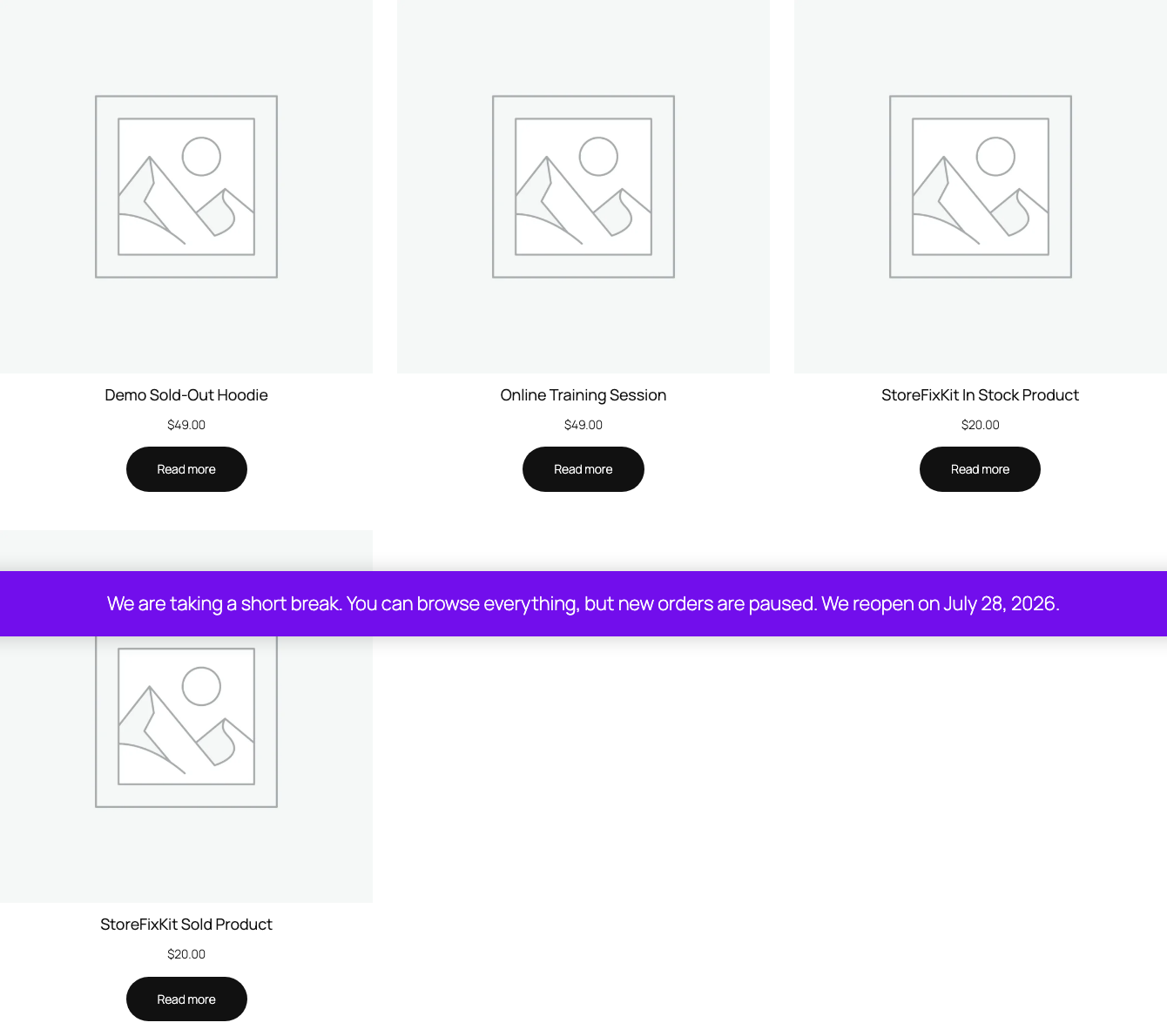
Preview the shop signed out: browsing works, prices show, and new orders are rejected.
03
Turn the switch off after the break and confirm native purchasing returns immediately.
Actual product
What you configure and what the visitor sees.
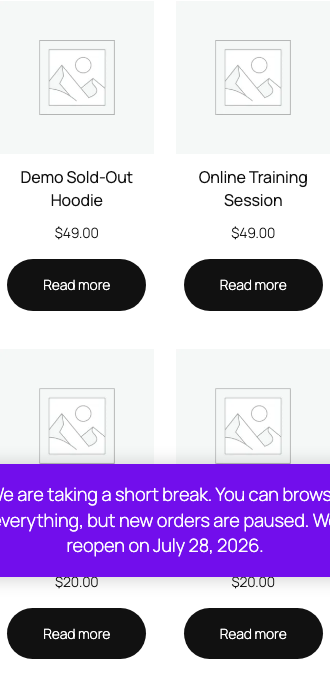
Free asks for one switch and one plain-text sentence of at most 160 characters.One sanitized notice renders through WooCommerce's native store notice output.Products, prices, and browsing stay visible while new orders are rejected server-side.The tested notice reads correctly at a 390-pixel viewport without plugin CSS.The paused shop keeps native layout on mobile; nothing is hidden or overlaid.Pro adds a lazily compared return date, bounded category exceptions, and one position choice.
Free and Pro
Free keeps working. Pro adds capacity.
Free 0.1.0
No account or license required
Turn on one global switch and optionally edit one plain-text notice of at most 160 characters.
Every product reports not purchasable through WooCommerce's native purchasability filters while the switch is on.
New add-to-cart and checkout submissions are rejected server-side, and nothing is written to products, stock, prices, or existing orders.
Prepared for WordPress.org submission; no public-directory approval is claimed yet.
Pro 0.1.0
$39 per year
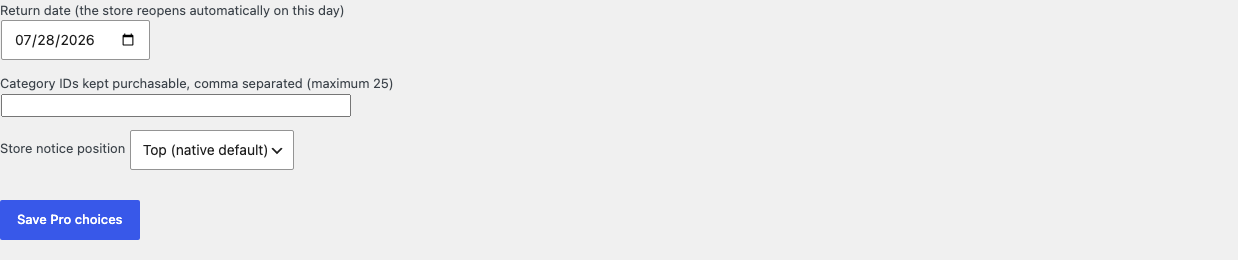
Show one plain-text return date inside the notice, compared lazily at read time so the store reopens without cron.
Keep at most 25 category exceptions purchasable during the pause.
Choose one of two fixed positions offered by the native store notice hook.
Designed to stop quietly instead of changing store truth.
The free workflow is independent of Stripe, the StoreFixKit license API, and Pro. A billing or network problem cannot rewrite the parent plugin's data.
Purchasability is decided at read time by one filter; no product, price, stock value, or template is ever written.
Existing orders, carts of completed purchases, and customer records stay untouched.
Free continues locally when Pro, billing, the network, or the StoreFixKit license service is unavailable.
No scheduler, custom table, cron, queue, telemetry, frontend asset, or storefront StoreFixKit request.
14-day trial
No card required to test Pro on one site.
Stripe hosts checkout and billing. The StoreFixKit success page creates a product-bound license and Pro download. Add a payment method before trial end only if you want the annual plan to continue.
Does Vacation Mode hide my products or hurt my pages?
No. Browsing, product pages, and prices stay exactly as WooCommerce renders them; only new purchasing is paused.
How does the store reopen without cron?
The Pro return date is compared lazily whenever purchasability is decided. Once the date passes, the store behaves as open on the next read, with no background job.
What happens to orders placed before the pause?
Nothing. Existing orders are never edited, cancelled, or transitioned; the pause only rejects new submissions.