Free 0.1.2 and Pro 0.1.2 documentation.
Tracking Numbers for WooCommerce Orders saves one local tracking record on a WooCommerce order and shows it in later customer order emails and authorized My Account order details. Saving a record does not send an email, contact a carrier, or change the order status.
Requirements
| Component | Requirement |
|---|---|
| WordPress | 6.2 or newer |
| PHP | 7.4 or newer |
| WooCommerce | 8.9 or newer, active |
| Order screen | Classic orders or WooCommerce HPOS order storage |
Install and configure Free
- Install and activate WooCommerce.
- Install Tracking Numbers for WooCommerce Orders from WordPress.org after its directory listing is approved, or upload the supplied Free 0.1.2 ZIP.
- Open WooCommerce > Tracking Numbers.
- Select Show tracking in subsequent WooCommerce customer order emails.
- Select Show tracking in authorized customer order details.
- Select Save display settings.
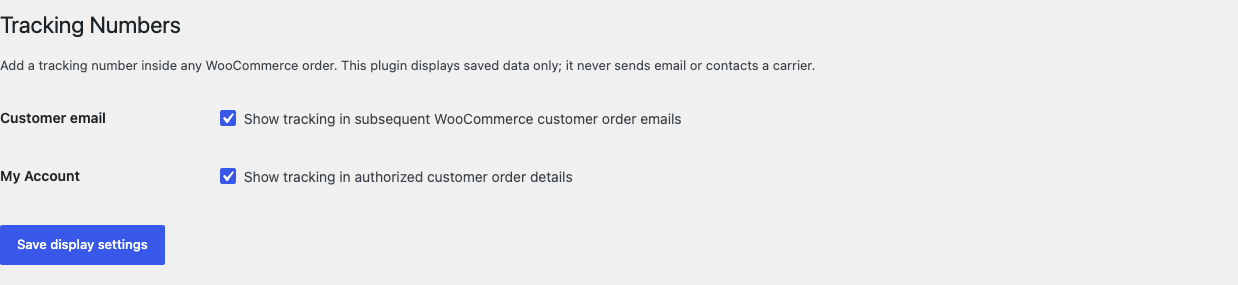
Add a tracking number to an order
- Open WooCommerce > Orders and select the order.
- Find Customer tracking number.
- Enter the carrier and tracking number.
- Optionally enter a complete
https://tracking link. - Save or update the order.
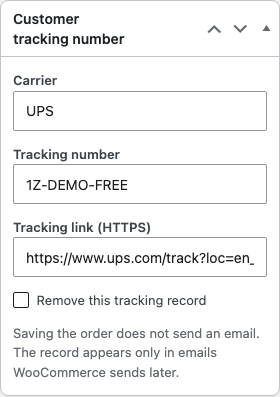
The record appears only in customer emails WooCommerce generates after the order was saved. StoreFixKit does not resend an email that has already been generated.
Check the customer result
- Sign in as the customer who owns the order, or use an administrator account.
- Open My Account > Orders > View for that order.
- Confirm the carrier and tracking number appear under Tracking.
- If a valid HTTPS link was saved, select Track package and confirm the destination.
- Trigger a normal WooCommerce customer order email after saving, then confirm the same record appears there.

What Free changes
Free stores one bounded carrier label, tracking number, and optional HTTPS URL on the selected order. It reads that record only on the order screen, eligible customer emails, and authorized native order details.
It does not send or schedule email, contact a carrier, poll delivery status, buy labels, change fulfillment, update stock, or change any WooCommerce order field or status.
What Pro adds
Pro can keep up to ten local package records on one order. The first record remains owned by Free; Pro adds up to nine more records with an optional package label and ship date.
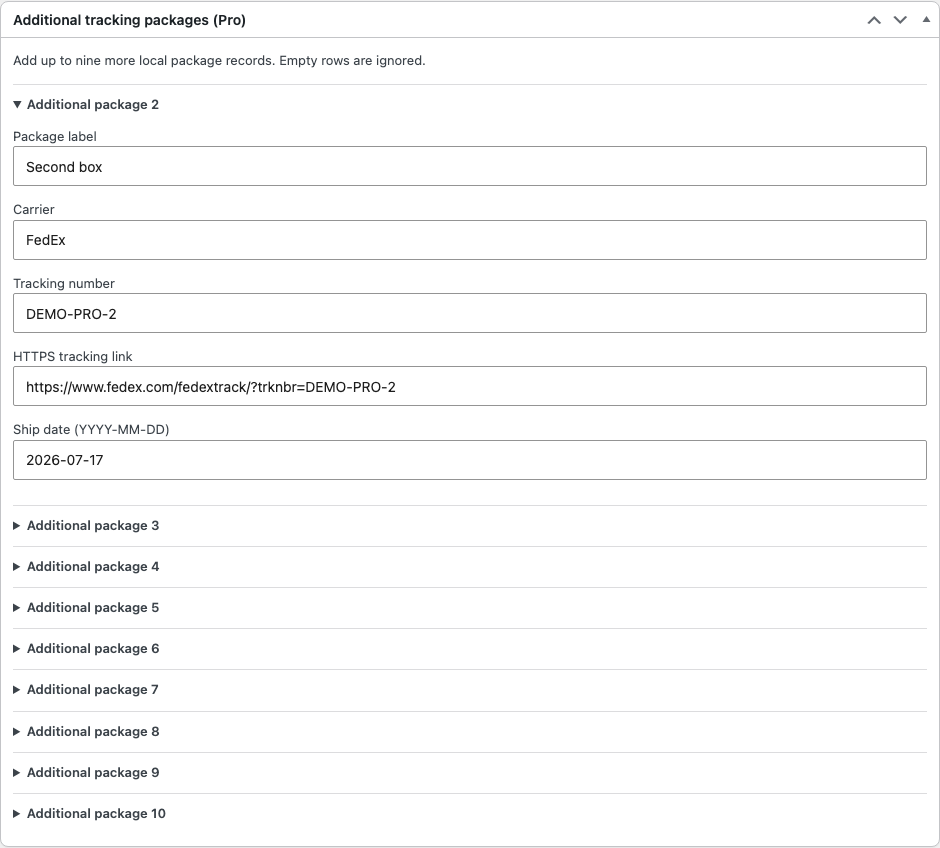
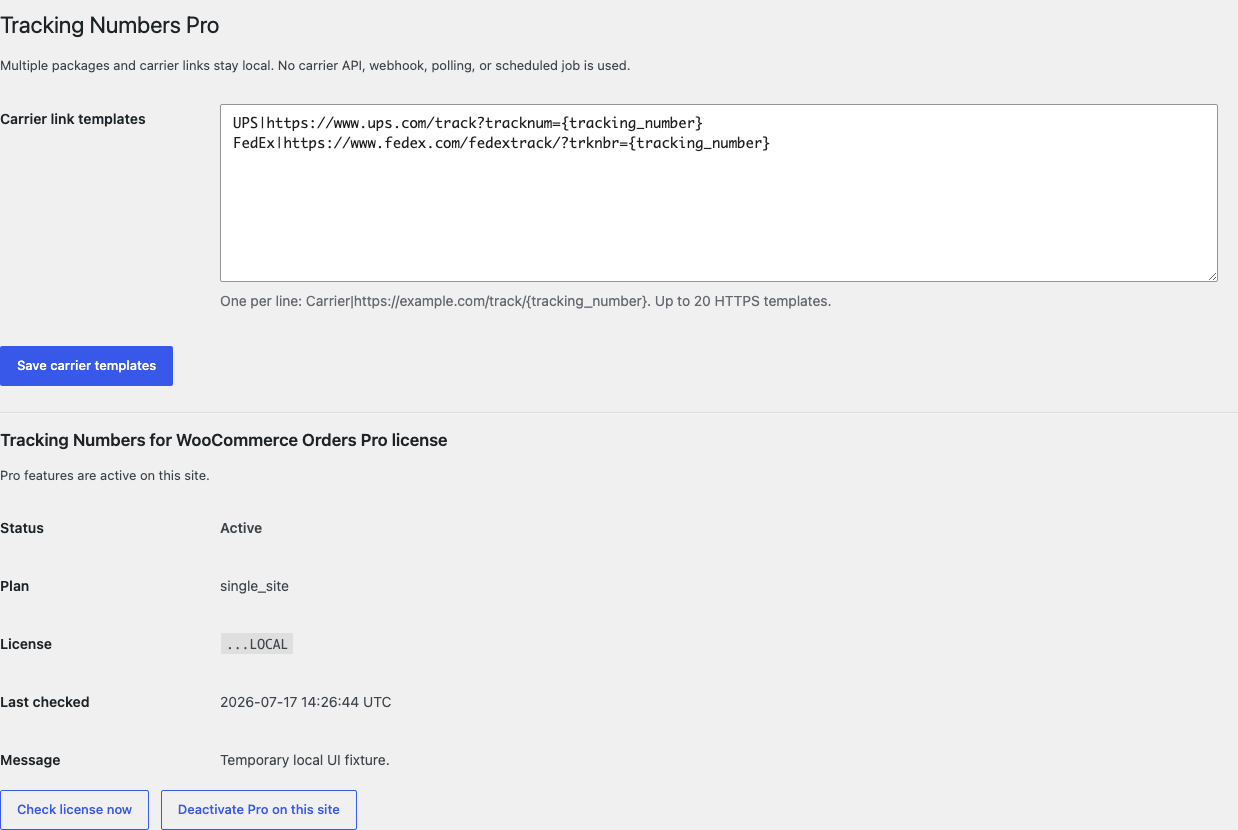
Pro also provides up to 20 local carrier-link templates. Each template must contain {tracking_number} inside a complete HTTPS URL. When the carrier name matches and the package has no URL, Pro can build the link locally.
Start the 14-day Pro trial
- Open the Tracking Numbers product page.
- Select Start 14-day trial. No card is required to begin.
- Stripe returns to the StoreFixKit success page; the signed webhook creates a product-bound single-site license.
- Copy the key and download the Pro 0.1.2 ZIP.
- Add a payment method before day 14 only if you want the $59/year subscription to continue. Without one, Stripe cancels it at trial end.
Keep WooCommerce and Free active. Upload and activate Pro, paste the key in WooCommerce > Tracking Numbers Pro, and select Activate Pro. If Pro, billing, or the license API is unavailable, the Free single tracking record keeps working locally.
Privacy, security, and resource use
- Display settings require
manage_woocommerceand a WordPress nonce. - Order writes require
manage_woocommerce, permission to edit that exact order, and an order-bound nonce. - Carrier and package labels are plain text limited to 80 characters; tracking numbers are limited to 120 characters.
- Public links must use HTTPS and are escaped on output.
- My Account output is limited to the order owner or a WooCommerce manager.
- There is no custom table, cron job, order scan, telemetry, customer cookie, frontend asset, carrier request, or storefront StoreFixKit request.
- Tracking data stays in the store's WooCommerce order. It is not sent to StoreFixKit.
Troubleshooting
The tracking number is missing from an email
Confirm that customer-email display is enabled and that the order was saved before WooCommerce generated that email. Saving tracking data does not resend an earlier email. Also confirm that the email is a customer email, not an administrator notification.
The Track package link is missing
Free shows a link only when the saved URL is a valid complete HTTPS URL. Reopen the order and correct the URL. Pro can build a URL only when an active local carrier template exactly matches the carrier name and contains {tracking_number}.
Tracking is missing from My Account
Confirm that My Account display is enabled, the user is signed in, and the order belongs to that user. Guest orders do not become visible to an unrelated account. StoreFixKit does not bypass WooCommerce order permissions.
Saving the order sent no email
That is expected. The plugin deliberately does not send, resend, or schedule email. Use WooCommerce's normal email workflow after the tracking record has been saved.
Rollback
- Back up the database and both current ZIPs.
- Deactivate Pro, then Free.
- Install the tested Free 0.1.0 and Pro 0.1.0 baseline ZIPs.
- Activate Free first, then Pro.
- Open one disposable order and verify the saved tracking record, a later customer email, and authorized My Account output.
- To return to the current release, repeat the process with 0.1.2.
Versions 0.1.0 and 0.1.2 use the same bounded owned records and require no schema migration. Rolling back does not change WooCommerce order status, payment, totals, addresses, items, stock, or email triggers.
Uninstall
Deleting Free removes only sfk_tn_settings. Deleting Pro removes only sfk_tn_pro_carriers and sfk_tn_pro_license. Historical StoreFixKit tracking records on orders are preserved so uninstalling a display plugin does not silently erase business records. WooCommerce order status, payment, totals, addresses, line items, notes, stock, and customer data remain untouched.
StoreFixKit Support
Use StoreFixKit Support and include the order ID with customer details removed, expected and actual tracking output, whether the record was saved before the email, Free and Pro versions, WordPress and WooCommerce versions, HPOS status, email provider/customizer, theme, cache state, and screenshots. Never send credentials, customer addresses, payment details, tracking history for a real customer, or a full license key.