Append one safe next-step message to WooCommerce's native order-received page without replacing checkout, redirecting the buyer, or changing an order.
Requirements
- WordPress 6.2 or newer
- PHP 7.4 or newer
- WooCommerce 8.9 or newer
- Free 0.1.2 for one store-wide message
- Pro 0.1.2 only when product, category, or payment-method messages are needed
Install Free
- Back up the site and keep a copy of the current plugin ZIP.
- Open Plugins > Add New > Upload Plugin.
- Upload
storefixkit-thank-you-message-0.1.2.zip. - Activate Thank You Message for WooCommerce.
- Open WooCommerce > Thank You Message.
If WooCommerce is unavailable, StoreFixKit registers no public thank-you action and shows an admin notice instead of producing a checkout fatal error.
Set the Free message
- Enable Append my message after a successful order.
- Write the next step the buyer should see.
- Select Save thank-you message.
- Place a disposable test order using the same checkout and payment method customers use.
- Confirm the message appears and WooCommerce's order number, total, payment instructions, order details, and email behavior remain native.
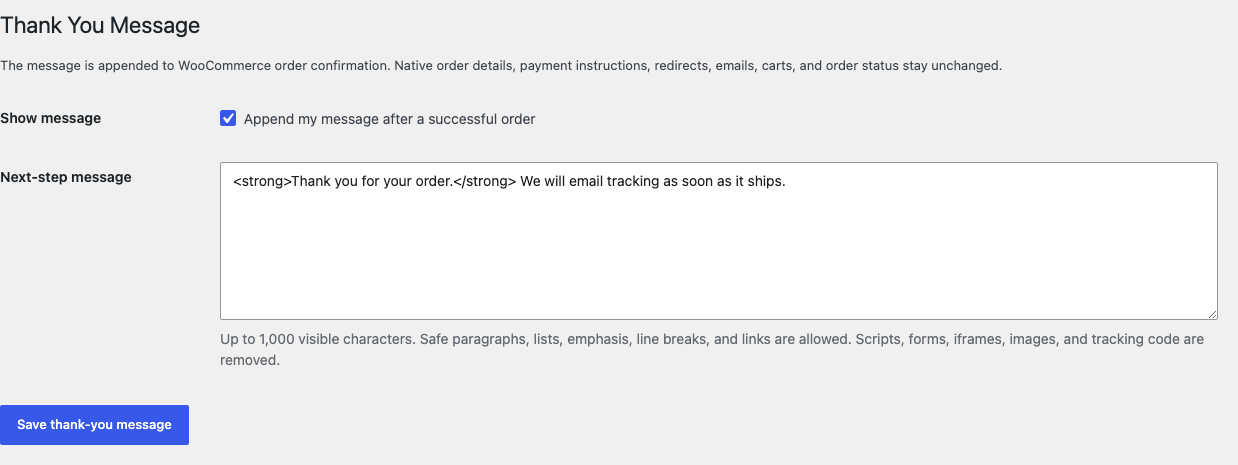
The message allows safe paragraphs, ordered and unordered lists, emphasis, line breaks, and links. It is limited to 1,000 visible characters. Scripts, forms, iframes, images, styles, tracking pixels, shortcodes, and other active content are removed.
Confirm the order result
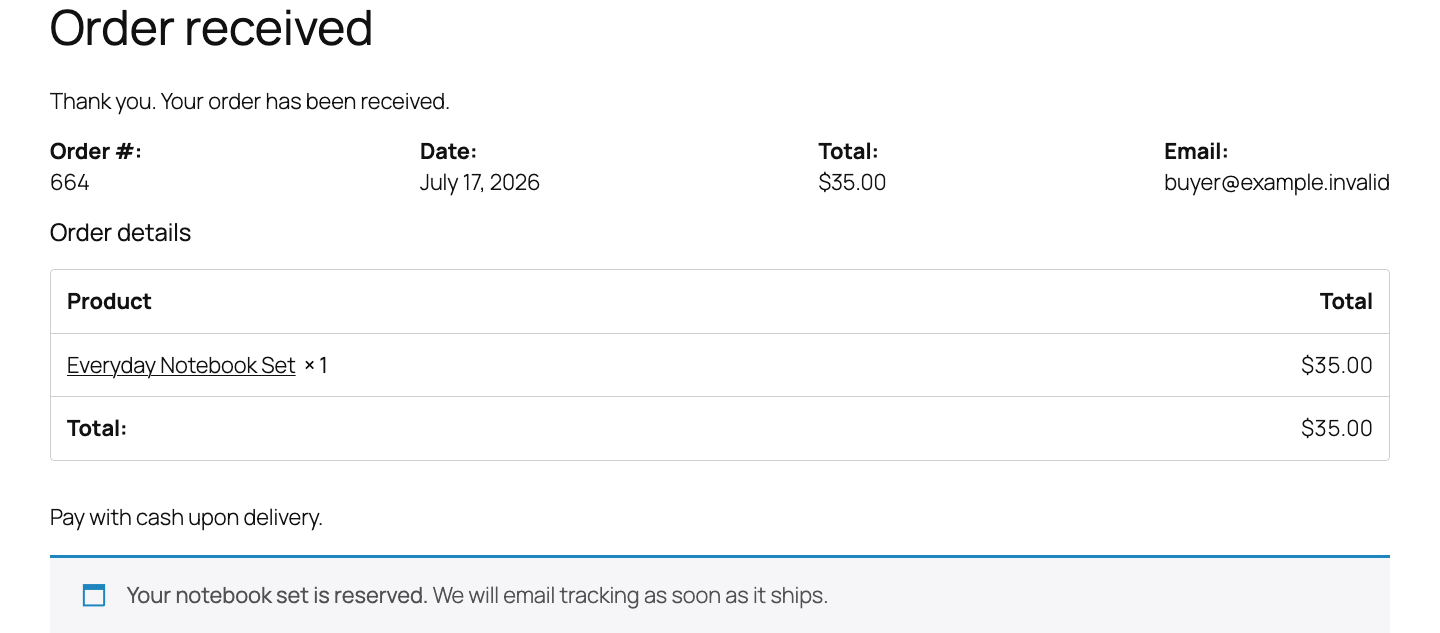
The message can render for orders whose status is:
- Pending payment;
- On hold;
- Processing;
- Completed.
It renders nothing for a missing, malformed, failed, cancelled, or refunded order. Empty or over-limit content also produces no output.
Before launch, test a logged-in order and a guest order, every enabled payment method, a failed payment, a refreshed confirmation page, order emails, My account, and the exact checkout layout used by the store.
Free and Pro precedence
Free always remains usable without an account, checkout, trial, license, or StoreFixKit connection.
With an active Pro license, the first matching valid message wins:
- A selected product in the order.
- A selected product category in the order.
- The order's payment method.
- The Free store-wide message.
- An empty or invalid Pro message falls through to the next rule.
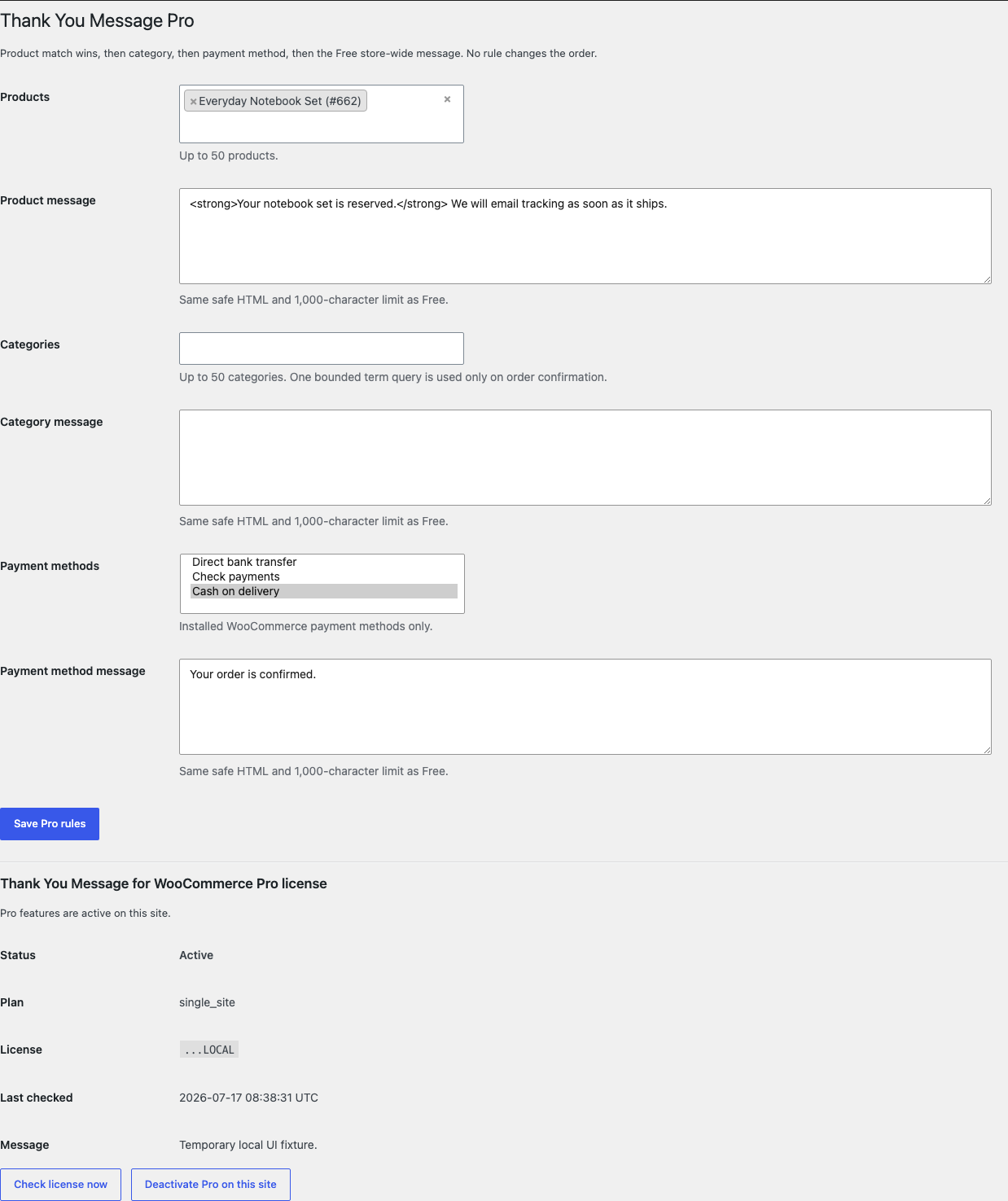
Each Pro group accepts up to 50 selected products, categories, or installed payment methods. Product matching reads no more than the first 50 order line items. The same safe HTML and 1,000-character limit apply to every message.
Start and activate Pro
- Open the Thank You Message product page.
- Select Start 14-day trial. No card is required to begin.
- Stripe returns to the StoreFixKit success page after creating the subscription.
- The signed StoreFixKit webhook creates a
thank_you_message_proproduct-bound license and makes the Pro 0.1.2 ZIP available. - Upload and activate Pro beside Free.
- Open WooCommerce > Thank You Message Pro.
- Paste the license key and select Activate Pro.
- Add only the product, category, or payment-method messages the store actually needs.
Stripe cancels the trial at its end when no payment method has been added. A billing, network, webhook, or license outage cannot remove the local Free message.
Compatibility boundary
This release supports an order-confirmation surface only when WooCommerce fires its native woocommerce_thankyou action with a valid order ID. It appends one message; it does not replace the order-received template or destination.
A checkout extension, theme, app, headless frontend, or custom confirmation page that bypasses this action is outside this release. StoreFixKit does not force support with redirects, template copies, checkout JavaScript, DOM replacement, shortcodes, or analytics scripts.
Troubleshooting
The test order showed no message
Confirm the Free setting is enabled, the message is not empty, and the order status is Pending payment, On hold, Processing, or Completed. Test a fresh order rather than a guessed order URL, then clear page and CDN caches.
A failed or cancelled order showed no message
That is expected. StoreFixKit remains silent when WooCommerce reports Failed, Cancelled, or Refunded so a success-style next step cannot contradict the payment result.
The custom confirmation page showed no message
Ask its vendor whether it fires woocommerce_thankyou with a valid order ID. A redirect or independently rendered app is outside the message-only contract.
The wrong Pro message appeared
Check selected products first, then product categories, then payment methods, then the Free message. Clear a closer rule or its message when a broader rule should apply.
My HTML disappeared
Use only paragraphs, lists, emphasis, line breaks, and normal links. Scripts, forms, iframes, images, styles, tracking code, and content over 1,000 visible characters are removed or rejected.
Free stopped after Pro was deactivated
Open WooCommerce > Thank You Message and confirm the Free switch and message. Pro does not own or delete the Free option. Place a fresh disposable order with Free only.
Rollback
- Keep the 0.1.2 and 0.1.1 ZIPs.
- Deactivate Pro, then Free.
- Place a disposable order and confirm WooCommerce's native confirmation remains intact without the extra message.
- Install and activate the previous Free ZIP.
- Install the matching previous Pro ZIP only if needed.
- Confirm the Free and Pro messages and rule selections remain saved.
- Test successful, failed, guest, and logged-in orders plus every enabled payment method.
The verified 0.1.1 to 0.1.2 update and 0.1.2 to 0.1.1 downgrade preserved owned settings and historical order data.
Uninstall ownership
Deleting Free removes only sfk_tym_settings.
Deleting Pro removes only:
sfk_tym_pro_rules;- the Thank You Message Pro license option.
Orders, order items, statuses, payment results, customer records, sessions, carts, emails, checkout endpoints, themes, templates, and unrelated options remain unchanged. This product creates no order metadata.
StoreFixKit Support
Use StoreFixKit Support and include the order ID only when it is safe to share, order status, payment method ID, product IDs or categories used by the rule, expected message, actual result, Free and Pro versions, WooCommerce version, checkout or confirmation-page owner, cache/CDN details, and screenshots. Remove names, addresses, email addresses, order keys, credentials, payment information, and the full license key.