WooCommerce order next step

Thank You Message for WooCommerce

Let me tell buyers what happens next after an accepted order while WooCommerce keeps the payment result, order details, emails, and endpoint.

$49per year after a 14-day trial

No card required. Add a payment method before day 14 to continue; otherwise Stripe cancels the subscription automatically.

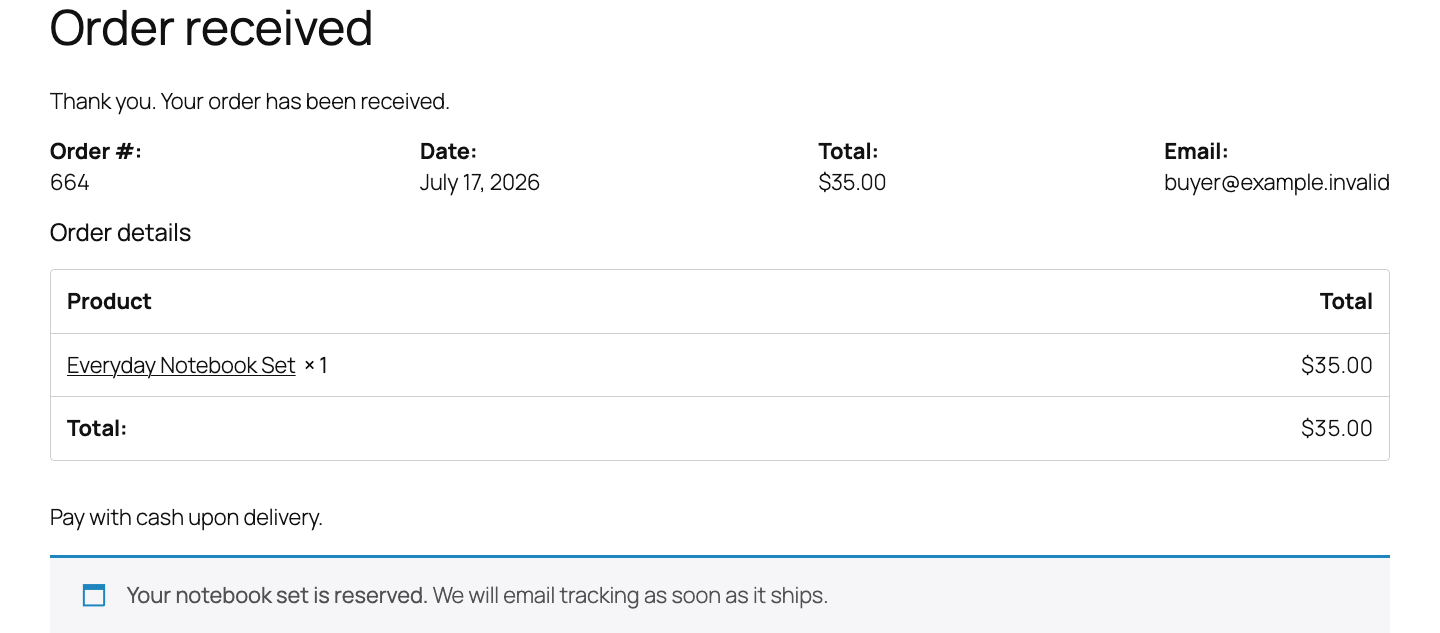
WooCommerce order confirmation showing a StoreFixKit next-step message below native order details
Real WordPress interfaceFree 0.1.2 / Pro 0.1.2
One jobAppend one safe next-step message to WooCommerce's native order-received page without replacing checkout, redirecting the buyer, or changing an order.
RequiresWooCommerce 8.9 or newer
Free statusRelease candidate prepared for WordPress.org review

Three decisions

Set it up without code.

01

Open WooCommerce > Thank You Message and enable the message.

02

Write the next step a buyer should see after an accepted order.

03

Save, then place successful, pending, failed, guest, and logged-in test orders.

Actual product

What you configure and what the visitor sees.

WooCommerce order confirmation showing a StoreFixKit next-step message below native order details
The message is appended after a valid order while WooCommerce keeps the payment result, details, email, and endpoint.
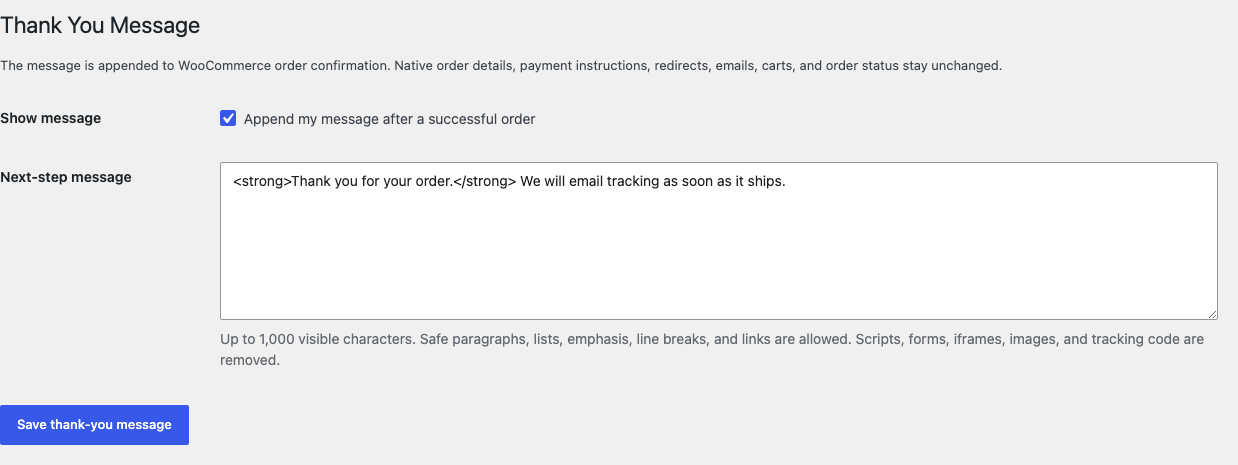
WooCommerce Thank You Message settings with one enabled checkbox and a next-step message field
Free adds one safe message without taking ownership of the confirmation page.
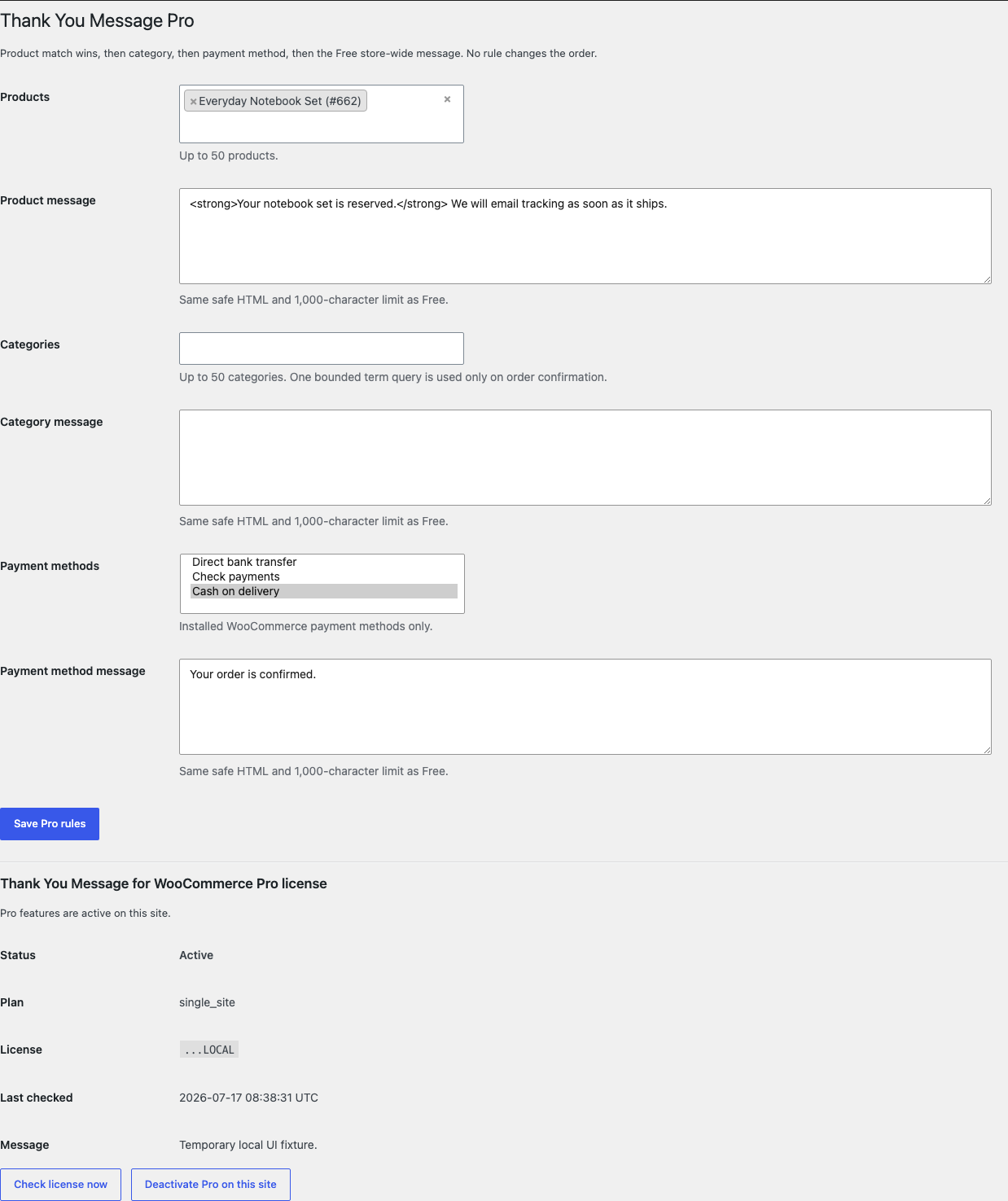
Thank You Message Pro settings with product, category, payment method rules, and active license status
Pro selects among bounded local order facts and never redirects checkout or changes an order.

Free and Pro

Free keeps working. Pro adds capacity.

Free 0.1.2

No account or license required

  • Append one store-wide message through WooCommerce's native thank-you action.
  • Use up to 1,000 visible characters with safe paragraphs, lists, emphasis, line breaks, and links.
  • Render nothing for missing, failed, cancelled, refunded, malformed, empty, or rejected order context.

Prepared for WordPress.org submission; no public-directory approval is claimed yet.

Failure boundary

Designed to stop quietly instead of changing store truth.

The free workflow is independent of Stripe, the StoreFixKit license API, and Pro. A billing or network problem cannot rewrite the parent plugin's data.

  • Never redirects checkout, replaces the order-received template, changes a payment result or order status, empties a cart, or sends an email.
  • Never stores customer or order data and removes scripts, forms, iframes, images, styles, tracking code, and other active content.
  • Creates no frontend asset, custom table, cron job, analytics event, telemetry, customer cookie, or storefront remote request.
  • An invalid order, excluded status, malformed message, expired license, or unavailable Pro service produces no extra output and leaves WooCommerce's confirmation intact.

14-day trial

No card required to test Pro on one site.

Stripe hosts checkout and billing. The StoreFixKit success page creates a product-bound license and Pro download. Add a payment method before trial end only if you want the annual plan to continue.

Before installing

Short answers to the important questions.

Does this replace or redirect the WooCommerce thank-you page?

No. It appends one message through WooCommerce's native thank-you action and leaves the endpoint, template, order details, and payment instructions in place.

Why is the message absent on a failed order?

That is intentional so a success-style message cannot contradict WooCommerce's payment result.

Does Free stop when a Pro license expires?

No. The Free store-wide message continues locally; only product, category, and payment-method rules turn off.