Free 0.1.4 and Pro 0.1.4 documentation.
Show Sale Savings replaces only the text inside WooCommerce's native sale badge when current local prices prove a positive saving. It never creates or changes a sale price, schedule, coupon, cart, checkout, or order.
Requirements
| Component | Requirement |
|---|---|
| WordPress | 6.2 or newer |
| PHP | 7.4 or newer |
| WooCommerce | 8.9 or newer, active |
| Simple product input | Current regular price greater than current sale price |
| Variable product budget | At most 100 current variation price rows |
| Pro plan | One site, $79/year after a 14-day trial |
Enable truthful sale badges with Free
- Install and activate WooCommerce.
- Install Show Sale Savings for WooCommerce from WordPress.org after its directory listing is approved, or upload the supplied Free 0.1.4 ZIP.
- Open WooCommerce > Sale Savings.
- Enable truthful savings in native sale badges and save.
- View one simple sale product and one variable sale product.

Verify the storefront result
For a simple product with regular price $120 and sale price $90, the proven saving is $30, or 25%. Free shows 25% off.
For a variable product, Free checks at most 100 current regular/sale pairs, ignores pairs that do not prove a sale, and reports the largest valid percentage as Up to X% off. It does not claim that every variation receives that discount.
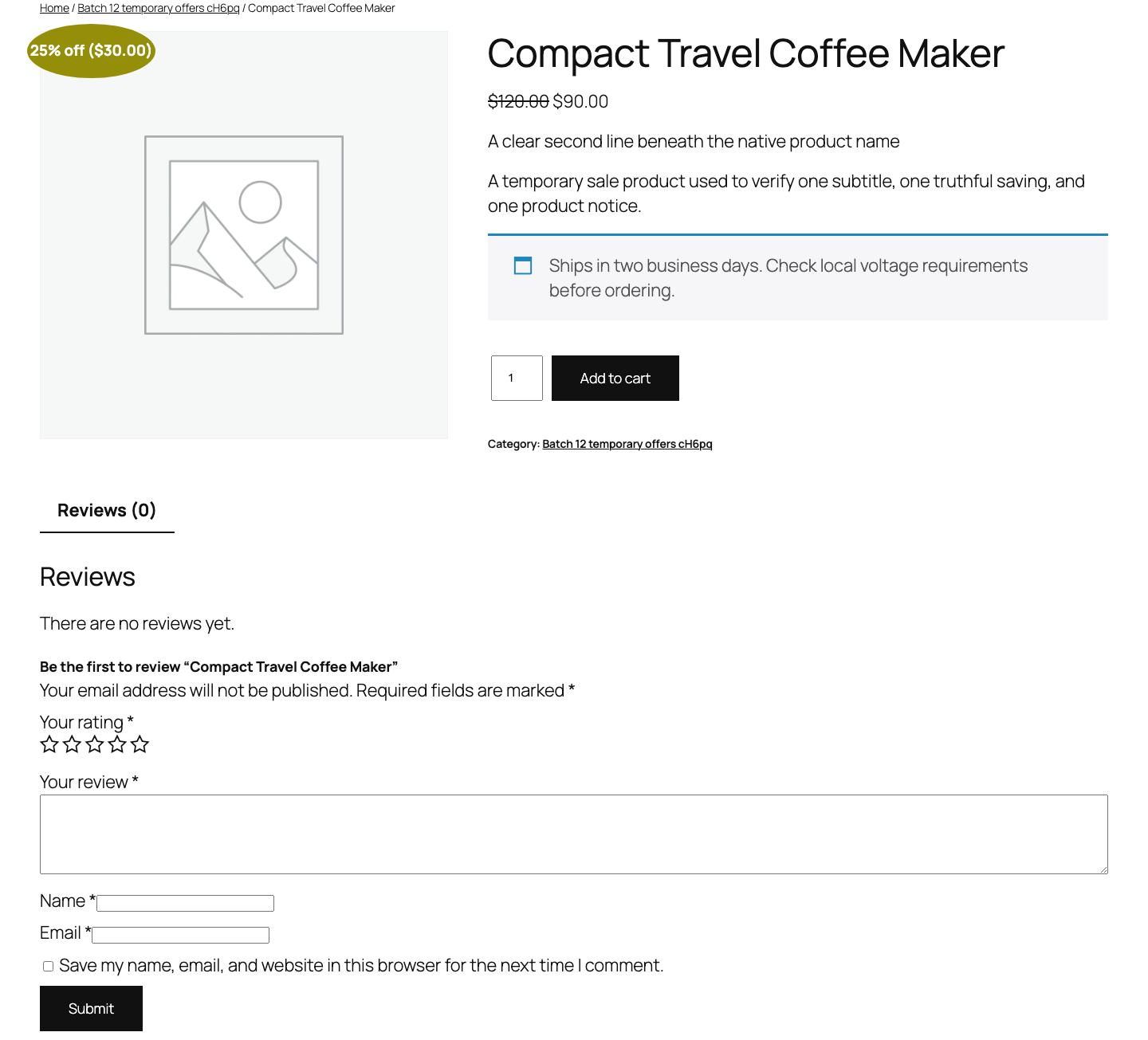
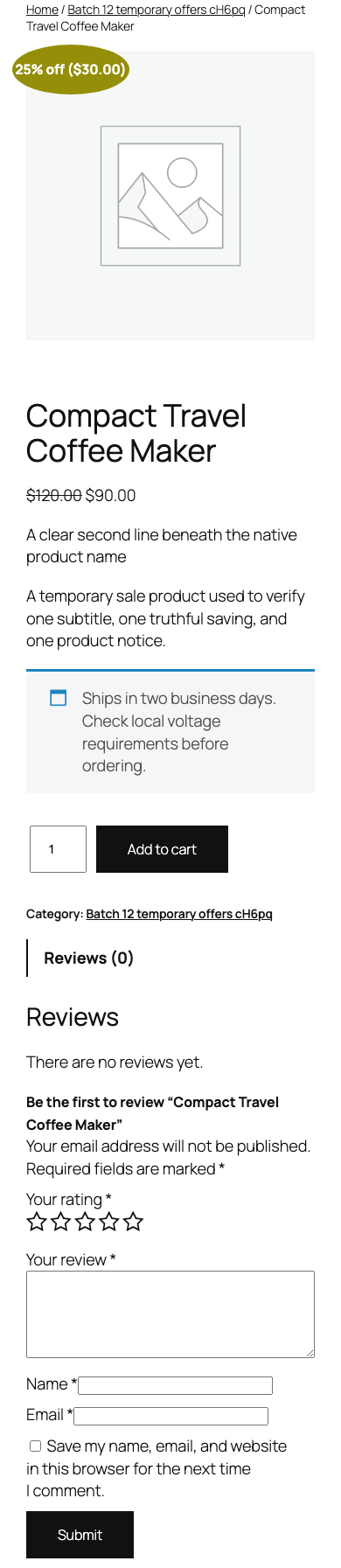
What Free changes
Free listens only to WooCommerce's native woocommerce_sale_flash filter. When the input wrapper is supported and the current product has a finite positive saving, it replaces the inner text with an escaped whole-number percentage.
Missing, zero-base, equal, reversed, malformed, excessive, unsupported, disabled, or ambiguous price data returns the complete native badge byte-for-byte unchanged. Free does not write product data at runtime.
What Pro adds
Pro can format the same proven value as a percentage, WooCommerce-formatted amount, or both. It also offers one allowlisted variable-product phrase and one plain-text prefix capped at 20 characters.
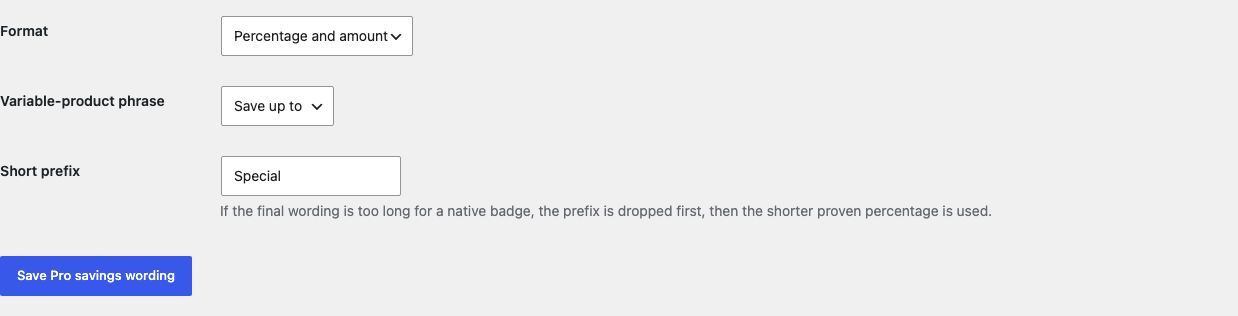
Native sale badges are often designed for a very short word such as Sale!. To reduce theme clipping, the final Pro text has a 16-character display budget. If a combination is longer, Pro drops the prefix first. If the remaining amount or combined wording is still too long, it uses Free's shorter proven percentage. No text is cut in the middle and no CSS is injected.
If Pro, billing, or the license service is unavailable, Free's truthful percentage and native fallback continue locally.
Start the 14-day Pro trial
- Open the Sale Savings product page.
- Select Start 14-day trial. No card is required to begin.
- Stripe returns to the StoreFixKit success page; a signed webhook creates a product-bound single-site license.
- Copy the key and download the Pro 0.1.4 ZIP.
- Keep Free active, upload and activate Pro, and paste the key in WooCommerce > Sale Savings.
- Add a payment method before day 14 only if you want the $79/year subscription to continue. Without one, Stripe cancels it at trial end.
Privacy, security, and resource use
- Settings require
manage_woocommerce, a WordPress nonce, allowlisted choices, and bounded plain text. - Output is escaped and preserves the existing native wrapper and class.
- The runtime reads only the current product's WooCommerce price values already needed for the badge.
- A variable product is capped at 100 price rows; an over-budget product keeps its native badge.
- There is no price write, catalog scan, custom table, cron, queue, telemetry, frontend asset, or storefront StoreFixKit request.
- Pro license and update checks occur only through authenticated administrator actions.
Troubleshooting
A sale product still says Sale
Confirm the feature is enabled and WooCommerce is rendering its native sale badge. Check that the current regular price is greater than a finite non-negative sale price. Unsupported wrapper markup and uncertain price data deliberately remain unchanged.
A variable product says Up to
That wording is deliberate. The plugin reports the largest proven saving among the bounded current variation pairs and does not imply that every variation receives it.
The amount or prefix disappears
The final Pro text exceeded the 16-character native-badge budget. Pro removes the prefix first and then falls back to the shorter proven percentage rather than allowing the theme to clip an incomplete claim.
The percentage differs from a coupon or dynamic-pricing rule
This plugin reads only the product's current WooCommerce regular and sale prices. It does not inspect coupons, cart rules, personalized pricing, quantity discounts, tax, or legal price-history data.
The badge shape or color did not change
That is expected. The plugin changes only text. Badge shape, color, position, animation, and theme templates remain owned by the active theme or label extension.
Rollback
- Back up the database and both current ZIPs.
- Record the Free switch and Pro format choices.
- Deactivate Pro. Free percentages should continue.
- Deactivate Free. WooCommerce's complete native sale badges return immediately.
- Install the tested Free 0.1.0 and Pro 0.1.0 baseline ZIPs if an older-code comparison is required.
- Recheck simple, variable, invalid-price, desktop, and mobile cases before returning to 0.1.4.
Versions 0.1.0 and 0.1.4 use the same two bounded option records and require no database migration.
Uninstall
Default uninstall preserves sfk_ss_settings, sfk_ss_pro_settings, and the Pro license state for accidental recovery. Define STOREFIXKIT_DELETE_DATA as true before deletion to remove only those StoreFixKit options.
Products, regular prices, sale prices, schedules, variations, taxes, coupons, carts, customers, orders, refunds, stock, theme settings, and third-party badge data are never deleted.
StoreFixKit Support
Use StoreFixKit Support and include the affected URL, product type, redacted regular/sale price pairs, displayed badge text, desired Pro format, Free and Pro versions, WordPress and WooCommerce versions, theme, pricing/label extensions, cache status, and desktop/mobile screenshots. Never send credentials, customer or order data, API keys, or a full license key.
For feedback, include one product that works and one that does not. That comparison helps separate StoreFixKit's proof boundary from theme layout, variable pricing, coupons, or another badge owner.