No card required. Add a payment method before day 14 to continue; otherwise Stripe cancels the subscription automatically.
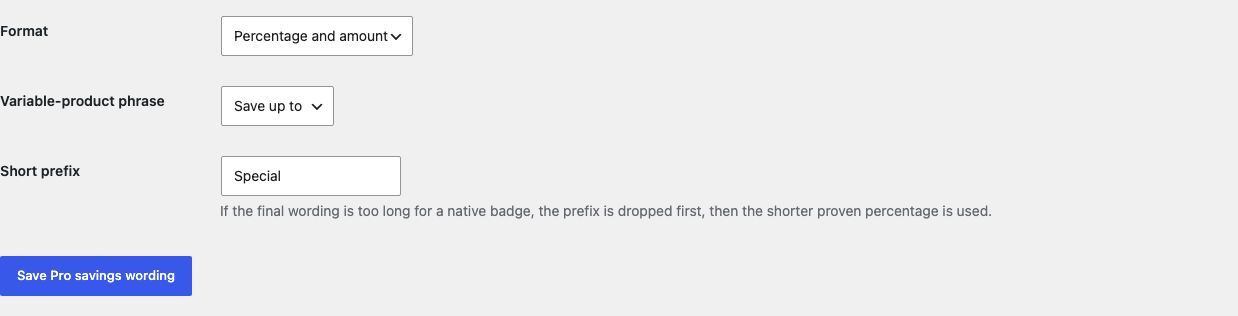
Real WordPress interfaceFree 0.1.4 / Pro 0.1.4
One jobShow a truthful percentage or compact amount inside WooCommerce's native sale badge only when current local product prices prove a positive saving.
RequiresWooCommerce 8.9 or newer
Free statusRelease candidate prepared for WordPress.org review
Three decisions
Set it up without code.
01
Open WooCommerce > Sale Savings and enable truthful savings in native sale badges.
02
View a simple product whose regular price is greater than its current sale price.
03
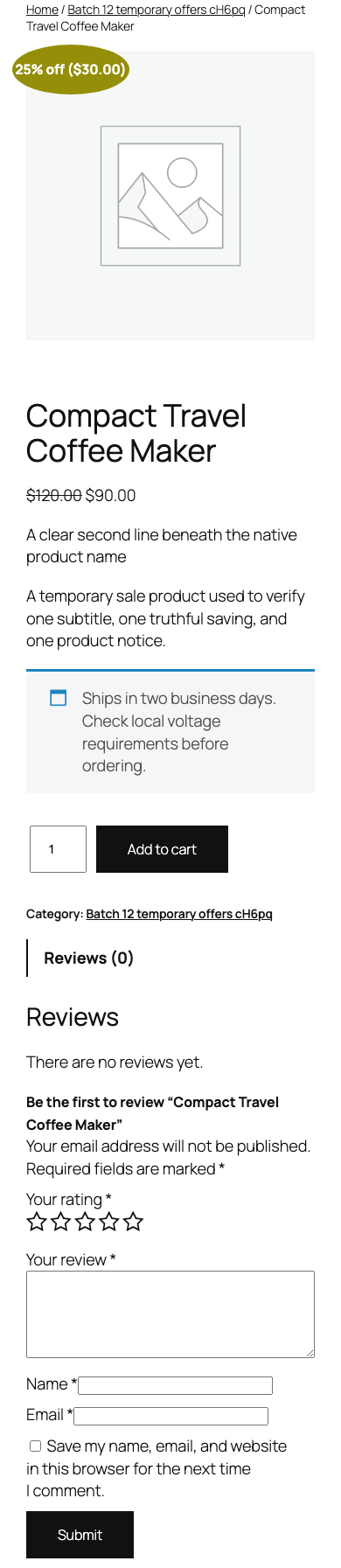
Check one variable sale product and verify the bounded Up to wording on desktop and mobile.
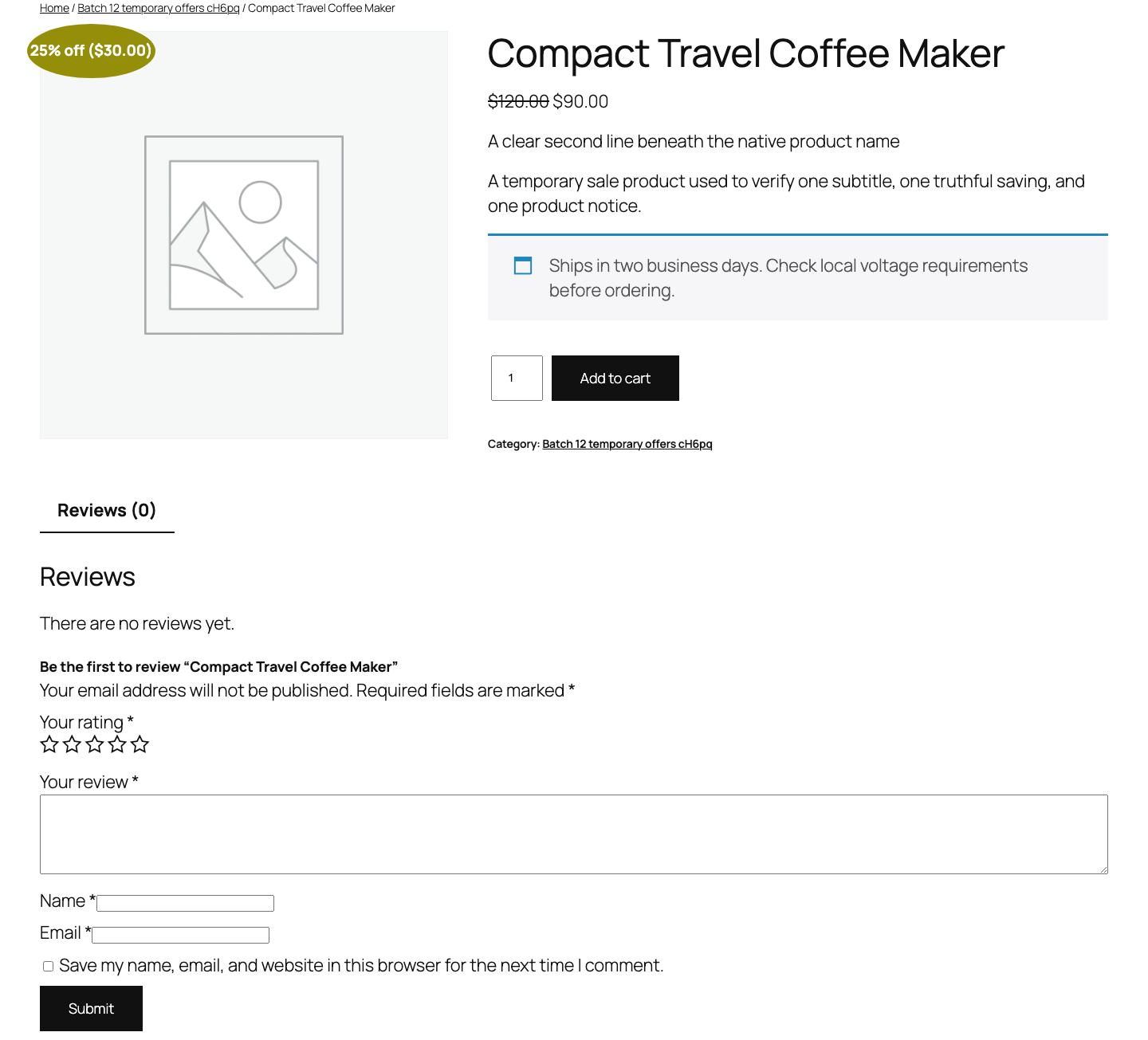
Actual product
What you configure and what the visitor sees.
Free has one switch, and turning it off restores WooCommerce's complete native badge.Every Pro choice formats Free's existing price proof and never owns sale prices.The native wrapper stays in place while the compact text shows a proven saving.The tested badge remains fully inside the 390-pixel viewport.
Free and Pro
Free keeps working. Pro adds capacity.
Free 0.1.4
No account or license required
Replace only the text inside a supported native sale badge with a proven whole-number percentage.
Use Up to wording for the largest valid saving among at most 100 current variable-product price rows.
Return WooCommerce's complete native badge unchanged for missing, malformed, ambiguous, disabled, or over-budget data.
Prepared for WordPress.org submission; no public-directory approval is claimed yet.
Pro 0.1.4
$79 per year
Show the same proven value as a percentage, WooCommerce-formatted amount, or both.
Choose one allowlisted variable-product phrase and one short plain-text prefix.
Use a 16-character final display budget that drops the prefix or falls back to Free instead of clipping a claim.
Designed to stop quietly instead of changing store truth.
The free workflow is independent of Stripe, the StoreFixKit license API, and Pro. A billing or network problem cannot rewrite the parent plugin's data.
Reads only current numeric WooCommerce regular and sale prices and never creates or changes a price, schedule, coupon, cart, or order.
Preserves the complete native badge when the wrapper, product, prices, or variable-product scope is uncertain.
Does not claim price-history, advertising, consumer-protection, tax, or regulatory compliance.
No catalog scan, product write, custom table, cron, queue, telemetry, frontend asset, or storefront StoreFixKit request.
14-day trial
No card required to test Pro on one site.
Stripe hosts checkout and billing. The StoreFixKit success page creates a product-bound license and Pro download. Add a payment method before trial end only if you want the annual plan to continue.