Free 0.1.0 and Pro 0.1.0 documentation.
Redirect After Login sends a customer-role login through the WooCommerce account form to one published page of this site, using WooCommerce's own login redirect filter. It is one bounded landing choice, not a login security tool, session manager, or conditional rule builder.
Requirements
| Component | Requirement |
|---|---|
| WordPress | 6.2 or newer |
| PHP | 7.4 or newer |
| WooCommerce | 8.9 or newer, active |
| Supported login | A customer-role login through the WooCommerce account form |
| Pro plan | One site, $39/year after a 14-day trial |
Choose the Free landing page
- Install and activate WooCommerce.
- Install Redirect After Login for WooCommerce from WordPress.org after its listing is approved, or upload the supplied Free 0.1.0 ZIP.
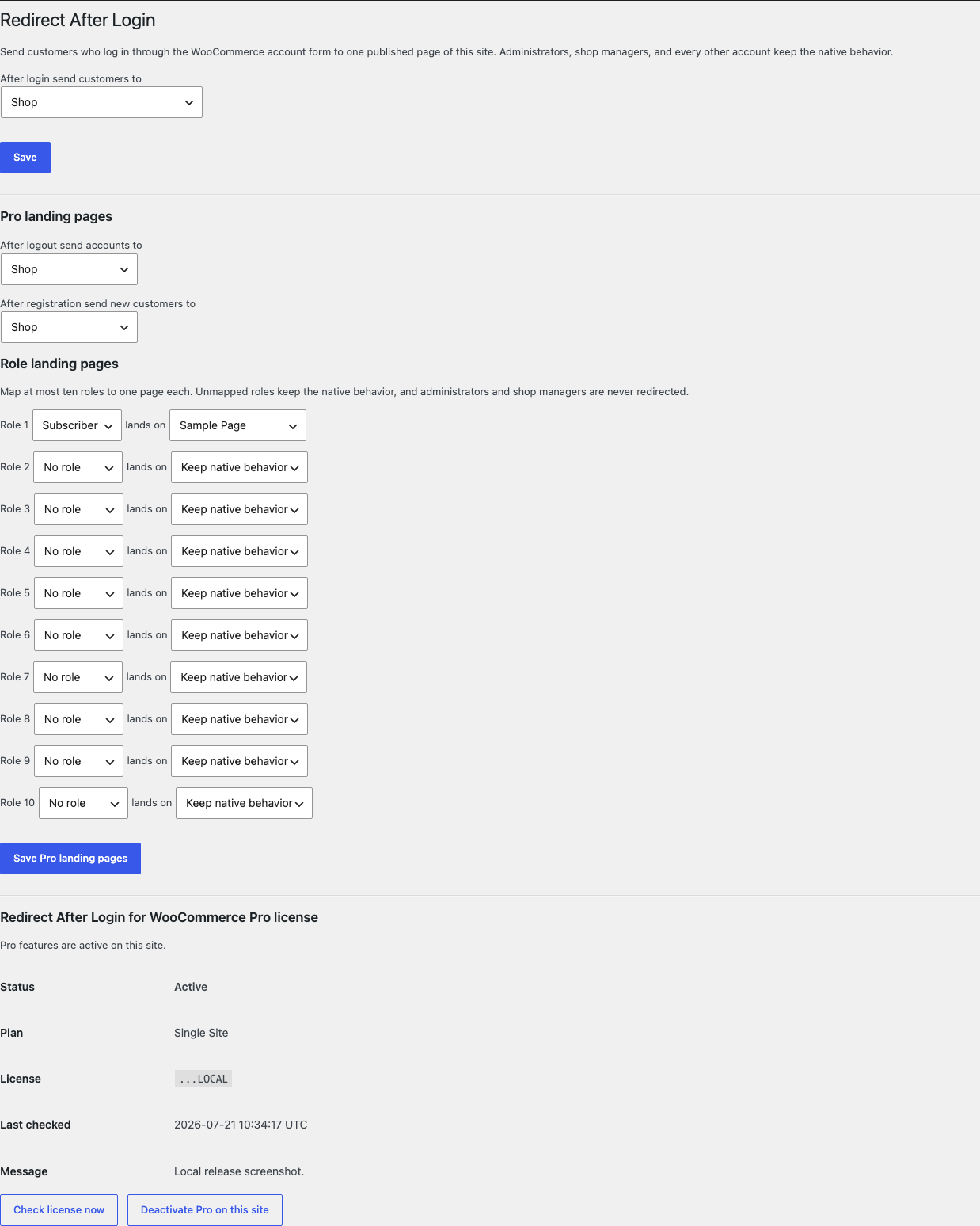
- Open WooCommerce > Redirect After Login.
- Pick one page from After login send customers to.
- Select Save.
Verify one customer login
- Log out, or open a private browser window.
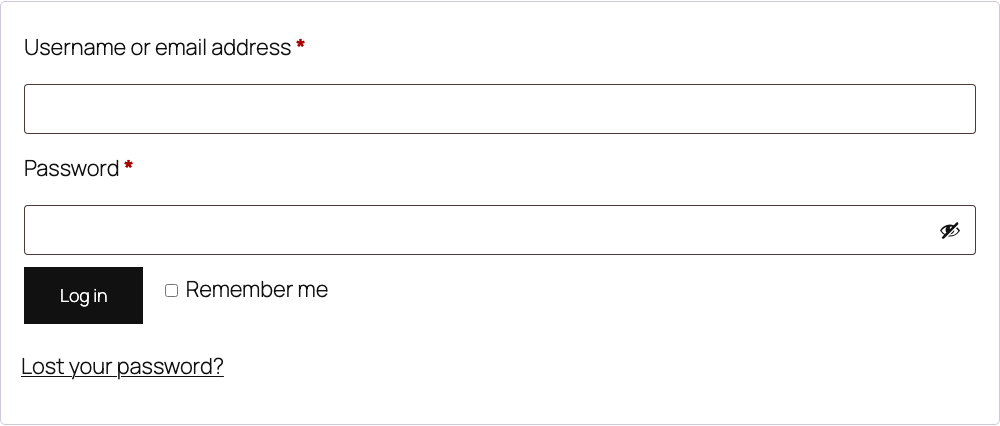
- Open the WooCommerce account page and log in as a test customer.
- Confirm the browser lands on the chosen page instead of the My Account dashboard.
- Log in as an administrator or shop manager and confirm the native destination is unchanged.
- Log in through
wp-login.phpand confirm WordPress's native redirect still applies.
What Free changes
Free stores one local option, sfk_ral_settings, containing one page ID chosen from a dropdown of this site's published pages. When WooCommerce's native login redirect filter runs, Free confirms the just-authenticated account's primary role is customer, resolves that page's permalink once, and returns it. Any other role, a deleted or unpublished page, or any uncertain state returns the incoming native redirect unchanged.
Free never intercepts wp-login.php or wp-admin, never touches sessions, passwords, users, roles, carts, orders, or emails, and never stores a free-text URL, external host, or query string. It adds no conditional rule builder, precedence chain, or per-user rules.
What Pro adds
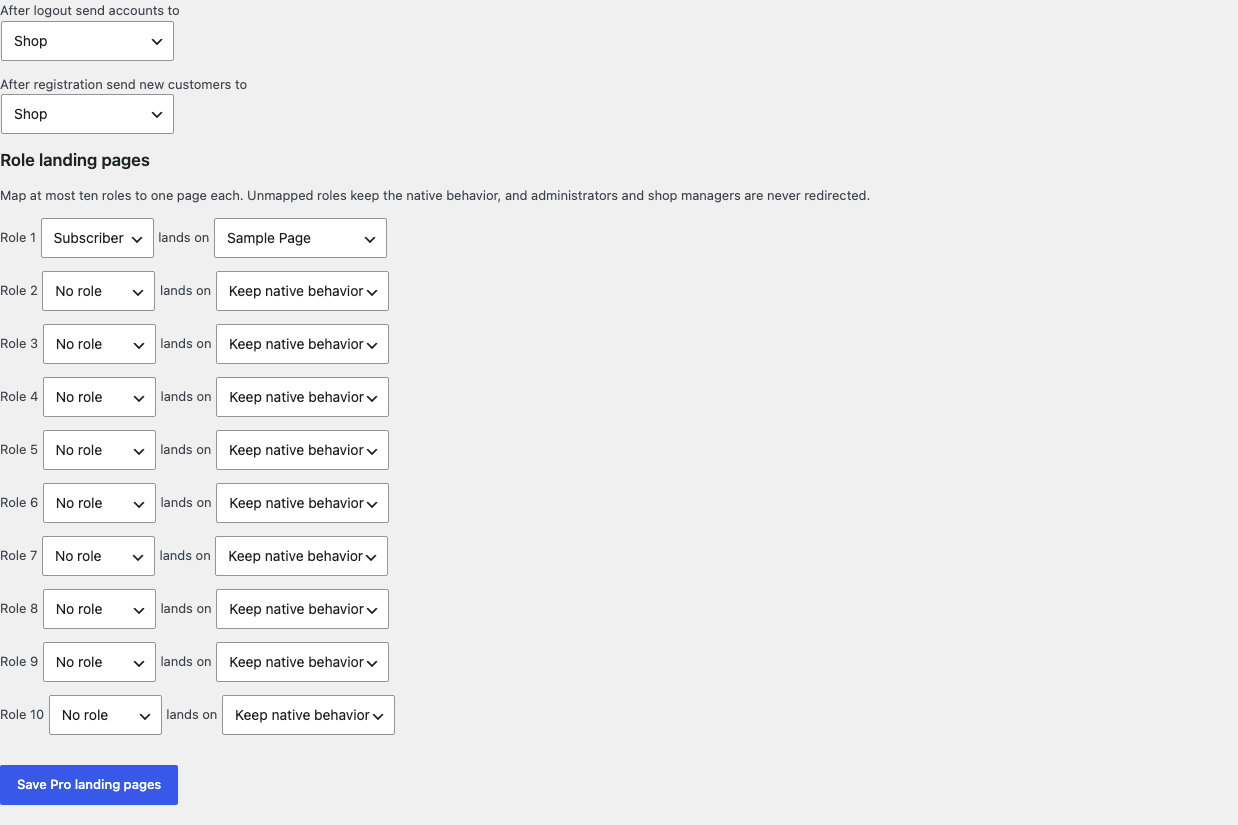
Pro adds three bounded landing choices, each stored as a page ID:
- one logout landing page and one after-registration page;
- at most ten role-to-page mappings, where an exact role mapping wins over the customer default;
- unmapped roles keep native behavior, and administrators are never redirected.
If Pro, Stripe, the network, or the StoreFixKit license API is unavailable, the valid Free customer redirect continues at login.
Start the 14-day Pro trial
- Open the Redirect After Login product page.
- Select Start 14-day trial. No card is required to begin.
- Stripe returns to StoreFixKit after checkout; a signed webhook creates a product-bound license.
- Copy the license key and download the Pro 0.1.0 ZIP.
- Keep Free active, upload and activate Pro, then activate its license.
- Add a payment method before day 14 only if you want the $39/year subscription to continue. Without one, Stripe cancels it at trial end.
Compatibility boundary
This release returns a permalink through WooCommerce's native woocommerce_login_redirect filter, and Pro through the native logout and registration filters. A login that never passes through those filters, such as wp-login.php, a custom login plugin, or a social login that redirects on its own, keeps that owner's behavior.
StoreFixKit does not intercept wp-admin, add security rules, two-factor prompts, captchas, or login form fields, and does not compete with another plugin that filters the same redirect.
Privacy, security, and resource use
- Settings writes require
manage_woocommerceand WordPress's settings nonce. - Targets are stored only as page IDs validated against this site's published pages; free-text and external URLs are rejected.
- Each login reads at most two options, one role check, and one permalink lookup.
- Administrators are never redirected, and shop managers plus unmapped roles keep WooCommerce's native destination.
- The storefront performs no StoreFixKit or third-party HTTP request and stores no personal data.
- There is no custom table, cron, Action Scheduler job, queue, telemetry, JavaScript, or stylesheet.
Troubleshooting
The login still lands on My Account
Confirm the setting is saved with a published page, the account's primary role is customer, and the login went through the WooCommerce account form rather than wp-login.php. An empty setting intentionally keeps the native landing.
An administrator was not redirected
That is by design. Administrators are never redirected, and shop managers plus every unmapped role keep the native destination.
The chosen page was deleted or unpublished
Free falls back to the native My Account landing with no error and no guess. Pick a new published page in the settings.
A role mapping did not apply
Confirm Free and Pro are active, the license belongs to Redirect After Login Pro, the role is one of the mapped ten, and the mapped page is still published. Exact role mappings win over the customer default.
Another plugin sends logins somewhere else
Several plugins can filter the same WooCommerce redirect, and the last one to run wins. Deactivate the other plugin briefly on a staging site to identify the owner; StoreFixKit does not fight for precedence.
Rollback and uninstall
- Back up the database and keep the deterministic 0.1.0 Free and Pro ZIPs.
- Deactivate Pro and confirm the Free customer redirect remains.
- Deactivate Free and confirm customer logins return to the native My Account landing while users, roles, and pages remain unchanged.
- Reinstall the 0.1.0 Free ZIP, then the matching Pro ZIP if needed.
- Test one customer login and one administrator login before relying on the restored release.
The verified release drill installed a synthetic 0.0.1 baseline, updated to 0.1.0, downgraded, rolled forward, deactivated, and exercised both uninstall modes while preserving WooCommerce product and order data.
Normal uninstall preserves Free settings, Pro settings, and the license for accidental recovery. Define STOREFIXKIT_DELETE_DATA as true before deletion only when you deliberately want Free to remove sfk_ral_settings and Pro to remove sfk_ral_pro_settings plus its license option. Users, roles, sessions, pages, carts, orders, and third-party data are never deleted.
StoreFixKit Support
Use StoreFixKit Support and include the affected account's role without personal data, the exact login path used, the chosen page ID and its publish state, expected and actual landing URL, Free and Pro versions, WordPress and WooCommerce versions, other login or redirect plugins, cache status, and redacted screenshots. Never send credentials, customer data, API keys, payment details, or a complete license key.
For feedback, describe the shortest repeatable login and whether a plain customer login on a default store lands on the chosen page. After resolution, support will provide the correct WordPress.org review link once the official listing exists.