Free 0.1.1 and Pro 0.1.1 documentation.
Show Out of Stock Products Last moves out-of-stock products to the end of WooCommerce's standard shop, category, and search lists with one switch. One ordering clause is appended at read time to the verified standard product loop, so in-stock products list first while every product, stock value, template, and non-standard loop stays exactly native. It is one bounded ordering switch, not a drag-and-drop sorter, stock editor, or catalog scanner.
Requirements
| Component | Requirement |
|---|---|
| WordPress | 6.2 or newer |
| PHP | 7.4 or newer |
| WooCommerce | 8.9 or newer, active |
| Free rule | One global switch and one read-time ordering clause on the standard shop, category, and search loops |
| Pro plan | One site, $39/year after a 14-day trial |
Turn on the Free ordering
- Install and activate WooCommerce.
- Install Show Out of Stock Products Last for WooCommerce from WordPress.org after its listing is approved, or upload the supplied Free 0.1.1 ZIP.
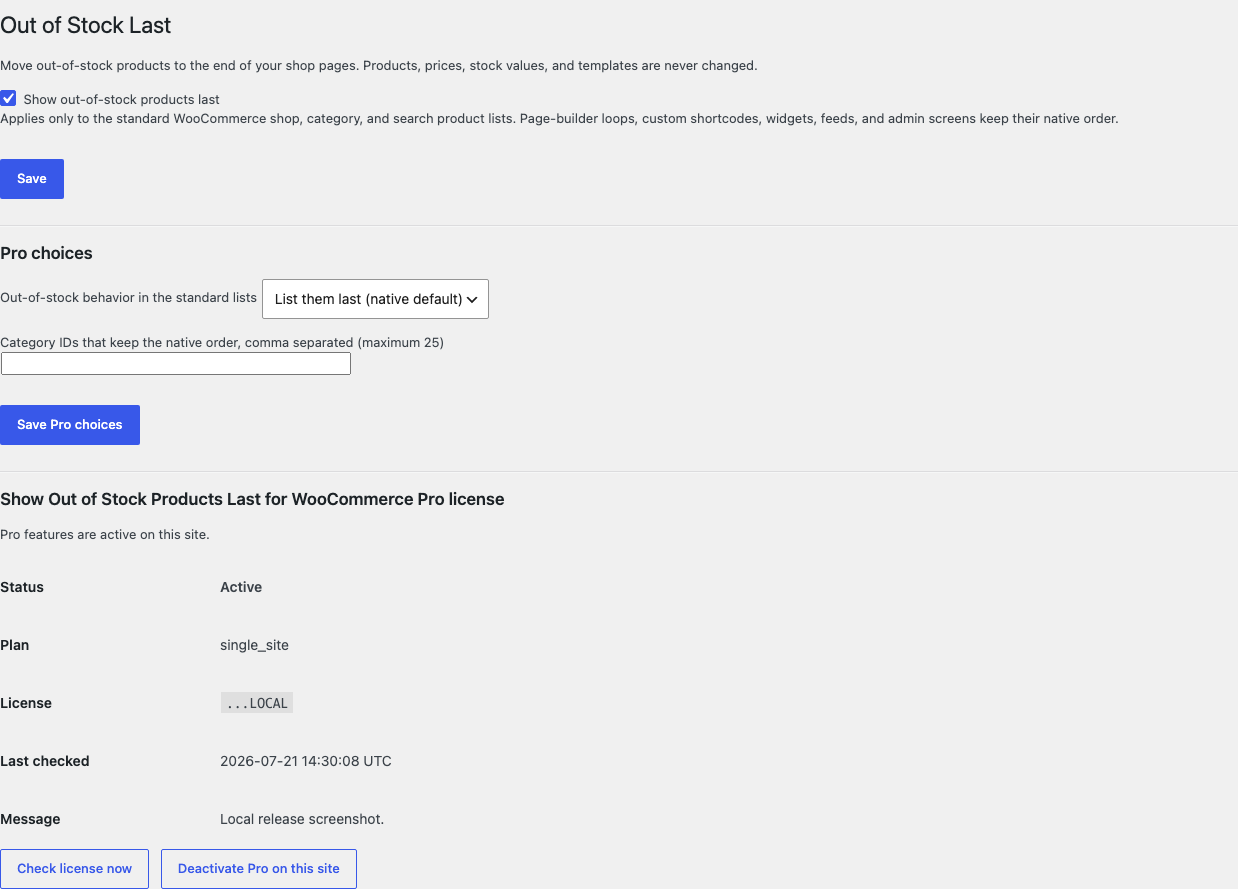
- Open WooCommerce > Out of Stock Last.
- Tick Show out-of-stock products last.
- Select Save.
Verify the reordered catalog
- Open the shop page while signed out.
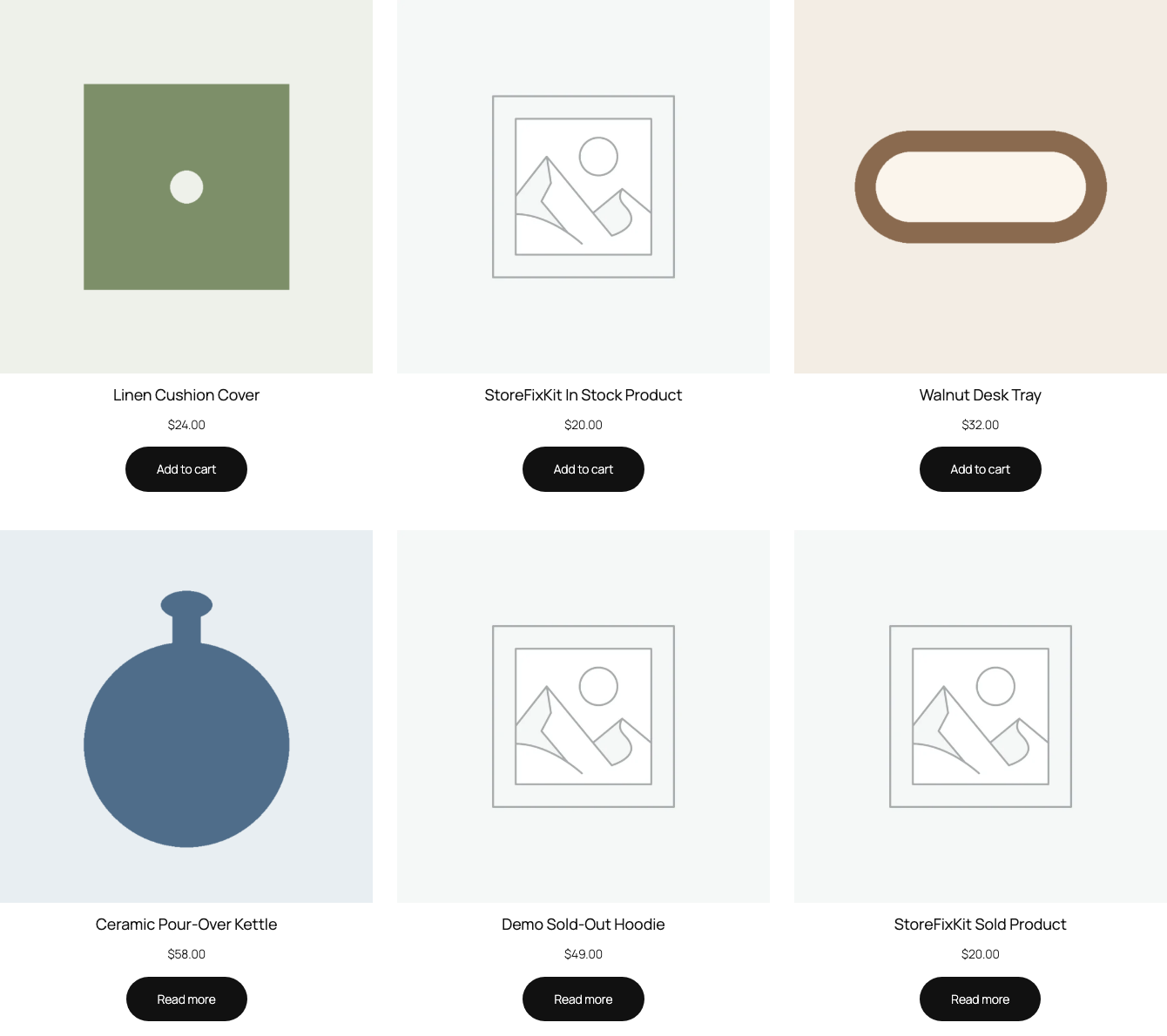
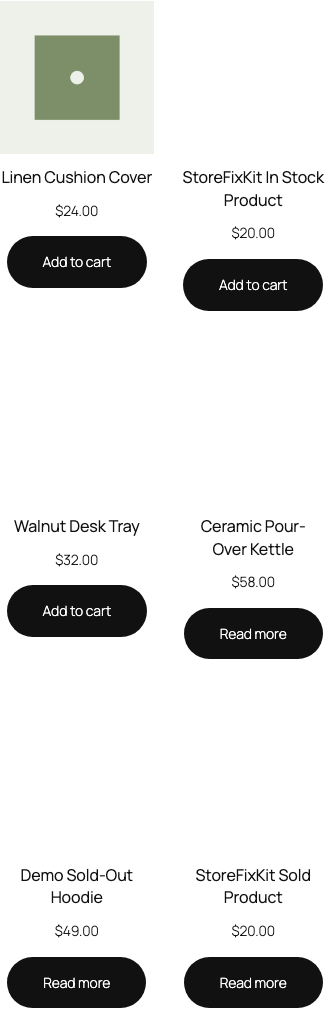
- Confirm in-stock products list first and out-of-stock products sit at the end.
- Open one category archive and one product search and confirm the same order.
- Confirm your chosen catalog sorting still decides the order within each group and pagination counts stay native.
- Turn the switch off and confirm the native catalog order returns immediately.
What Free changes
Free stores one local option, sfk_oosl_settings, containing the switch. While the switch is on, WooCommerce's standard shop, category, and search product loops are verified first, then one ordering clause is appended at read time so in-stock products list first. The chosen catalog sorting remains the tiebreaker within each group, and pagination and found-rows counts stay native.
Free writes no product, stock value, visibility, category, term, or template. It never reorders admin, REST, feed, widget, page-builder, or custom shortcode queries, never runs catalog scans, scheduled reordering, or background jobs, and never changes search relevance beyond the single ordering clause. A disabled switch, a non-standard query, or any uncertain state returns every incoming clause unchanged, and turning the switch off restores the native order immediately.
What Pro adds
Pro adds two bounded local choices:
- one out-of-stock behavior for the standard lists: list them last, which stays the default, or hide them entirely inside the same verified standard loops;
- at most twenty-five excluded categories whose archives keep the native order, where exact category membership is decided at read time for the current archive only.

If Pro, Stripe, the network, or the StoreFixKit license API is unavailable, the valid Free global ordering continues locally.
Start the 14-day Pro trial
- Open the Show Out of Stock Products Last product page.
- Select Start 14-day trial. No card is required to begin.
- Stripe returns to StoreFixKit after checkout; a signed webhook creates a product-bound license.
- Copy the license key and download the Pro 0.1.1 ZIP.
- Keep Free active, upload and activate Pro, then activate its license.
- Add a payment method before day 14 only if you want the $39/year subscription to continue. Without one, Stripe cancels it at trial end.
Compatibility boundary
This release appends one ordering clause through WordPress's native query clauses only after WooCommerce's own product query marks a standard shop, category, or search loop. A page-builder loop, custom shortcode, widget, feed, admin table, or REST query owns its own order and passes through untouched, and a plugin that rewrites the same ordering clauses later in the chain owns that surface.
StoreFixKit does not build manual drag-and-drop ordering, per-product sort weights, sortable admin tables, general multi-key sorting engines, search relevance engines, faceted filtering, pagination changes, or per-user personalization, and never edits stock values or product visibility.
Privacy, security, and resource use
- Settings writes require
manage_woocommerceand WordPress's settings nonce. - Each catalog decision reads at most two options and appends at most one ordering clause per loop.
- At most twenty-five category terms are evaluated, and only for the current archive.
- Products, prices, stock values, carts, orders, and customers are never created, edited, or deleted.
- The storefront performs no StoreFixKit or third-party HTTP request and stores no personal data.
- There is no custom table, cron, Action Scheduler job, queue, telemetry, JavaScript, or stylesheet.
Troubleshooting
Out-of-stock products still lead the shop
Confirm the switch is saved, then clear object and page caches. A Pro excluded category keeps its native order on purpose, and a plugin that rewrites the same ordering clauses later in the chain owns the final order.
A page-builder grid or shortcode kept its order
That is by design. Only WooCommerce's verified standard shop, category, and search loops are reordered; page-builder loops, custom shortcodes, widgets, feeds, admin, and REST stay exactly native.
Out-of-stock products disappeared from the lists
The Pro out-of-stock behavior is set to hide them. Switch it back to listing them last, and the products reappear at the end of the standard loops; the products themselves were never changed.
In-stock products look mixed among themselves
The single ordering clause only moves out-of-stock products to the end. Within the in-stock group and within the out-of-stock group, your chosen catalog sorting remains the tiebreaker.
Pro choices do not apply
Confirm Free and Pro are active, the license belongs to Show Out of Stock Products Last Pro, and the behavior and excluded categories were saved. When licensing is unavailable, Free intentionally continues its local global ordering.
Rollback and uninstall
- Back up the database and keep the deterministic 0.1.1 Free and Pro ZIPs.
- Deactivate Pro and confirm the Free global ordering remains.
- Deactivate Free and confirm the native catalog order returns immediately while products, prices, stock, and orders remain unchanged.
- Reinstall the 0.1.1 Free ZIP, then the matching Pro ZIP if needed.
- Verify one reordered shop page and one native non-standard loop before relying on the restored release.
The verified release drill installed a synthetic 0.0.1 baseline, updated to 0.1.1, downgraded, rolled forward, deactivated, and exercised both uninstall modes while preserving WooCommerce product and order data.
Normal uninstall preserves Free settings, Pro settings, and the license for accidental recovery. Define STOREFIXKIT_DELETE_DATA as true before deletion only when you deliberately want Free to remove sfk_oosl_settings and Pro to remove sfk_oosl_pro_settings plus its license option. Products, prices, stock values, carts, orders, customers, and third-party data are never deleted.
StoreFixKit Support
Use StoreFixKit Support and include the switch state, any Pro behavior and excluded categories, the URL of the affected shop, category, or search page, the expected and actual product order, theme, cache/CDN status, Free and Pro versions, WordPress and WooCommerce versions, and redacted desktop/mobile screenshots. Never send credentials, customer or order data, API keys, payment details, or a complete license key.
For feedback, describe the shortest repeatable setup and whether a default store lists in-stock products first with one switch. After resolution, support will provide the correct WordPress.org review link once the official listing exists.