Hide WooCommerce's native Related products result without deleting products, changing relationships, removing templates, or touching upsells and cross-sells.
Requirements
- WordPress 6.2 or newer
- PHP 7.4 or newer
- WooCommerce 8.9 or newer
- Free 0.1.4 for the complete store-wide switch
- Pro 0.1.4 only for product and category choices
Install Free
- Back up the site and keep the current plugin ZIP.
- Open Plugins > Add New > Upload Plugin.
- Upload
storefixkit-hide-related-products-0.1.4.zip. - Activate Hide Related Products for WooCommerce.
- Open WooCommerce > Related Products.
- Enable Hide the native Related products section.
- Select Save setting.

What Free changes
When the switch is on, the plugin returns an empty array through WooCommerce's native related-products filter. It does not:
- delete, edit, rank, generate, or reassign a product;
- change product categories or tags;
- remove WooCommerce actions;
- copy or replace a product template;
- hide upsells, cross-sells, cart recommendations, checkout offers, widgets, or custom queries;
- add CSS, JavaScript, cron, telemetry, storefront remote requests, or a custom table.
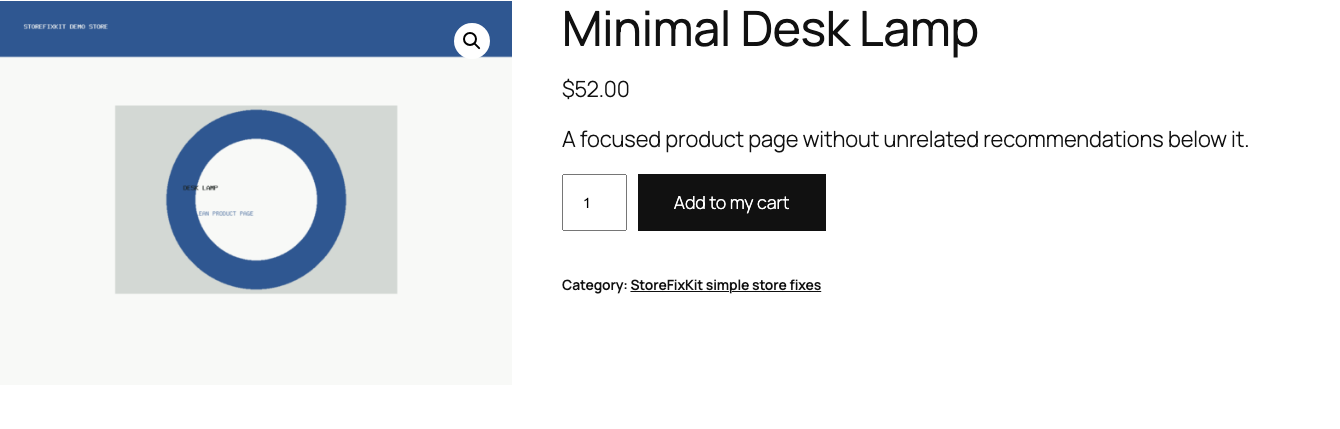
Verify before launch
- Open a product that previously showed native related products.
- Confirm the native heading and products are absent.
- Confirm the product title, price, quantity, Add to cart, images, tabs, and footer still render.
- Confirm configured upsells still appear where the theme normally places them.
- Add an item and confirm cart cross-sells are unchanged.
- Turn the switch off and confirm the native related section returns.
Free and Pro precedence
Free always remains usable without an account, checkout, trial, license, or StoreFixKit connection.
With an active Pro license:
- Always show native related products on a product wins over every broader hide rule.
- Always hide native related products on a product also wins over every broader setting.
- A product selected on the Pro page is hidden.
- A product in a selected category is hidden.
- If no Pro rule matches, the Free store-wide switch decides.
- Missing or invalid product context returns WooCommerce's original array.
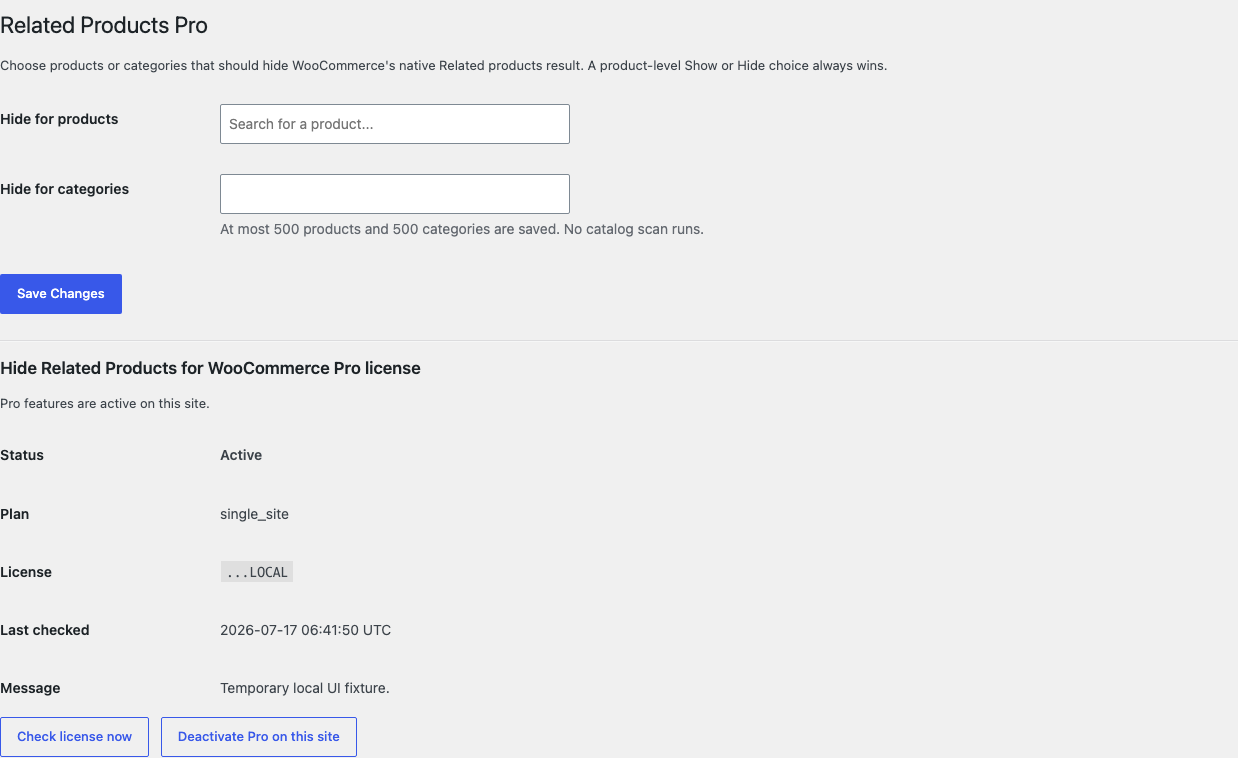

Start and activate Pro
- Open the Hide Related Products product page.
- Select Start 14-day trial. No card is required to begin.
- Stripe returns to the StoreFixKit success page.
- The signed webhook creates a Hide Related Products license and makes the Pro 0.1.4 ZIP available.
- Upload and activate Pro beside Free.
- Open WooCommerce > Related Products Pro.
- Paste the product-bound license and select Activate Pro.
- Choose products or categories, save, then test one match and one non-match.
Stripe cancels the trial at its end when no payment method has been added. Free's store-wide switch remains local when Pro, Stripe, or the license API is unavailable.
Native and custom compatibility boundary
WooCommerce core obtains related product IDs and applies woocommerce_related_products. This release controls that result only.
Some block themes, builders, recommendation plugins, sliders, shortcodes, and merchandising systems run another query or render another section. They are outside this plugin's one-job contract. StoreFixKit does not hide unknown page elements with CSS and does not remove arbitrary actions.
Troubleshooting
Related products still appear
Turn the Free switch off and on once to confirm the settings page saves. Clear page, object, full-page, and CDN caches. Inspect whether the visible section is WooCommerce's native output or a theme/builder recommendation query.
A builder section still appears
That section has a separate owner. Disable it in the builder or its recommendation plugin. This release deliberately avoids theme selectors and template replacement.
The product page layout changed
Deactivate Free and Pro. Because neither plugin removes a WooCommerce action or replaces a template, the native output should return. If the layout remains changed, inspect the active theme, page builder, cache, and recently changed plugins.
A product selected as Always show is hidden
Confirm Pro is active and the product-bound license is valid. Save the product again, clear caches, and verify the displayed section is WooCommerce native output. The explicit product choice does not control a third-party query.
Upsells or cart cross-sells disappeared
This plugin does not target them. Test with only WooCommerce and Free active, then identify the template or plugin that owns the missing surface.
Rollback
- Keep the 0.1.4 and previous known-good ZIPs.
- Deactivate Pro and Free.
- Confirm the native related-products result returns.
- Install and activate the previous Free ZIP.
- Install and activate the matching previous Pro ZIP only if needed.
- Confirm the Free switch, selected products, selected categories, and product Show/Hide values remain.
- Test one native related result, one Pro match, one explicit Show, one explicit Hide, upsells, and cart cross-sells.
The verified 0.1.3 to 0.1.4 update and 0.1.4 to 0.1.3 downgrade preserved owned settings and historical order data.
Uninstall ownership
Deleting Free removes only sfk_hrp_settings.
Deleting Pro removes only:
sfk_hrp_pro_rules;_sfk_hrp_mode;- the Hide Related Products Pro license option.
Products, categories, tags, relationships, upsells, cross-sells, prices, stock, carts, customers, historical orders, templates, themes, and unrelated options remain unchanged.
StoreFixKit Support
Use StoreFixKit Support and include the product ID, exact URL, whether the section is native or builder-owned, Free switch, matching Pro rule, product Show/Hide choice, Free and Pro versions, WooCommerce version, theme/builder name, cache/CDN details, expected result, actual result, and screenshots. Remove customer data, credentials, payment information, and the full license key.