No card required. Add a payment method before day 14 to continue; otherwise Stripe cancels the subscription automatically.
Real WordPress interfaceFree 0.1.3 / Pro 0.1.3
One jobClose one WPForms Lite form after an exact number of successful submissions without reading or storing submitted fields.
RequiresWPForms Lite 1.9.0 or newer
Free statusRelease candidate prepared for WordPress.org review
Three decisions
Set it up without code.
01
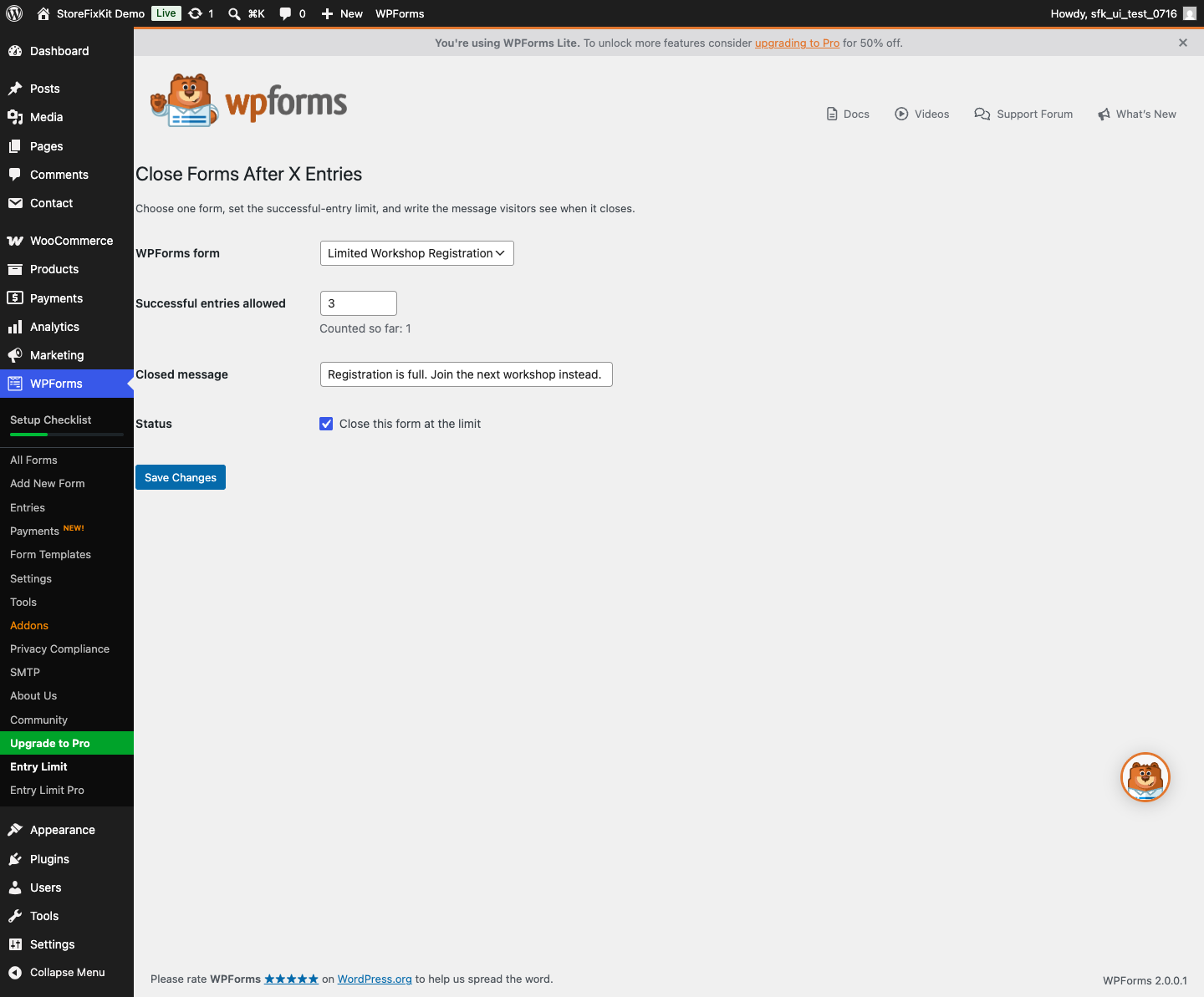
Choose the WPForms form.
02
Enter the successful-entry limit and closed message.
03
Enable the rule, save, and send test submissions.
Actual product
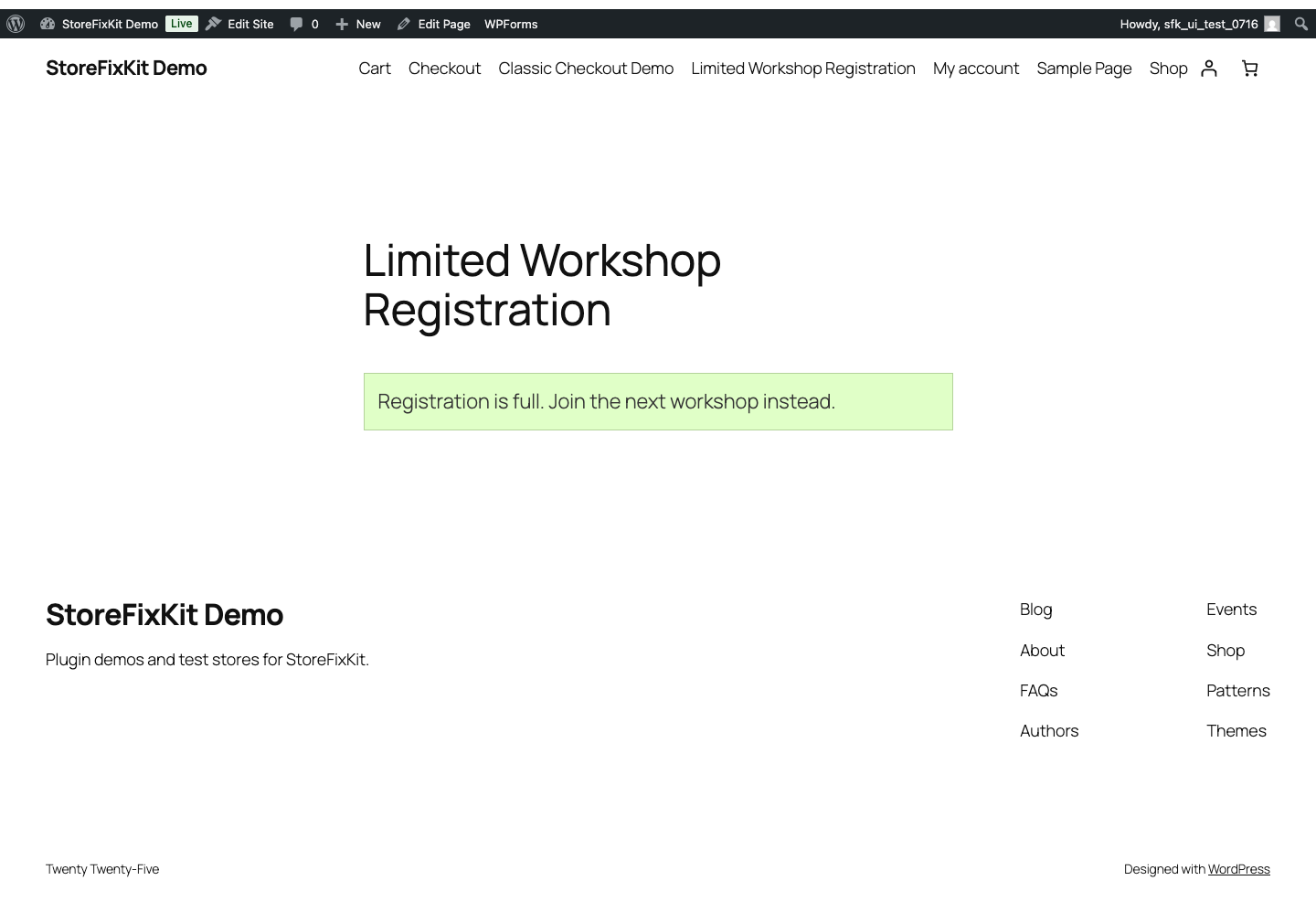
What you configure and what the visitor sees.
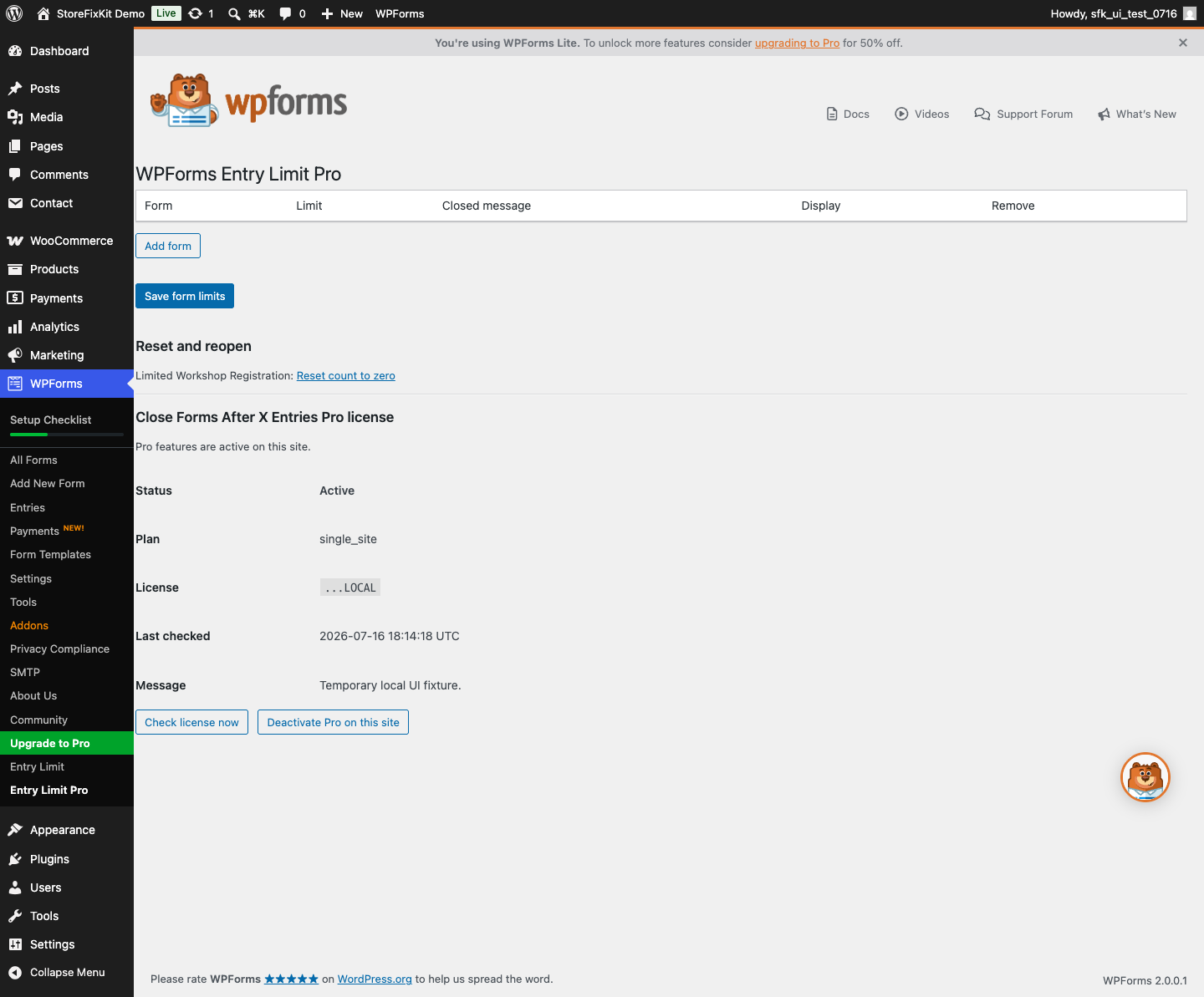
Choose one form, one successful-entry limit, and one plain message.Pro expands capacity without reading WPForms entry contents.The form closes at the exact successful-entry boundary.
Free and Pro
Free keeps working. Pro adds capacity.
Free 0.1.3
No account or license required
Limit one WPForms Lite form by its total successful submissions.
Reserve the final slot atomically and release failed reservations.
Block late submissions from cached form pages on the server.
Prepared for WordPress.org submission; no public-directory approval is claimed yet.
Pro 0.1.3
$49 per year
Limit up to 1,000 forms.
Show an optional spots-left message.
Reset a selected counter without deleting WPForms entries.
Designed to stop quietly instead of changing store truth.
The free workflow is independent of Stripe, the StoreFixKit license API, and Pro. A billing or network problem cannot rewrite the parent plugin's data.
No submitted names, emails, IP addresses, cookies, or field values are read or stored.
No WPForms forms, entries, notifications, or confirmations are edited.
No custom table, cron job, telemetry, frontend asset, or public remote request.
A damaged or unprovable counter fails passive instead of blocking the form.
14-day trial
No card required to test Pro on one site.
Stripe hosts checkout and billing. The StoreFixKit success page creates a product-bound license and Pro download. Add a payment method before trial end only if you want the annual plan to continue.