No card required. Add a payment method before day 14 to continue; otherwise Stripe cancels the subscription automatically.
Real WordPress interfaceFree 0.1.2 / Pro 0.1.2
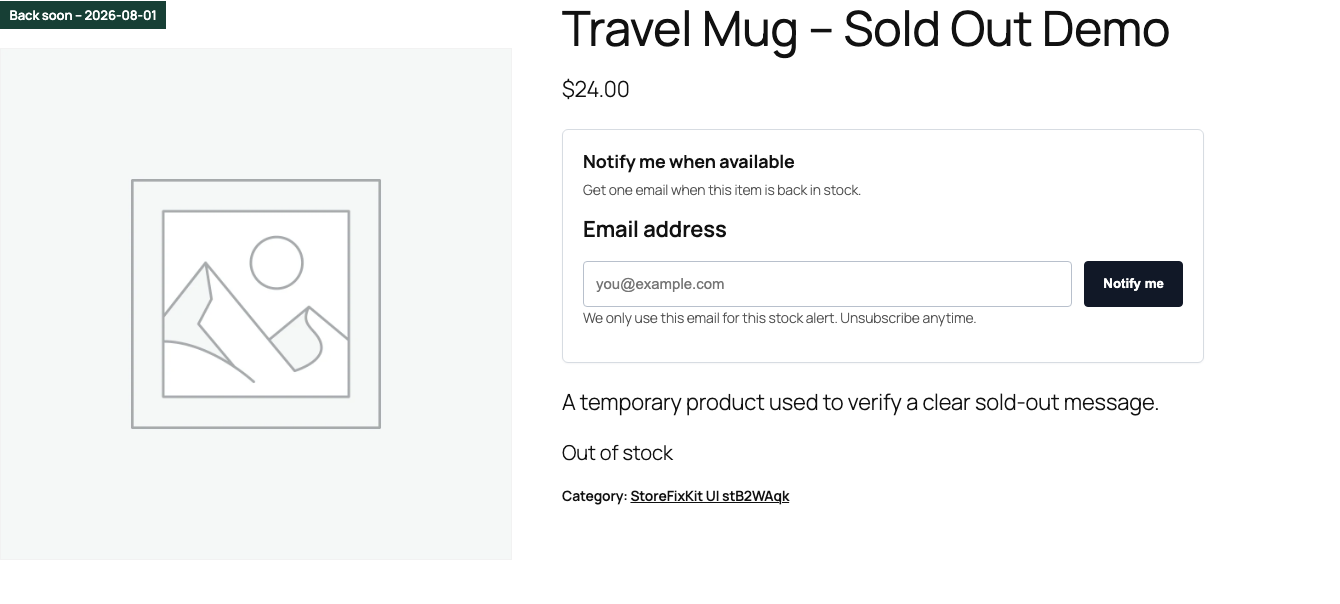
One jobShow one clear Sold Out badge on supported WooCommerce product images only when WooCommerce reports that the current product is not in stock.
RequiresWooCommerce 8.9 or newer
Free statusRelease candidate prepared for WordPress.org review
Three decisions
Set it up without code.
01
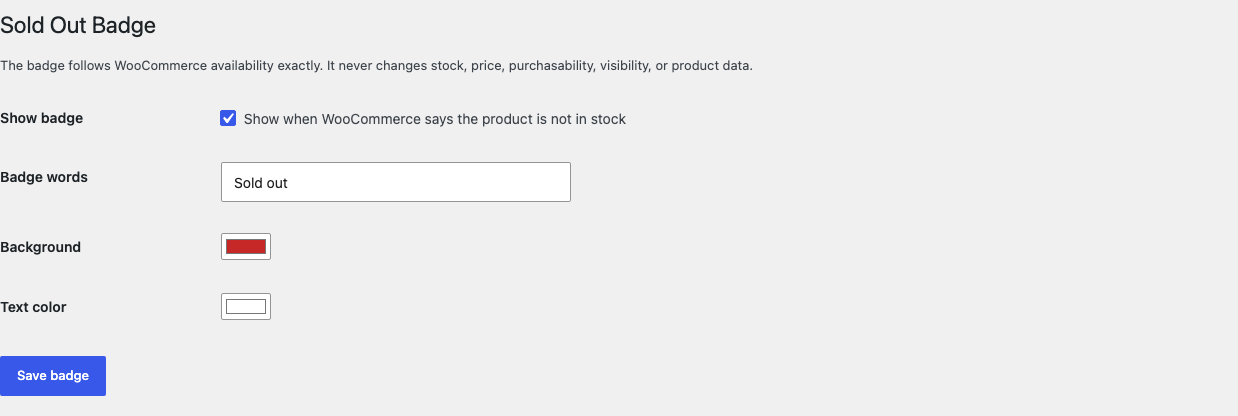
Open WooCommerce > Sold Out Badge and enable the badge.
02
Keep the default words and colors or choose short accessible alternatives.
03
Save, then compare one in-stock and one out-of-stock product on desktop and mobile.
Actual product
What you configure and what the visitor sees.
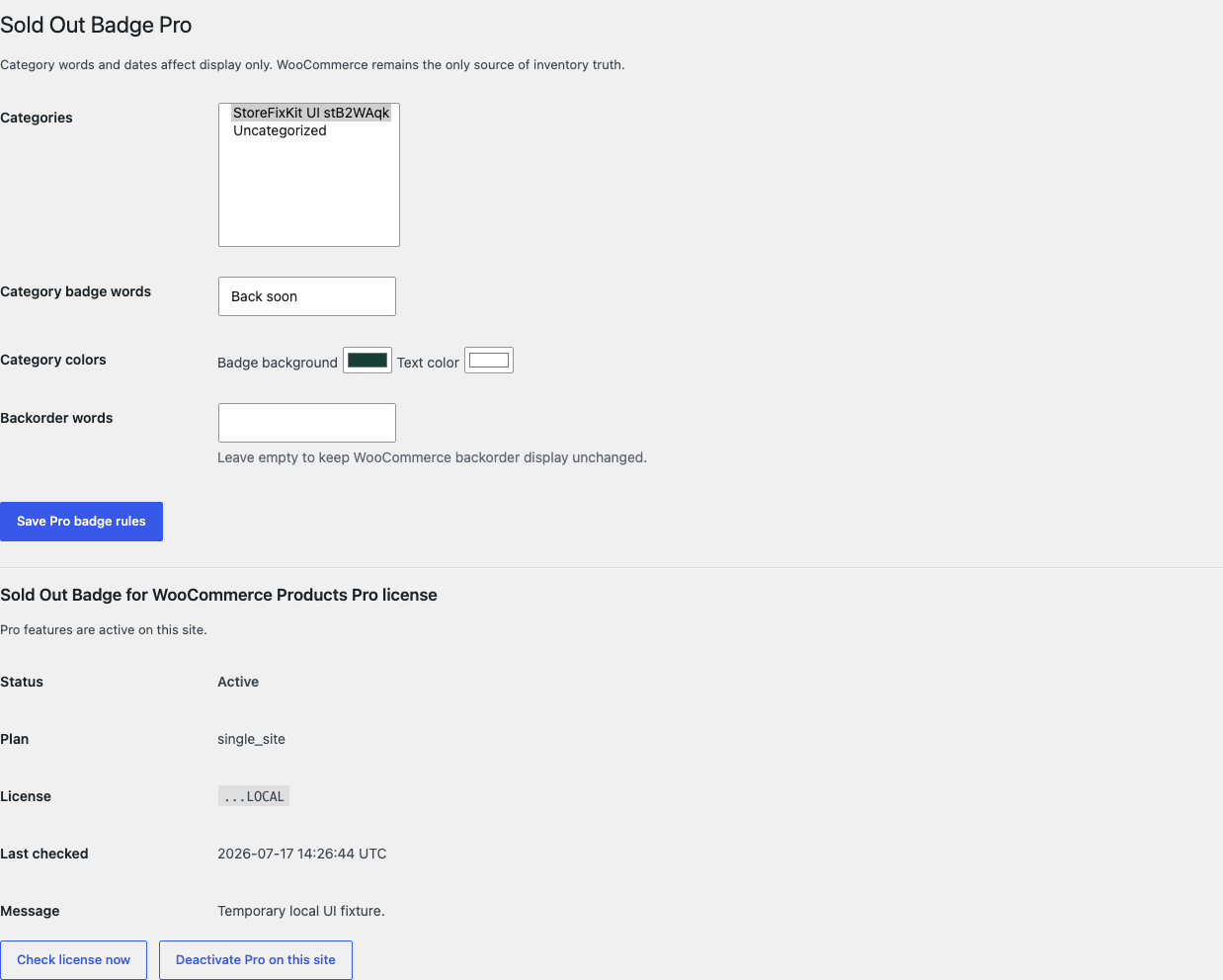
The display-only badge appears once while WooCommerce remains the stock and purchasing authority.Free has one switch, one short label, and two familiar color controls.Pro adds one bounded category layer without scanning or rewriting products.The return date changes display text only; it never schedules or changes inventory.
Free and Pro
Free keeps working. Pro adds capacity.
Free 0.1.2
No account or license required
Show one short text badge when WooCommerce says the current product is not in stock.
Support bounded native classic and WooCommerce Product Image block surfaces.
Choose store-wide words, background, and text color with an immediate off switch.
Prepared for WordPress.org submission; no public-directory approval is claimed yet.
Pro 0.1.2
$39 per year
Use different bounded words and colors for up to 50 selected categories.
Add an optional real expected return date to an individual product.
Show separate backorder words only when WooCommerce already allows backorders.
Designed to stop quietly instead of changing store truth.
The free workflow is independent of Stripe, the StoreFixKit license API, and Pro. A billing or network problem cannot rewrite the parent plugin's data.
Never changes stock quantity, stock status, backorders, price, visibility, or purchasability.
Renders nothing when the current product is missing, ambiguous, in stock, or on an unsupported surface.
No template replacement, arbitrary selector, frontend JavaScript, catalog scan, cron, telemetry, or storefront remote request.
A malformed rule, missing WooCommerce, or unavailable Pro service falls back to valid Free settings or native output.
14-day trial
No card required to test Pro on one site.
Stripe hosts checkout and billing. The StoreFixKit success page creates a product-bound license and Pro download. Add a payment method before trial end only if you want the annual plan to continue.