No card required. Add a payment method before day 14 to continue; otherwise Stripe cancels the subscription automatically.
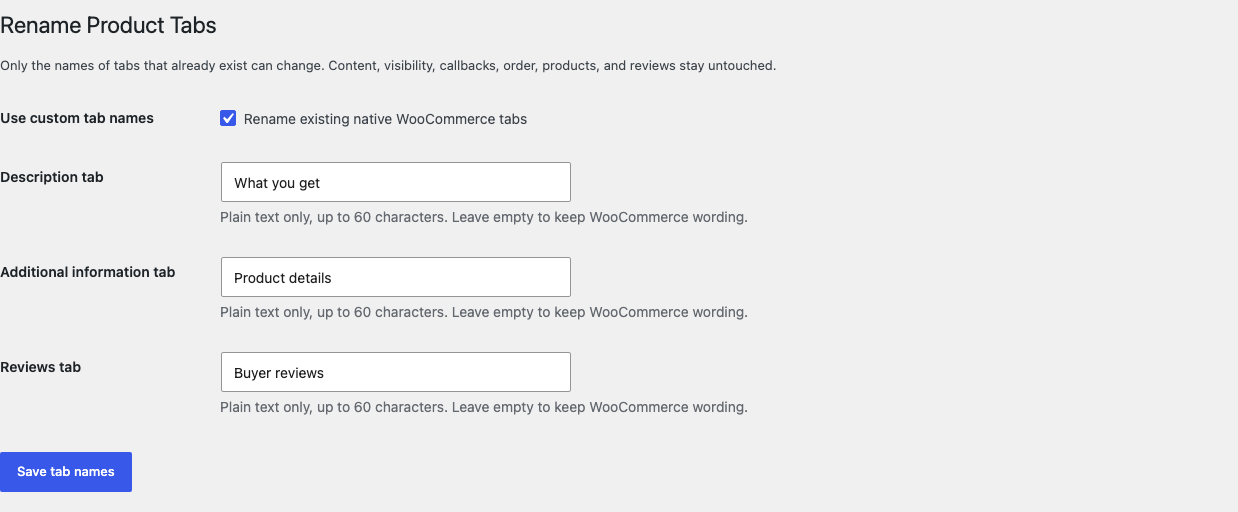
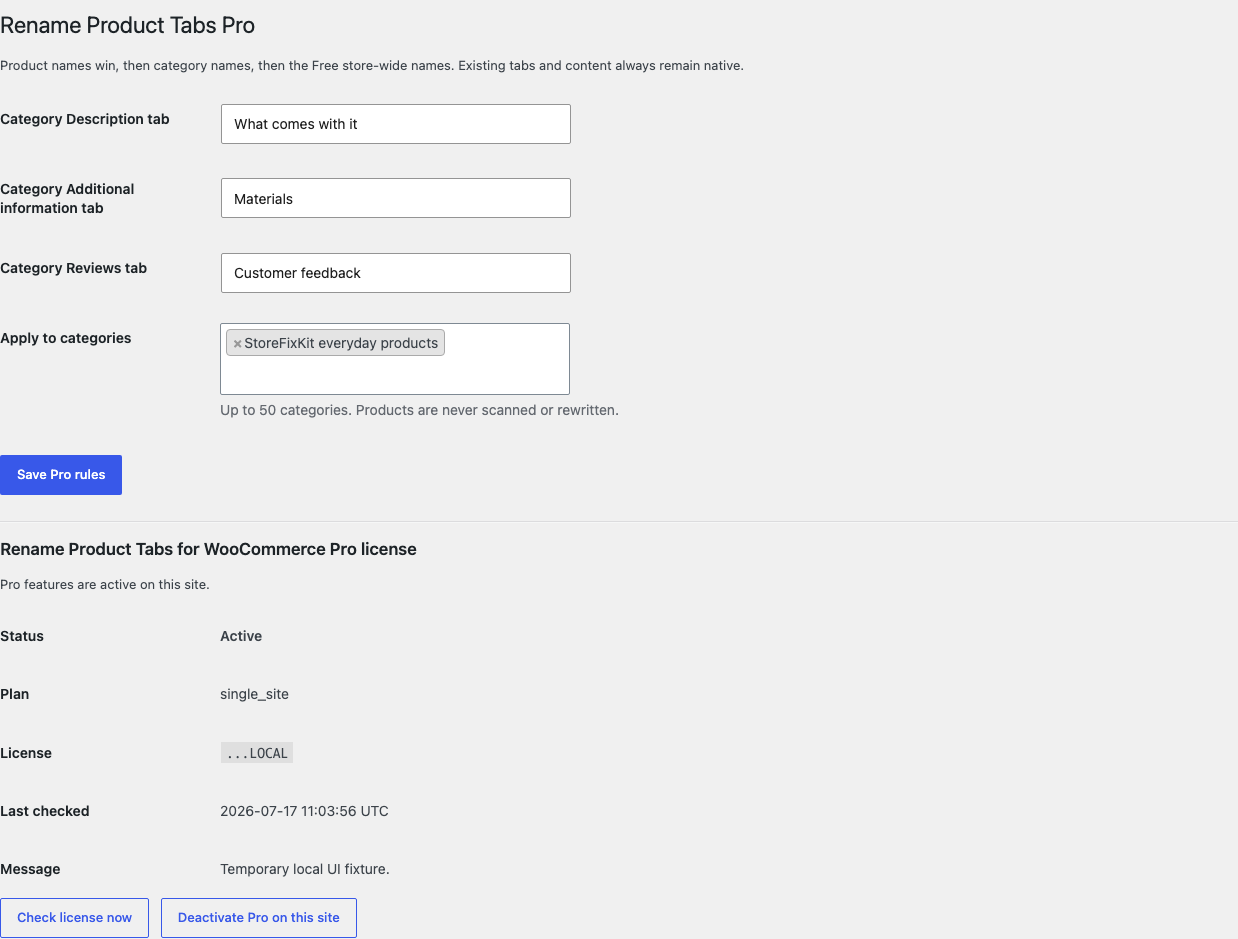
Real WordPress interfaceFree 0.1.3 / Pro 0.1.3
One jobRename WooCommerce's existing Description, Additional information, and Reviews tabs without changing content, callbacks, order, visibility, products, reviews, carts, checkout, or orders.
RequiresWooCommerce 8.9 or newer
Free statusRelease candidate prepared for WordPress.org review
Three decisions
Set it up without code.
01
Open WooCommerce > Rename Product Tabs and enable custom names.
02
Write only the Description, Additional information, or Reviews words that should change.
03
Save, then open every visible tab and confirm its content and position are unchanged.
Actual product
What you configure and what the visitor sees.
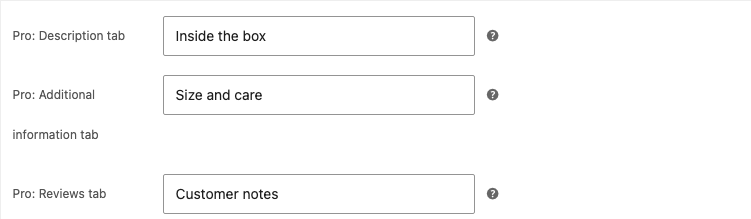
Only visible native titles change. WooCommerce still owns content, callbacks, visibility, and order.Free solves the store-wide job with three bounded plain-text fields.Pro applies one bounded category layer without scanning or rewriting products.An individual non-empty value wins; an empty value falls back safely.
Free and Pro
Free keeps working. Pro adds capacity.
Free 0.1.3
No account or license required
Rename only existing Description, Additional information, and Reviews title values.
Leave an empty field unchanged and never create a tab that WooCommerce omitted.
Preserve content, callbacks, priorities, order, visibility, and every unknown or third-party tab.
Prepared for WordPress.org submission; no public-directory approval is claimed yet.
Pro 0.1.3
$49 per year
Reuse three bounded names for up to 50 selected product categories.
Give an individual product its own non-empty tab names.
Resolve product, category, Free store-wide, then native words in one fixed order.
Designed to stop quietly instead of changing store truth.
The free workflow is independent of Stripe, the StoreFixKit license API, and Pro. A billing or network problem cannot rewrite the parent plugin's data.
Never creates, removes, hides, reorders, or replaces a tab, callback, content value, priority, review, attribute, or visibility decision.
Never writes a product, price, stock value, cart, checkout, order, review, attribute, category, or third-party tab.
A missing native key, empty or invalid field, unsupported builder surface, expired license, or unavailable Pro service returns the previous title and behavior.
14-day trial
No card required to test Pro on one site.
Stripe hosts checkout and billing. The StoreFixKit success page creates a product-bound license and Pro download. Add a payment method before trial end only if you want the annual plan to continue.