No card required. Add a payment method before day 14 to continue; otherwise Stripe cancels the subscription automatically.
Real WordPress interfaceFree 0.1.2 / Pro 0.1.2
One jobRename the visible words for existing native WooCommerce order statuses without changing status keys, orders, transitions, emails, stock actions, reports, integrations, or customer data.
RequiresWooCommerce 8.9 or newer
Free statusRelease candidate prepared for WordPress.org review
Three decisions
Set it up without code.
01
Open WooCommerce > Rename Order Statuses and choose one existing native status.
02
Enter the words your store team understands and save.
03
Inspect an existing order in the native order list without changing its status.
Actual product
What you configure and what the visitor sees.
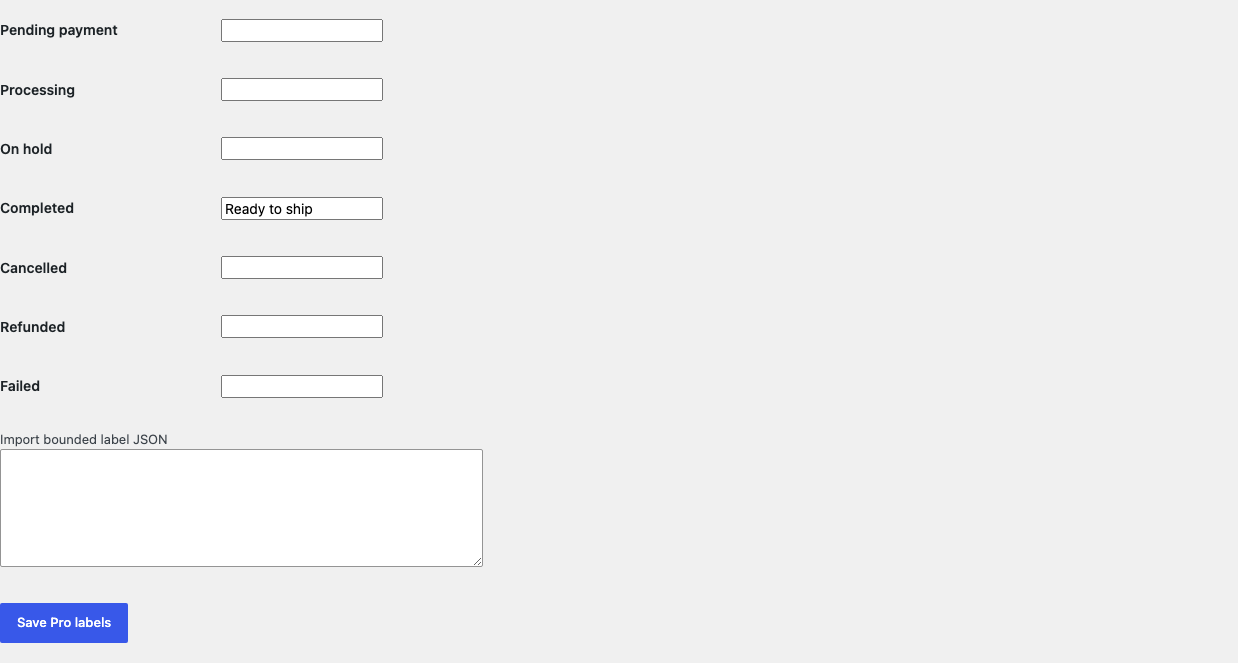
Free asks for one existing status and the words the store team wants to see.The visible label can say Packing while the underlying key remains native.Pro can rename another native label without creating or transitioning a status.Pro expands the number of labels but still never owns a status or an order.
Free and Pro
Free keeps working. Pro adds capacity.
Free 0.1.2
No account or license required
Choose one of seven existing native WooCommerce status keys and save one plain-text label of at most 40 characters.
Replace only that exact key's visible value while preserving every key, position, unselected label, and third-party status.
Clear the setting or deactivate Free to restore WooCommerce's native wording immediately.
Prepared for WordPress.org submission; no public-directory approval is claimed yet.
Pro 0.1.2
$59 per year
Rename up to all seven allowlisted native status labels on one bounded settings screen.
Export and import only those seven label mappings as local JSON capped at 4,096 bytes.
Keep the Free single-label mapping authoritative without querying or writing any order.
Designed to stop quietly instead of changing store truth.
The free workflow is independent of Stripe, the StoreFixKit license API, and Pro. A billing or network problem cannot rewrite the parent plugin's data.
Changes only a visible label value; every native key, order, transition, email, stock action, report, and integration remains owned by WooCommerce.
Unknown, third-party, missing, malformed, duplicated, or uncertain status data returns unchanged instead of being registered or deleted.
Free continues locally when Pro, billing, the network, or the StoreFixKit license service is unavailable.
No order query, HPOS write, custom table, cron, queue, telemetry, frontend asset, or storefront StoreFixKit request.
14-day trial
No card required to test Pro on one site.
Stripe hosts checkout and billing. The StoreFixKit success page creates a product-bound license and Pro download. Add a payment method before trial end only if you want the annual plan to continue.