No card required. Add a payment method before day 14 to continue; otherwise Stripe cancels the subscription automatically.
Real WordPress interfaceFree 0.1.3 / Pro 0.1.3
One jobChoose a bounded number of related products and safe columns for WooCommerce's native single-product section without changing product selection, order, relationships, templates, or styling.
RequiresWooCommerce 8.9 or newer
Free statusRelease candidate prepared for WordPress.org review
Three decisions
Set it up without code.
01
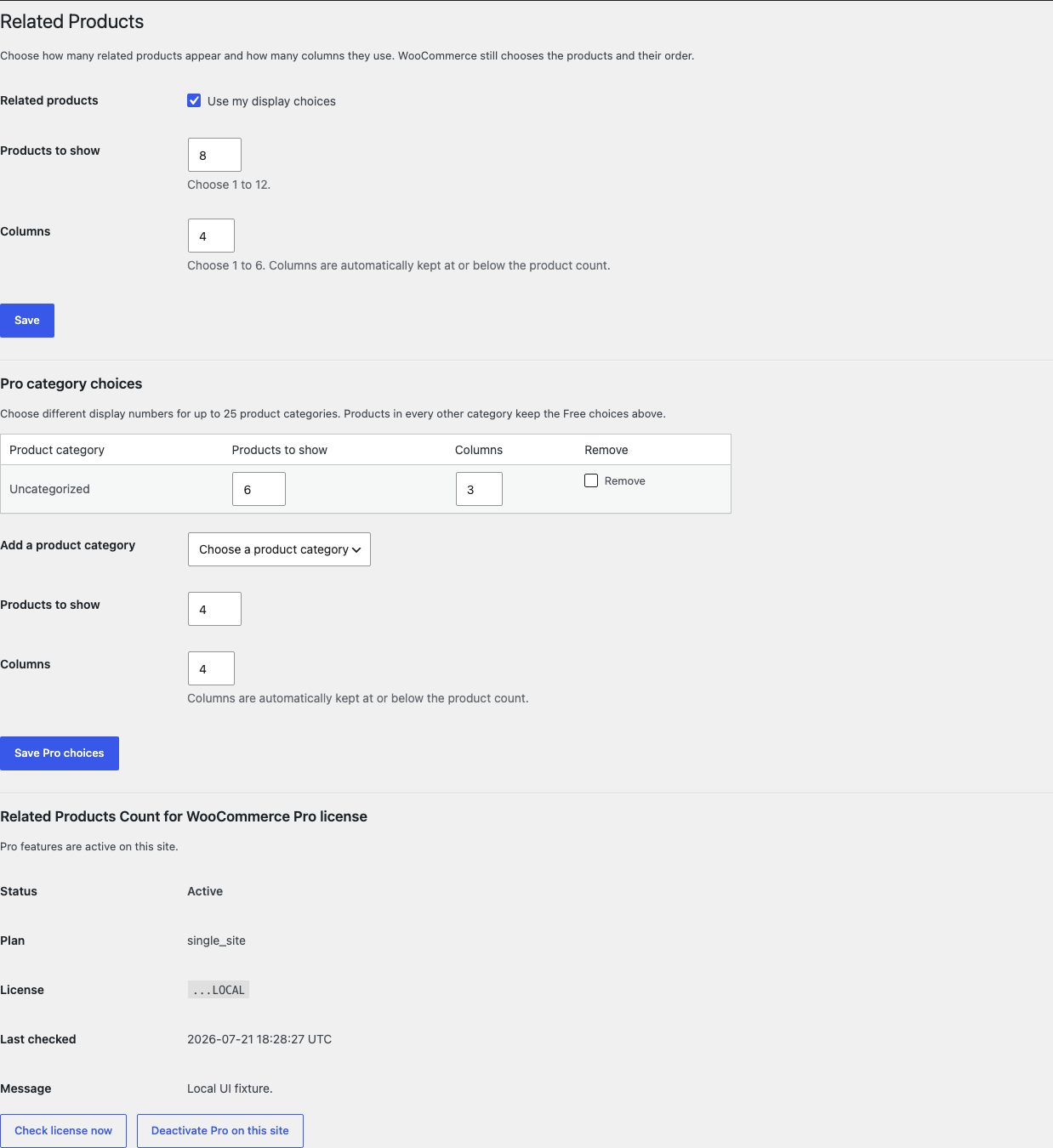
Open WooCommerce > Related Products and enable your display choices.
02
Choose 1 to 12 products and 1 to 6 columns, then save.
03
Open a native single-product page and verify the related section's requested count and safe columns.
Actual product
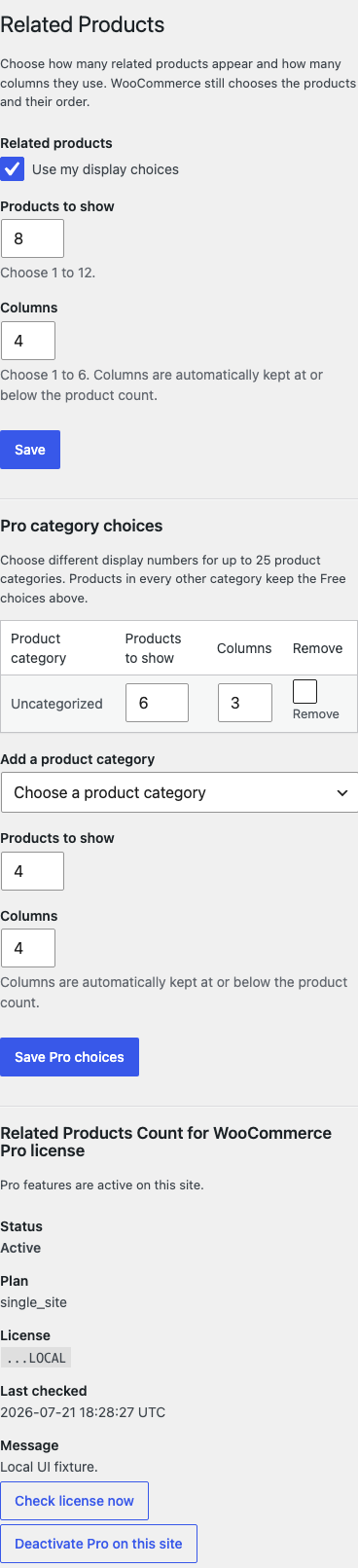
What you configure and what the visitor sees.
The desktop settings use bounded numbers and category names instead of code-like rules.The count, columns, and category controls remain readable at a phone-width viewport.
Free and Pro
Free keeps working. Pro adds capacity.
Free 0.1.3
No account or license required
Turn on one setting and choose 1 to 12 products plus 1 to 6 columns.
Automatically keep columns at or below the selected product count.
Change only WooCommerce's native count and columns while preserving recommendation and ordering behavior.
Prepared for WordPress.org submission; no public-directory approval is claimed yet.
Pro 0.1.3
$39 per year
Set count and columns for up to twenty-five product categories.
Use product-category names and bounded number fields rather than IDs or code.
Use the valid global Free values when no category choice applies or Pro is unavailable.
Designed to stop quietly instead of changing store truth.
The free workflow is independent of Stripe, the StoreFixKit license API, and Pro. A billing or network problem cannot rewrite the parent plugin's data.
Changes only posts_per_page and columns in a valid WooCommerce related-products argument array.
Products, categories, relationships, recommendations, templates, orders, and customers are never written.
Malformed settings or unsupported output return WooCommerce's incoming arguments unchanged.
No custom table, cron, queue, telemetry, frontend JavaScript, stylesheet, or product-page remote request.
14-day trial
No card required to test Pro on one site.
Stripe hosts checkout and billing. The StoreFixKit success page creates a product-bound license and Pro download. Add a payment method before trial end only if you want the annual plan to continue.