No card required. Add a payment method before day 14 to continue; otherwise Stripe cancels the subscription automatically.
Real WordPress interfaceFree 0.1.13 / Pro 0.1.13
One jobLoad a bounded list of purchased item names and quantities from one classic or HPOS order row only after an authorized click.
RequiresWooCommerce 8.9 or newer
Free statusRelease candidate prepared for WordPress.org review
Three decisions
Set it up without code.
01
Install and activate Free 0.1.13 with WooCommerce 8.9 or newer active.
02
Open WooCommerce > Orders and enable Purchased Items under Screen Options if needed.
03
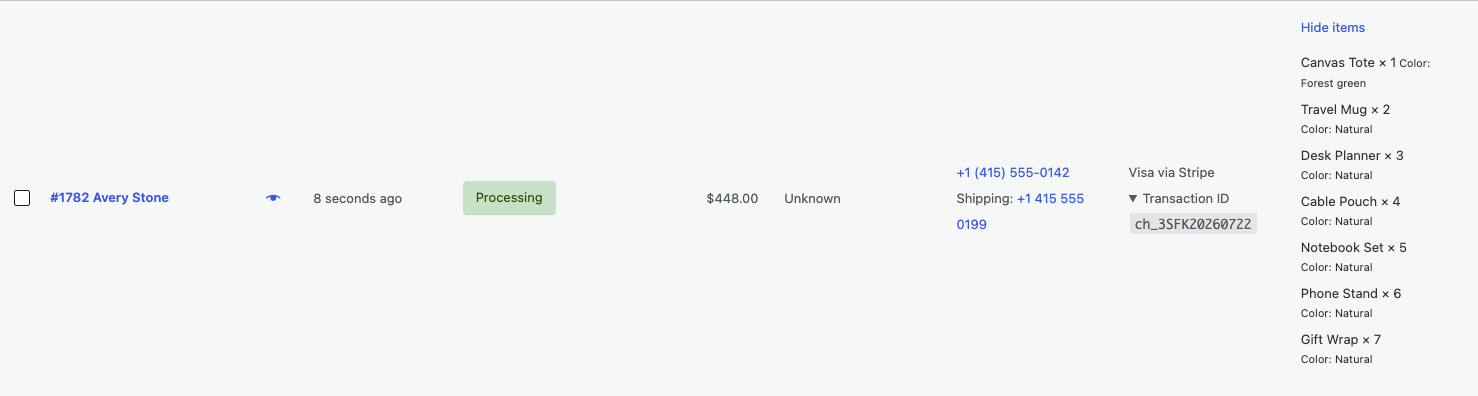
Select View items on one test order, compare the bounded result, then deactivate Free to verify rollback.
Actual product
What you configure and what the visitor sees.
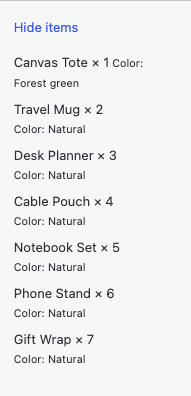
The real click-triggered Pro view remains local and bounded while showing useful fulfillment details.Purchased items appear inside the current row only after an authorized click.
Free and Pro
Free keeps working. Pro adds capacity.
Free 0.1.13
No account or license required
Add one keyboard-operable View items control to native classic and HPOS Orders lists.
Read zero line items before a click, then fetch at most six rows to show five names and quantities.
Report only whether more items exist and direct the user to the order for the complete list.
Prepared for WordPress.org submission; no public-directory approval is claimed yet.
Pro 0.1.13
$39 per year
Raise the same bounded on-demand view to twenty-five shown items from at most twenty-six fetched rows.
Append bounded non-protected variation details from one batched metadata read.
Keep complete Free five-item output when Pro or licensing is unavailable.
Designed to stop quietly instead of changing store truth.
The free workflow is independent of Stripe, the StoreFixKit license API, and Pro. A billing or network problem cannot rewrite the parent plugin's data.
Orders, line items, item metadata, products, quantities, inventory, customers, and payments are never written.
Each local AJAX request requires a nonce, WooCommerce order-management capability, and one validated order ID.
The Orders screen reads no line items before a click and sends no item data to StoreFixKit; explicit authorized Pro license actions send only the license key, site URL, and product key.
No order, customer, phone, line-item, payment-method, or transaction data is sent to StoreFixKit; no telemetry, custom table, cron, queue, frontend asset, or product-object load is added.
14-day trial
No card required to test Pro on one site.
Stripe hosts checkout and billing. The StoreFixKit success page creates a product-bound license and Pro download. Add a payment method before trial end only if you want the annual plan to continue.