No card required. Add a payment method before day 14 to continue; otherwise Stripe cancels the subscription automatically.
Real WordPress interfaceFree 0.1.1 / Pro 0.1.1
One jobAdd approved Media Library manuals, specifications, warranties, or care guides to WooCommerce products without editing templates or deleting customer files.
RequiresWooCommerce 8.9 or newer
Free statusRelease candidate prepared for WordPress.org review
Three decisions
Set it up without code.
01
Edit the product and find Product document under Product data > General.
02
Choose one existing Media Library file and keep or edit the link label.
03
Update the product, open its public page, and follow the document link.
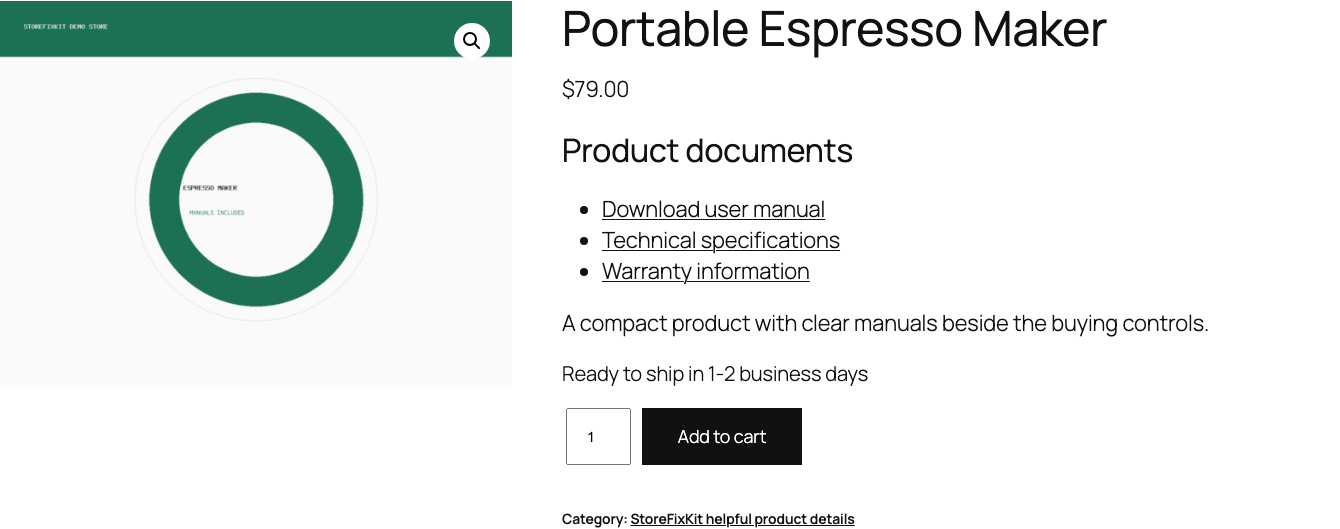
Actual product
What you configure and what the visitor sees.
Valid Media Library files appear in the native product summary without a template replacement.Free uses one Media Library choice and one plain-language label.Pro reuses approved files without scanning or rewriting products.
Free and Pro
Free keeps working. Pro adds capacity.
Free 0.1.1
No account or license required
Choose one existing WordPress Media Library attachment on a product.
Use one bounded plain-text link label with safe attachment-title fallback.
Hide missing or invalid references without breaking or writing to the product page.
Prepared for WordPress.org submission; no public-directory approval is claimed yet.
Pro 0.1.1
$39 per year
Add up to 20 unique product-specific Media Library documents.
Reuse one bounded document set across selected product categories.
Keep explicit products outside the reusable category set.
Designed to stop quietly instead of changing store truth.
The free workflow is independent of Stripe, the StoreFixKit license API, and Pro. A billing or network problem cannot rewrite the parent plugin's data.
Never creates, uploads, copies, moves, changes permissions for, or deletes a Media Library file.
Never changes products, prices, stock, carts, orders, emails, accounts, or download permissions.
Creates no template override, product tab, custom table, cron job, frontend asset, telemetry, customer cookie, or storefront remote request.
A missing attachment or URL renders nothing and leaves WooCommerce unchanged.
14-day trial
No card required to test Pro on one site.
Stripe hosts checkout and billing. The StoreFixKit success page creates a product-bound license and Pro download. Add a payment method before trial end only if you want the annual plan to continue.