No card required. Add a payment method before day 14 to continue; otherwise Stripe cancels the subscription automatically.
Real WordPress interfaceFree 0.1.3 / Pro 0.1.3
One jobAsk for one optional or required purchase order number through WooCommerce's supported native checkout-field API and preserve it on the order without changing payment.
RequiresWooCommerce 8.9 or newer
Free statusRelease candidate prepared for WordPress.org review
Three decisions
Set it up without code.
01
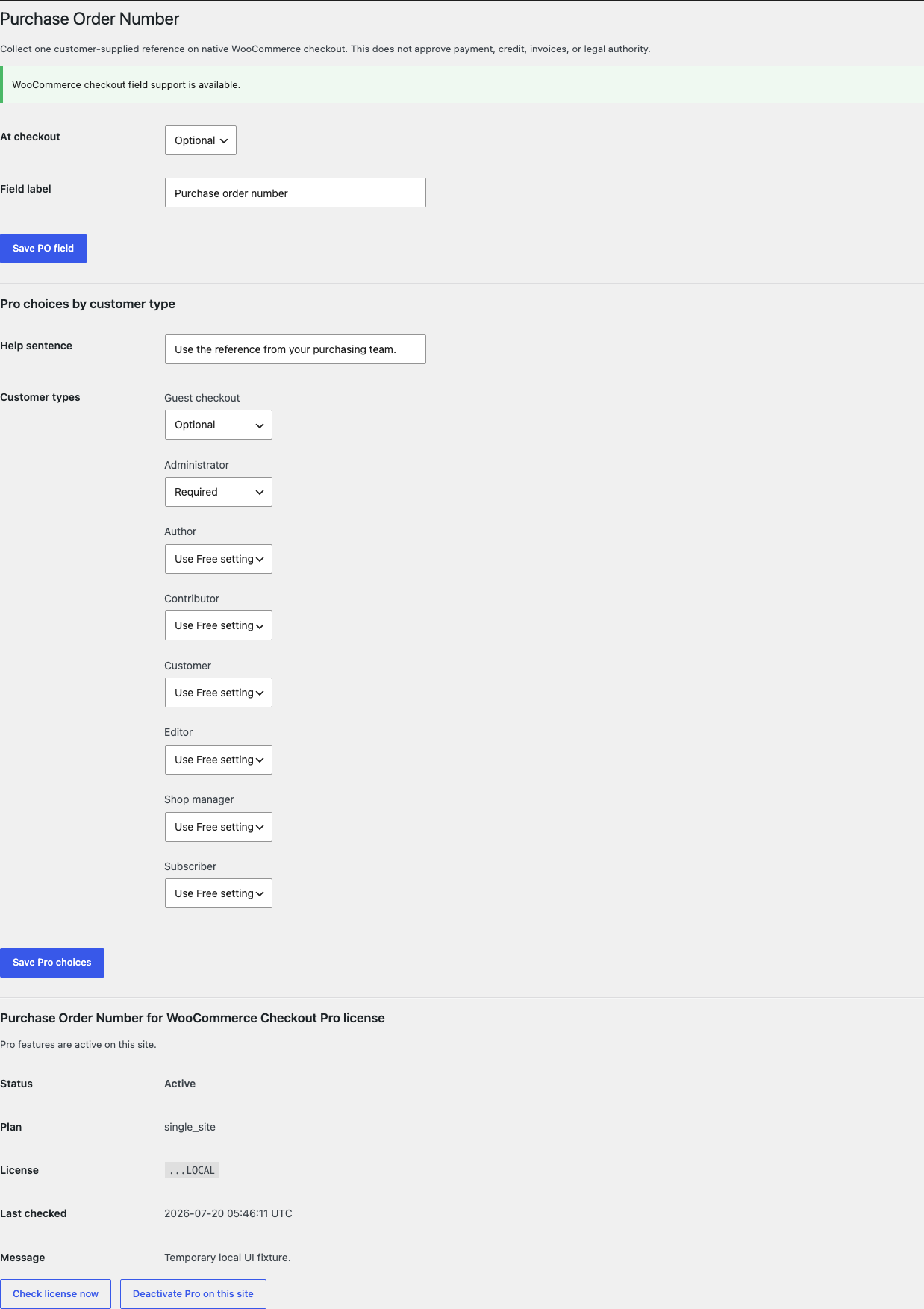
Open WooCommerce > PO Number and choose Optional or Required.
02
Set the shopper-facing field label and save.
03
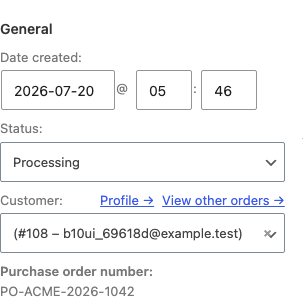
Place a disposable native checkout order and verify the value on the order screen.
Actual product
What you configure and what the visitor sees.
The field is registered through WooCommerce's native API on the supported checkout.Free keeps configuration to one mode and one shopper-facing label.Pro uses named customer types and familiar choices rather than a rule language.The escaped value stays attached to the order without changing payment or status.The native field remains readable and usable on a narrow checkout viewport.
Free and Pro
Free keeps working. Pro adds capacity.
Free 0.1.3
No account or license required
Add one optional or required PO number field to supported native classic and block checkout.
Choose one bounded plain-language label and let WooCommerce save up to 64 characters on the order.
Show the escaped value to authorized WooCommerce administrators on the order.
Prepared for WordPress.org submission; no public-directory approval is claimed yet.
Pro 0.1.3
$79 per year
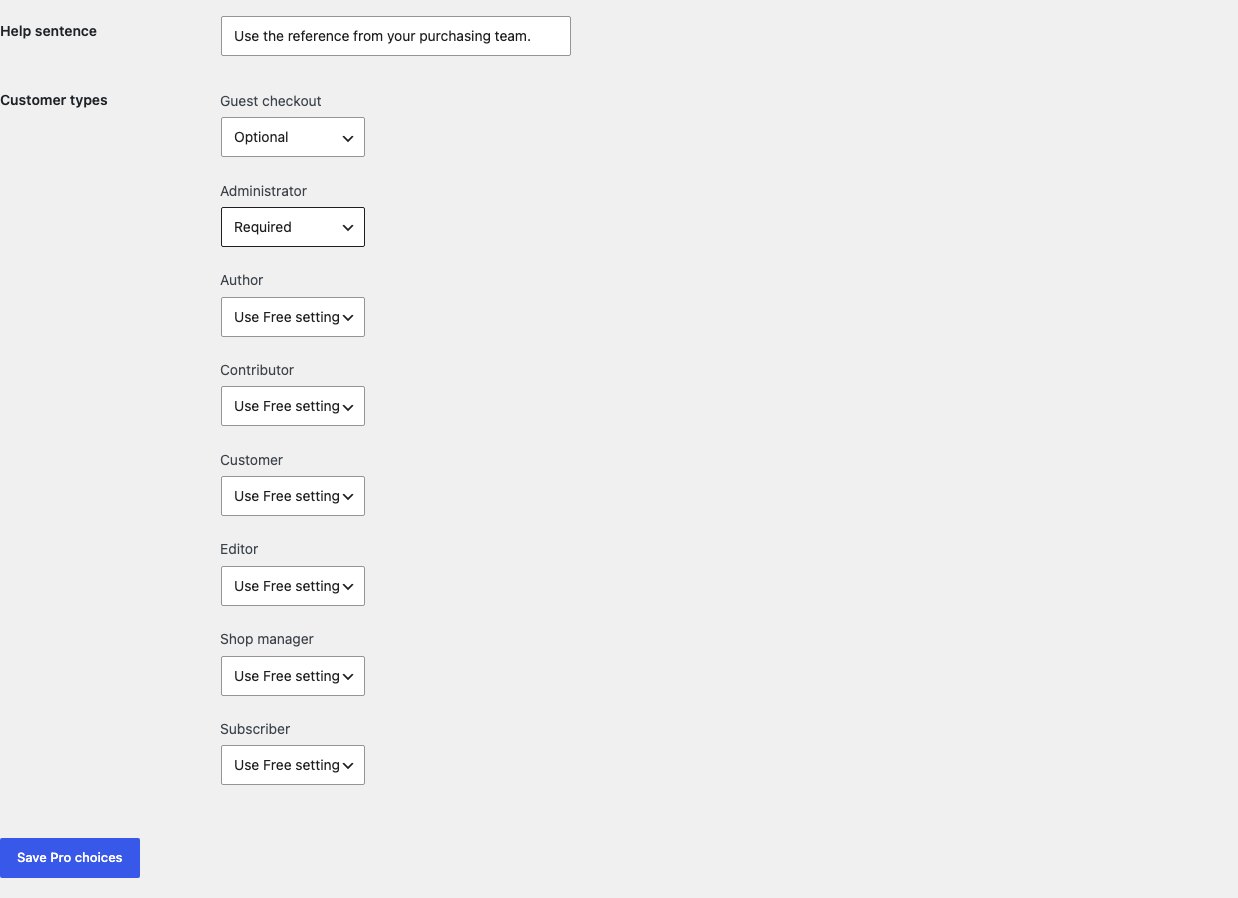
Set Optional, Required, Hidden, or Use Free setting for guests and up to 19 WordPress user roles.
Add one bounded help sentence beside the checkout field.
Show the saved value in WooCommerce order emails and authorized My Account order details.
Designed to stop quietly instead of changing store truth.
The free workflow is independent of Stripe, the StoreFixKit license API, and Pro. A billing or network problem cannot rewrite the parent plugin's data.
Uses WooCommerce's supported additional checkout field API instead of replacing checkout templates or writing directly to order tables.
Never adds a payment gateway, approves credit, creates an invoice, changes totals, changes status, or synchronizes accounting data.
The value is plain text limited to 64 characters and is escaped on administrative and customer output.
No custom table, cron, order scan, telemetry, frontend asset, or checkout StoreFixKit request.
14-day trial
No card required to test Pro on one site.
Stripe hosts checkout and billing. The StoreFixKit success page creates a product-bound license and Pro download. Add a payment method before trial end only if you want the annual plan to continue.