No card required. Add a payment method before day 14 to continue; otherwise Stripe cancels the subscription automatically.
Real WordPress interfaceFree 0.1.9 / Pro 0.1.9
One jobAdd a validated billing name to native WooCommerce order email subjects without changing recipients, bodies, headers, SMTP, orders, customers, sending, or delivery.
RequiresWooCommerce 8.9 or newer
Free statusRelease candidate prepared for WordPress.org review
Three decisions
Set it up without code.
01
Open WooCommerce > Order Email Subjects and enable the customer-name switch.
02
Create a redacted staging order with a valid billing name and trigger the native New Order email.
03
Confirm only the subject changed, then turn the switch off and verify the native subject returns.
Actual product
What you configure and what the visitor sees.
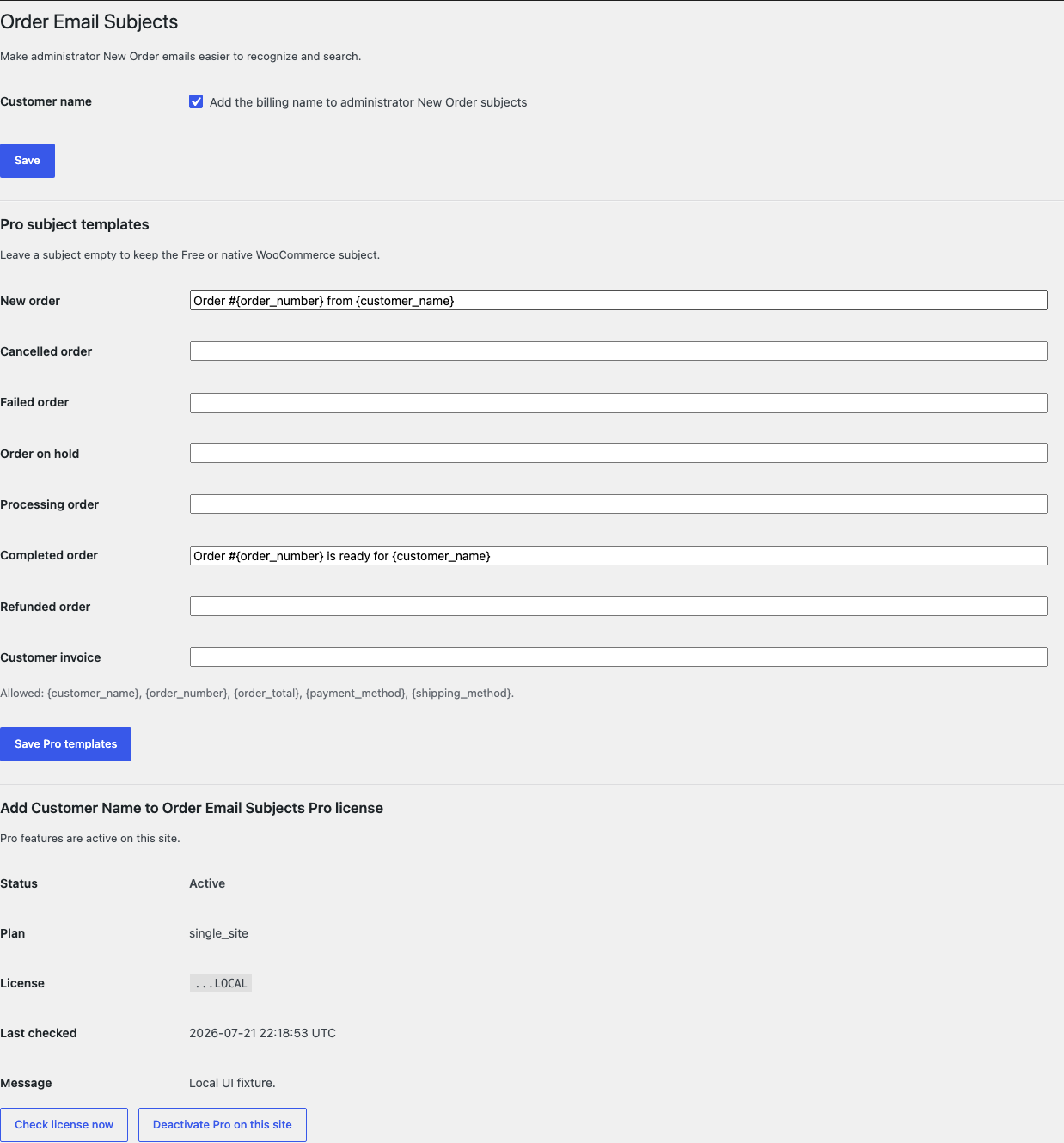
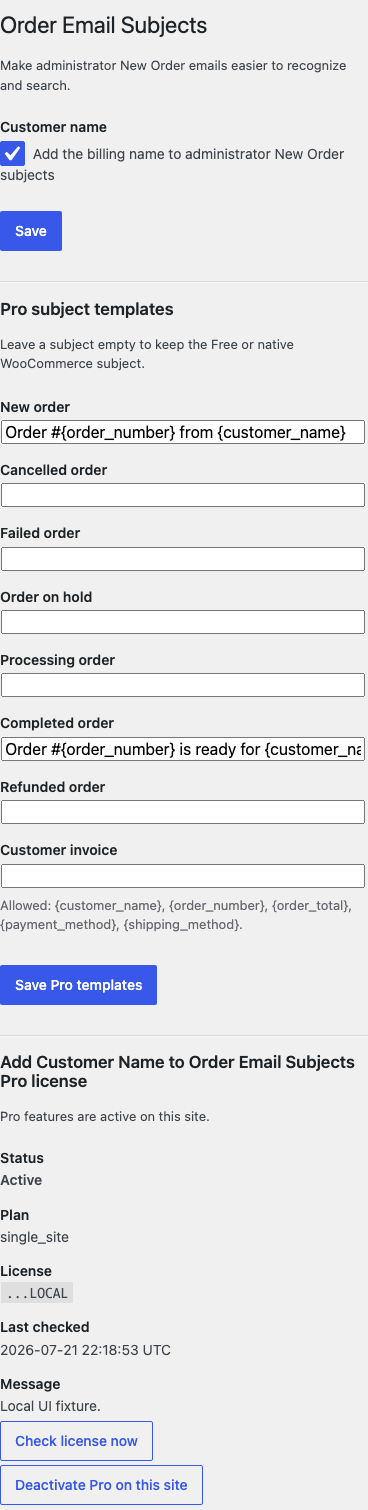
The desktop settings separate the one-switch Free behavior from optional bounded Pro templates.All subject fields, token guidance, and license controls remain readable on a phone-width screen.
Free and Pro
Free keeps working. Pro adds capacity.
Free 0.1.9
No account or license required
Use one switch to append a normalized billing name to the native administrator New Order subject.
Reject line breaks, NUL bytes, unsafe controls, and over-limit names.
Return the incoming WooCommerce subject unchanged when input is absent or unsafe.
Prepared for WordPress.org submission; no public-directory approval is claimed yet.
Pro 0.1.9
$39 per year
Save optional plain-text templates for eight allowlisted native order emails.
Use only five fixed order tokens and a final subject limit of 180 characters.
Keep Free or native behavior for empty, invalid, or unsupported templates.
Designed to stop quietly instead of changing store truth.
The free workflow is independent of Stripe, the StoreFixKit license API, and Pro. A billing or network problem cannot rewrite the parent plugin's data.
Recipients, bodies, headers, SMTP, orders, customers, sending, and delivery are never changed.
Header-breaking and unsafe control characters cause a complete native-subject fallback.
Pro accepts only eight native email IDs and five fixed tokens.
No custom table, cron, queue, telemetry, frontend asset, email log, customer-data store, or email-generation remote request.
14-day trial
No card required to test Pro on one site.
Stripe hosts checkout and billing. The StoreFixKit success page creates a product-bound license and Pro download. Add a payment method before trial end only if you want the annual plan to continue.