Free 0.1.9 and Pro 0.1.9 documentation.
Customer Name in Order Email Subjects adds the normalized billing name to native administrator New Order email subjects. Pro adds bounded plain-text templates for eight native WooCommerce order emails. Recipients, bodies, SMTP, orders, and customers remain unchanged.
Requirements
| Component | Requirement |
|---|---|
| WordPress | 6.2 or newer |
| PHP | 7.4 or newer |
| WooCommerce | 8.9 or newer, active |
| Free email | Native administrator New Order email |
| Pro plan | One site, $39/year after a 14-day no-card trial |
Install and enable Free
- Confirm WooCommerce is active.
- Install and activate the Free 0.1.9 ZIP.
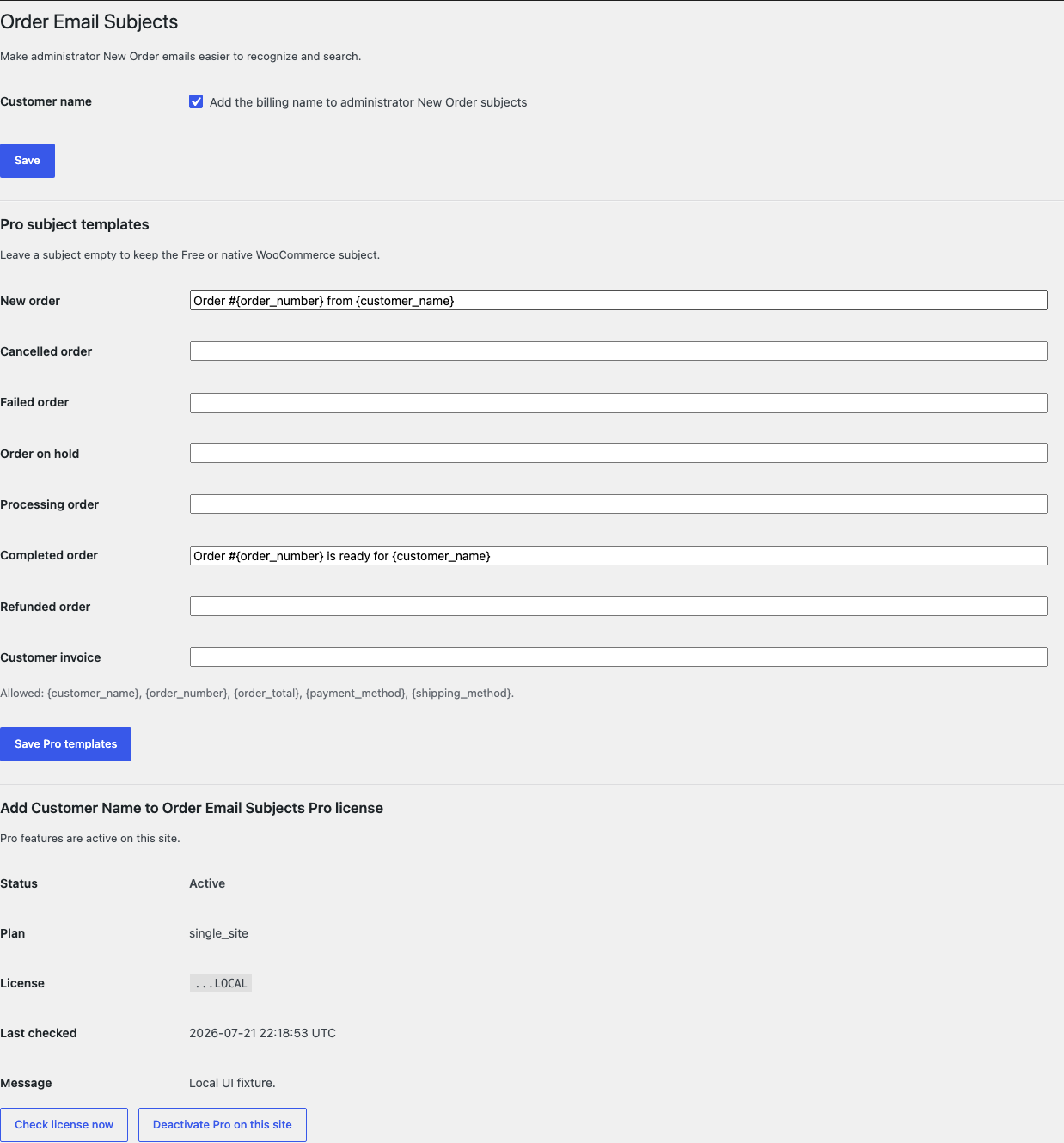
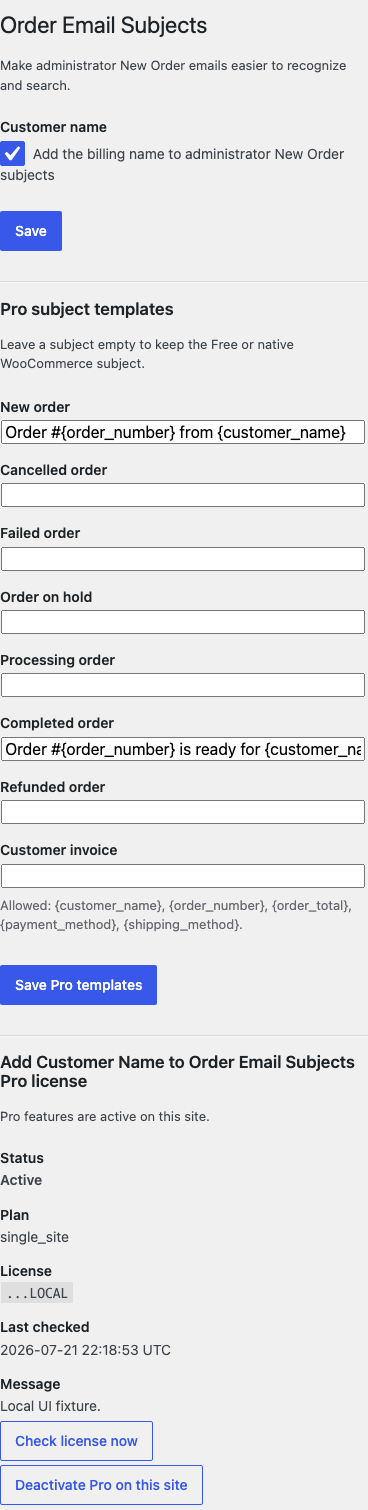
- Open WooCommerce > Order Email Subjects.
- Select Add the billing name to administrator New Order subjects.
- Select Save.
Verify the result
- Use a staging store or a safe email test environment.
- Create an order with a billing first and last name.
- Trigger the native administrator New Order email.
- Confirm the subject includes the normalized billing name once.
- Confirm the recipient and email body are unchanged.
- Disable the setting and repeat the test.
- Confirm WooCommerce's native subject returns.
The automated release fixture verified a real filtered example containing Avery Stone. That proves the tested hook path, not delivery through every SMTP provider.
What Free changes
Free filters only the native administrator New Order subject. It combines the billing first and last names, removes unsafe control characters, normalizes whitespace, limits the name to 80 characters, and appends it once.
If either name part contains a line break, NUL byte, unsafe control character, Unicode line separator, or Unicode paragraph separator, the complete incoming WooCommerce subject is returned unchanged.
What Pro adds
Pro accepts optional templates for these eight native WooCommerce email IDs:
- New order
- Cancelled order
- Failed order
- Order on hold
- Processing order
- Completed order
- Refunded order
- Customer invoice
Each template is plain text, limited to 180 characters, and may use only:
{customer_name}{order_number}{order_total}{payment_method}{shipping_method}
Leave a template empty to keep Free or native WooCommerce behavior. Unknown or unsafe tokens fall back safely instead of being guessed.
Supported email boundary
This release supports the eight allowlisted native WooCommerce order email subject filters. It does not alter custom email IDs, newsletter systems, CRM messages, email bodies, headers, recipients, Reply-To, attachments, SMTP, queues, templates, or delivery providers.
Email customizers can own a different subject path. Test the actual message type and recipient used by the store.
Troubleshooting
The customer name is missing
Confirm the order has a valid billing name, the Free switch is on, and the message is the native administrator New Order email. A malformed name intentionally returns the original subject.
A Pro template is ignored
Confirm Pro and its license are active, the template belongs to the exact native email ID, and it contains only allowlisted tokens. Empty or invalid templates preserve safer incoming behavior.
The email did not arrive
This plugin does not send email. Check WooCommerce email enablement, recipient settings, SMTP logs, DNS authentication, provider suppression, and spam folders.
The body or recipient needs changing
That is outside this product. Use WooCommerce's email settings or a tool designed for that separate job.
Roll back safely
- Deactivate Pro and test the administrator New Order subject.
- Turn off the Free switch or deactivate Free.
- Trigger a safe test order email.
- Confirm the native subject returns.
- Confirm recipients, bodies, orders, and customer records are unchanged.
- Install a previous deterministic ZIP only if a version rollback is needed.
Rollback removes subject filters immediately. It does not resend or edit past email.
Uninstall and data removal
Normal uninstall preserves settings and the license for accidental recovery. Define STOREFIXKIT_DELETE_DATA as true before deletion only when you intentionally want to remove this product's owned options.
Free removes sfk_cnes_settings. Pro removes sfk_cnes_pro_settings and its own license/update options. Emails, orders, customers, recipients, templates, and SMTP settings are never deleted.
Privacy, security, and resource use
- Settings changes require
manage_woocommerceand WordPress nonce checks. - Names and subjects reject line breaks, NUL bytes, control characters, U+2028, and U+2029.
- Names are limited to 80 characters; final subjects are limited to 180 characters.
- Only five allowlisted tokens and eight native email IDs are accepted.
- Email generation makes no StoreFixKit or third-party request.
- No custom table, cron, queue, telemetry, frontend asset, email log, or customer-data store is added.
- The measured Batch 19 idle benchmark added zero database queries and zero writes across 25 active requests; median peak memory increased by 2 MB for all six Batch 19 plugins together in that environment.
The benchmark describes the tested demo server, not every host or email stack.
Frequently asked questions
Does it change who receives the email?
No. It filters only the subject string.
Does it send or resend email?
No. WooCommerce and the configured mail system remain responsible for delivery.
Can I use arbitrary order metadata as a token?
No. This release uses five fixed tokens to avoid exposing or guessing private data.
What happens when a name is unsafe?
The incoming native subject is returned unchanged.
Support and feedback
Use StoreFixKit Support. Include the email type, expected and actual subject with personal data redacted, whether Free or a Pro template is responsible, the enabled email-customizer plugins, Free and Pro versions, WordPress and WooCommerce versions, and relevant SMTP delivery status without credentials.
Do not send administrator passwords, SMTP passwords, API keys, full customer names, addresses, order exports, full email headers, or a complete license key. Tell us whether the native subject returns after deactivation.