No card required. Add a payment method before day 14 to continue; otherwise Stripe cancels the subscription automatically.
Real WordPress interfaceFree 0.1.4 / Pro 0.1.4
One jobChange WooCommerce's native shop and product-page Add to cart wording without changing button links, product behavior, carts, checkout, or orders.
RequiresWooCommerce 8.9 or newer
Free statusRelease candidate prepared for WordPress.org review
Three decisions
Set it up without code.
01
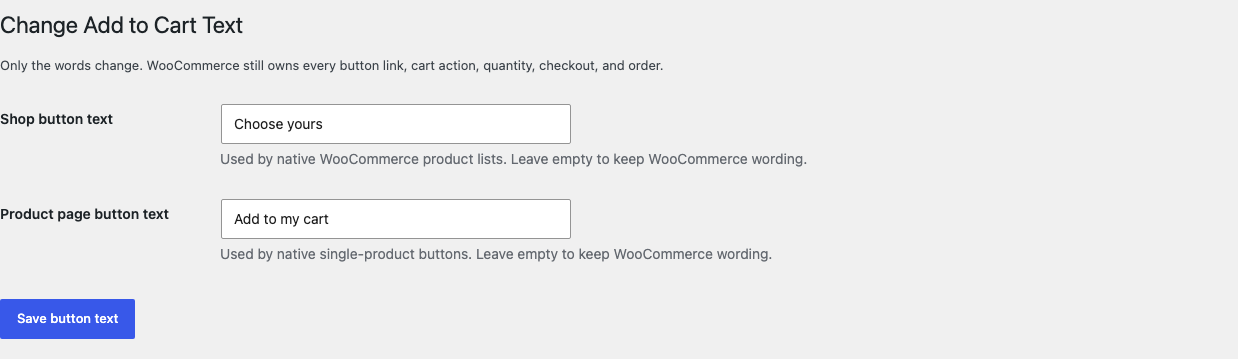
Open WooCommerce > Add to Cart Text.
02
Write the shop button text and product-page button text you want shoppers to see.
03
Save, then test simple, variable, grouped, external, and non-purchasable products.
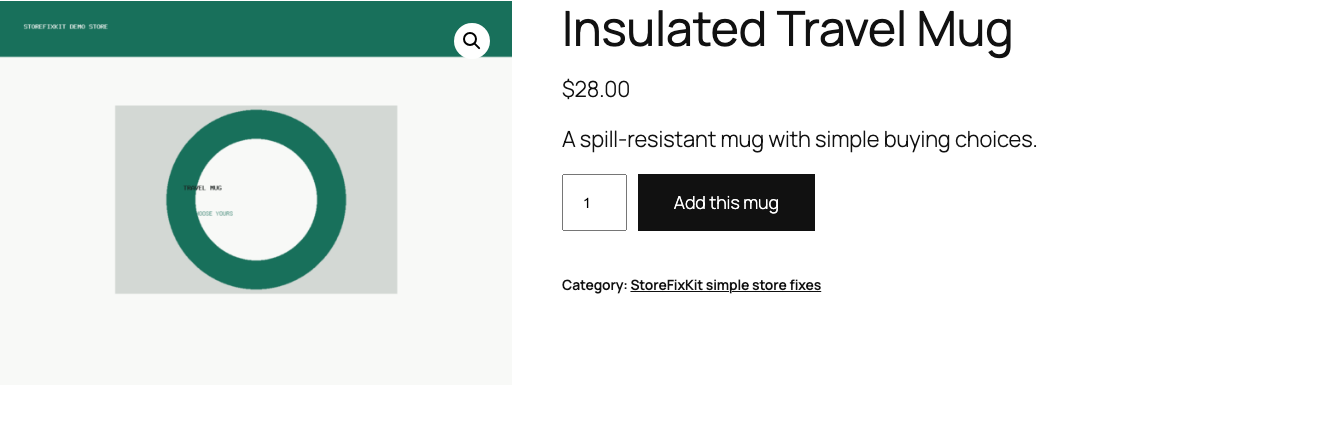
Actual product
What you configure and what the visitor sees.
The visible words change while WooCommerce still owns the action, URL, quantity, cart, and checkout.Free keeps the two beginner-facing choices on one compact settings page.Pro adds bounded placement rules without becoming a button builder or purchasing engine.
Free and Pro
Free keeps working. Pro adds capacity.
Free 0.1.4
No account or license required
Write one store-wide shop button label and one product-page label.
Leave either field empty to preserve WooCommerce's native wording.
Change plain text only after WooCommerce has decided the real product action.
Prepared for WordPress.org submission; no public-directory approval is claimed yet.
Pro 0.1.4
$39 per year
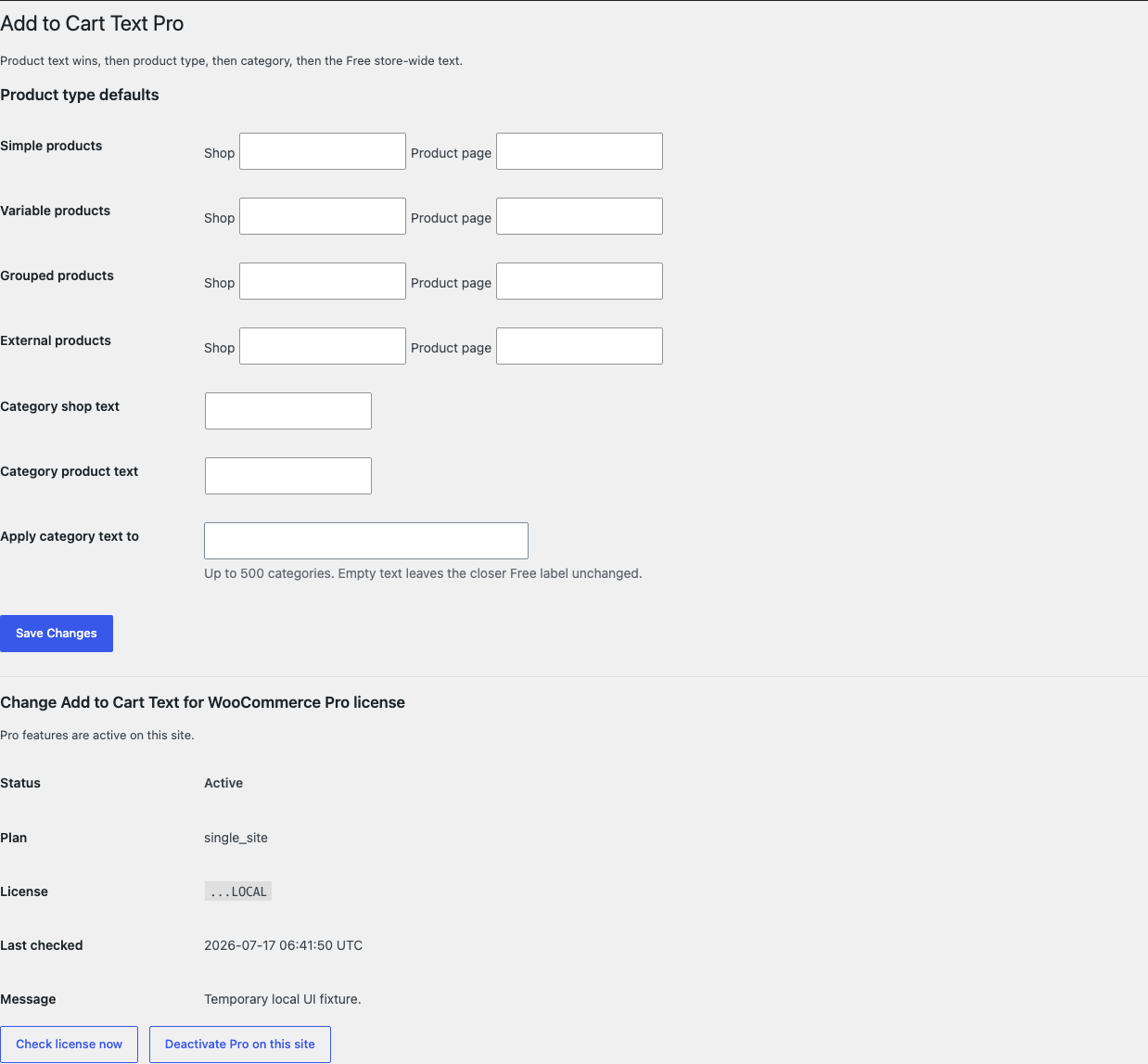
Use bounded labels for native simple, variable, grouped, and external product types.
Reuse shop and product-page wording for selected product categories.
Give an individual product its own two labels or restore its exact native text.
Designed to stop quietly instead of changing store truth.
The free workflow is independent of Stripe, the StoreFixKit license API, and Pro. A billing or network problem cannot rewrite the parent plugin's data.
Never changes a button URL, form action, product type, purchasability, price, stock, cart, checkout, or order.
Never turns Select options, View products, Read more, or Buy product into another purchasing action.
Creates no template override, catalog scan, custom table, cron job, frontend asset, telemetry, customer cookie, or storefront remote request.
An empty value, missing product, unknown state, expired license, or unavailable Pro service returns WooCommerce's previous text unchanged.
14-day trial
No card required to test Pro on one site.
Stripe hosts checkout and billing. The StoreFixKit success page creates a product-bound license and Pro download. Add a payment method before trial end only if you want the annual plan to continue.
Does changing the label change what the button does?
No. WooCommerce remains the owner of the link, form action, product type, purchasability, quantity, cart, and checkout.
Why does a product table or builder still show different words?
That surface may own its label instead of calling WooCommerce's native text filters; this release does not force compatibility with CSS or JavaScript replacement.
Does Free stop when a Pro license expires?
No. The two Free store-wide labels continue locally; only Pro product-type, category, and individual-product rules turn off.