Free 0.1.9 and Pro 0.1.9 documentation.
Show Stock Quantity on Shop Pages displays the saved managed-stock quantity for simple products in native classic WooCommerce shop and category loops. It reads inventory but never changes it.
Requirements
| Component | Requirement |
|---|---|
| WordPress | 6.2 or newer |
| PHP | 7.4 or newer |
| WooCommerce | 8.9 or newer, active |
| Supported product | Simple product with Manage stock enabled and a valid nonnegative quantity |
| Pro plan | One site, $39/year after a 14-day no-card trial |
Install and enable Free
- Confirm WooCommerce is active.
- Open Plugins > Add New > Upload Plugin.
- Upload the Free 0.1.9 ZIP, install it, and activate it.
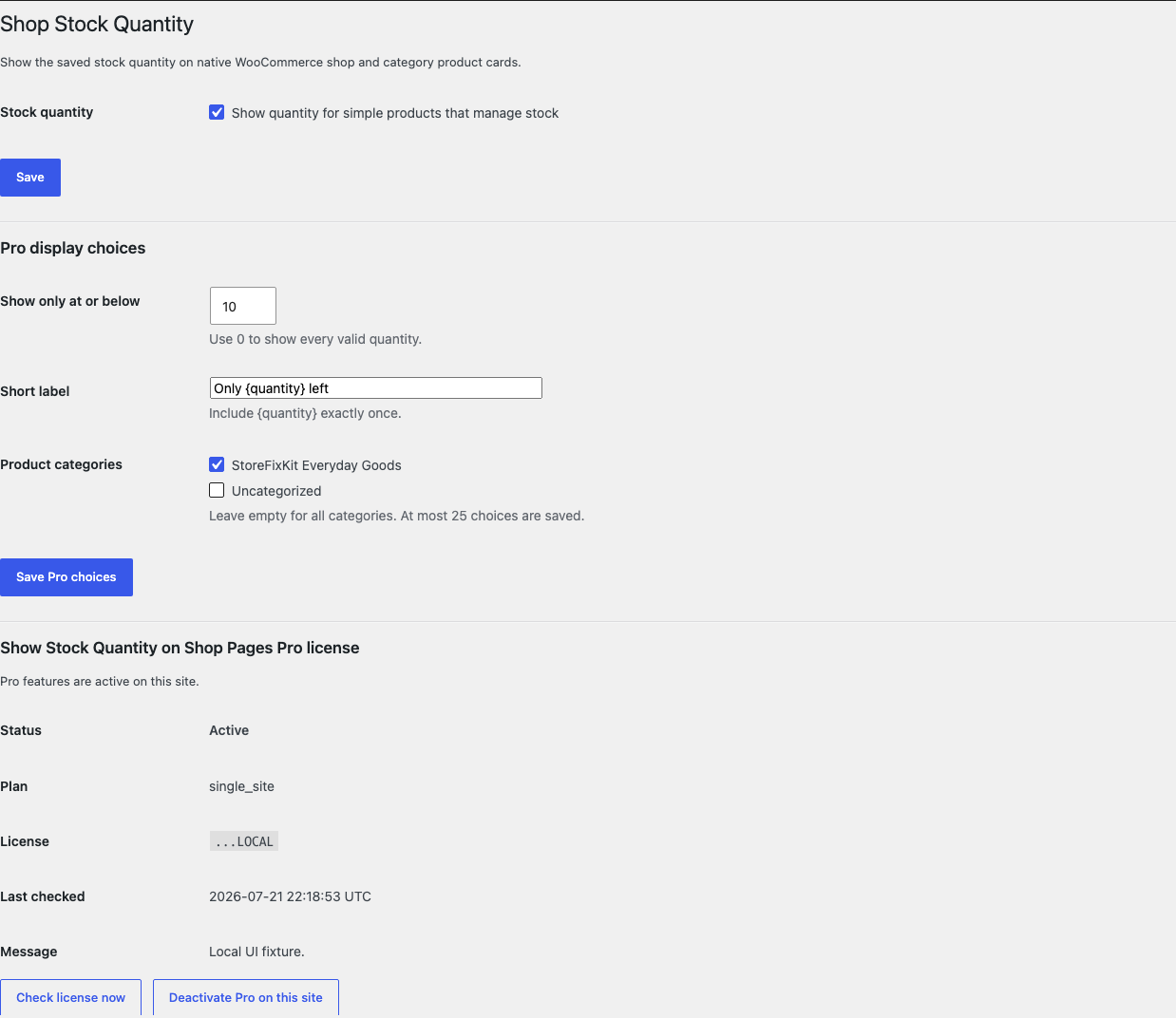
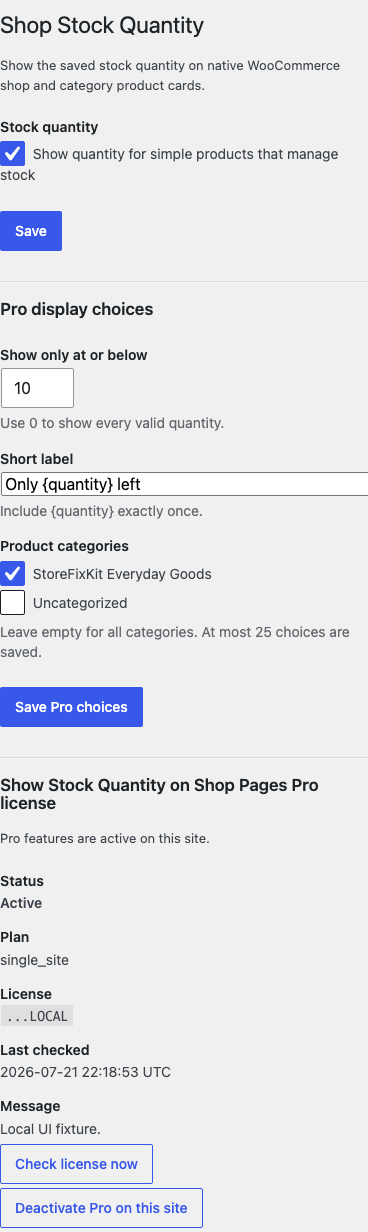
- Open WooCommerce > Shop Stock Quantity.
- Select Show quantity for simple products that manage stock.
- Select Save.
Verify the result
- Edit a simple product and enable Manage stock.
- Save a quantity such as
7. - Open a native classic shop or product-category page.
- Confirm the quantity appears once on that product card.
- Disable the setting and reload the page.
- Confirm the added quantity disappears and the product data remains unchanged.

What Free changes
Free reads the current simple product already supplied by WooCommerce's native loop. It displays a plain-text quantity only when the product manages stock and WooCommerce returns a finite nonnegative whole number.
Free does not aggregate variations, query extra products, calculate availability, reserve stock, or change stock status. Variable, external, grouped, malformed, and uncertain products keep native output.
What Pro adds
Pro adds three bounded choices:
- Show only at or below accepts 0 to 100. Use
0to show every valid quantity. - Short label accepts up to 80 plain-text characters and must contain
{quantity}exactly once. - Product categories accepts up to 25 existing category IDs. Leave it empty for all categories.
Free remains active when Pro, Stripe, the network, or the license service is unavailable.
Supported output boundary
This release supports native classic WooCommerce product loops that run the documented product-loop hooks. Product Collection blocks, custom builder grids, custom REST storefronts, headless stores, and themes that replace the loop hooks are unchanged.
The plugin adds no CSS. Your theme controls typography, spacing, and card layout.
Troubleshooting
No quantity appears
Confirm the product is simple, Manage stock is enabled, the saved quantity is valid, and the page uses a classic WooCommerce loop. Clear page caches after changing settings.
A variable product has no total quantity
That is expected. Variation stock can have different meanings and backorder rules. This release does not guess or aggregate it.
The quantity appears on one page but not a builder grid
The builder probably owns a separate product query or template. Test the native shop page. Unsupported output remains unchanged by design.
Pro shows fewer categories than expected
Only existing product categories are accepted, with a maximum of 25 saved choices. Deleted category IDs are ignored.
Roll back safely
- Deactivate Pro and verify the global Free display remains.
- Turn off the Free switch or deactivate Free.
- Reload a native shop page and confirm the added quantity disappears.
- Confirm the product's stock quantity and stock status are unchanged.
- To return to an earlier version, install the previous deterministic ZIP and repeat the check.
The plugin writes no product, variation, stock, order, cart, or customer data.
Uninstall and data removal
Normal uninstall preserves settings and the license for accidental recovery. Define STOREFIXKIT_DELETE_DATA as true before deletion only when you intentionally want to remove this product's owned options.
Free removes sfk_sqsp_settings. Pro removes sfk_sqsp_pro_settings and its own license/update options. Products, inventory, categories, orders, and customers are never deleted.
Privacy, security, and resource use
- Settings changes require
manage_woocommerceand WordPress nonce checks. - Threshold, label, and category inputs are bounded and sanitized.
- Frontend output is escaped plain text.
- Product-card requests make no StoreFixKit or third-party request.
- No custom table, cron, queue, telemetry, JavaScript, or stylesheet is added.
- The measured Batch 19 idle benchmark added zero database queries and zero writes across 25 active requests; median peak memory increased by 2 MB in that environment.
The benchmark describes the tested demo server, not every host or theme.
Frequently asked questions
Does it reduce stock?
No. It only reads the quantity WooCommerce already saved.
Does it support backorders or variation totals?
No. It avoids uncertain stock interpretation and leaves those products unchanged.
Can I add HTML to the label?
No. The label is bounded plain text and {quantity} must appear exactly once.
Does it work in Product Collection blocks?
Not in this release. The supported surface is the native classic WooCommerce loop.
Support and feedback
Use StoreFixKit Support. Include the affected shop URL, product type, whether Manage stock is enabled, saved quantity, expected and actual text, theme or builder name, Free and Pro versions, WordPress and WooCommerce versions, and redacted desktop/mobile screenshots.
Do not send administrator passwords, API keys, customer data, order exports, or a complete license key. Tell us whether native output returns after deactivation; that is the fastest rollback signal.