Free 0.1.2 and Pro 0.1.2 documentation.
Shop Short Descriptions shows the short description already saved on each product in WooCommerce's native shop, product-category, and product-tag cards. Free provides one switch and a 10-to-60-word limit. Pro adds one of three tested positions and up to twenty-five category exceptions. It does not edit products, templates, blocks, page-builder grids, CSS, or JavaScript.
Requirements
| Component | Requirement |
|---|---|
| WordPress | 6.2 or newer |
| PHP | 7.4 or newer |
| WooCommerce | 8.9 or newer, active |
| Free rule | Existing short descriptions on verified native catalog loops only |
| Pro plan | One site, $39/year after a 14-day trial |
Show short descriptions with Free
- Install and activate WooCommerce.
- Install the supplied Free 0.1.2 ZIP. After WordPress.org approves the listing, the same Free plugin can be installed from the directory.
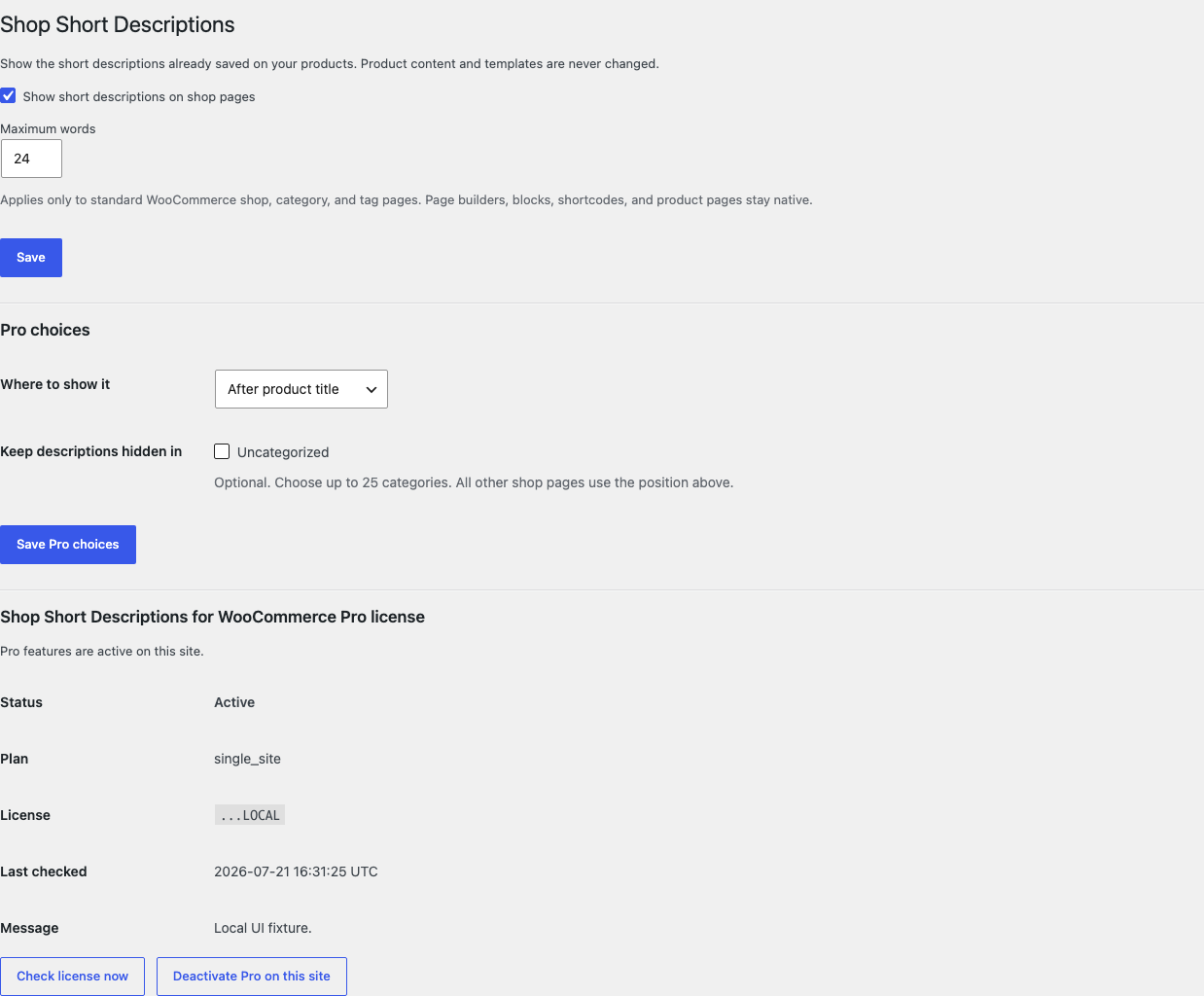
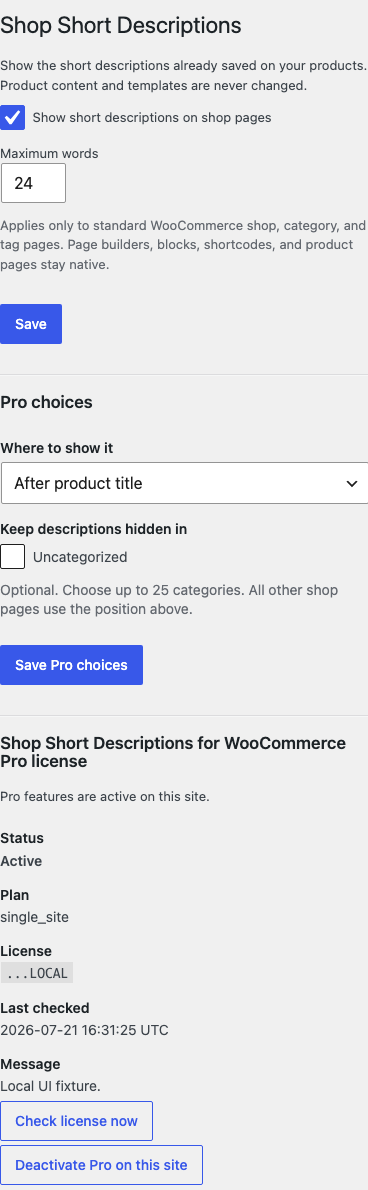
- Open WooCommerce > Shop Short Descriptions.
- Turn on Show short descriptions.
- Choose a word limit from 10 to 60 and save.
- Open the native shop page while signed out.
Verify the result
- Confirm products with saved short descriptions show one escaped excerpt below the title.
- Confirm products without a short description show no empty wrapper or warning.
- Open one product category and one product tag archive.
- Confirm the text stops at the saved word limit.
- Turn the switch off and confirm native catalog cards return immediately.
The plugin reads the existing product excerpt while WooCommerce renders a verified native loop. It writes no product content and does not duplicate the description into another field.
What Free changes
Free stores one local option, sfk_ssd_settings, containing the enabled state and word limit. On verified native shop, product-category, and product-tag loops, it prints the existing short description once at WooCommerce's after-title hook.
Free prints nothing when WooCommerce is missing, settings are malformed, the product object is unavailable, the description is empty, or the loop is unsupported. Blocks, related products, page builders, custom shortcodes, admin screens, REST responses, and feeds stay native.
What Pro adds
Pro adds two bounded choices:
- choose after title, after price, or after add-to-cart from a fixed allowlist;
- leave at most twenty-five selected product-category archives unchanged.
The category interface uses names and checkboxes. Store owners do not need category IDs or code-like rules. If Pro, Stripe, the network, or the StoreFixKit license service is unavailable, the valid Free after-title behavior continues locally.
Start the 14-day Pro trial
- Open the Shop Short Descriptions product page.
- Select Start 14-day trial. No card is required to begin.
- Stripe returns to StoreFixKit after checkout, and a signed webhook creates a product-bound license.
- Copy the license key and download the Pro 0.1.2 ZIP.
- Keep Free active, upload and activate Pro, then activate its license.
- Add a payment method before day 14 only if you want the $39/year subscription to continue. Without one, Stripe cancels it at trial end.
Compatibility boundary
This release uses WooCommerce's documented catalog hooks and first verifies the native shop, category, or tag context. A block, page builder, shortcode, widget, related-products section, REST request, feed, or custom loop owns its own markup and stays untouched.
StoreFixKit does not provide a style editor, custom product-card builder, block DOM rewrite, shortcode, description generator, bulk editor, template override, or builder adapter.
Privacy, security, and resource use
- Settings writes require
manage_woocommerceand WordPress's settings nonce. - Output is converted to a bounded plain-text excerpt and escaped.
- Each catalog decision reads at most two owned options.
- At most sixty words are printed for one product.
- Products, descriptions, terms, templates, carts, orders, and customers are never created, edited, or deleted.
- The storefront performs no StoreFixKit or third-party HTTP request and stores no personal data.
- There is no custom table, cron, Action Scheduler job, queue, telemetry, JavaScript, or stylesheet.
Troubleshooting
Nothing appears on the shop page
Confirm the switch is saved and the product has a short description. Test the native WooCommerce shop page before testing a builder grid. Clear page cache after changing the setting.
A page-builder grid stayed unchanged
That is the supported boundary. This release does not rewrite Elementor, block, shortcode, widget, related-product, or custom-loop markup.
The text appears in the wrong position
Free always uses the after-title position. With an active Pro license, save one of the three labeled positions and clear page cache.
One category shows no added text
Check whether that category is selected as a Pro exception. Selected archives intentionally keep native cards.
Pro choices do not apply
Confirm Free and Pro 0.1.2 are active, the license belongs to this product, and the choices were saved. A license failure leaves the valid Free behavior in place.
Rollback and uninstall
- Back up the database and keep the deterministic 0.1.2 Free and Pro ZIPs.
- Deactivate Pro and confirm Free still shows descriptions after titles.
- Deactivate Free and confirm native catalog cards return immediately.
- Install the previous deterministic ZIP if needed, reactivate, and repeat the native shop check.
- Verify products and short descriptions are unchanged.
The verified release drill updated, downgraded, rolled forward, deactivated, reactivated, and exercised both uninstall modes while preserving WooCommerce product and order data.
Normal uninstall preserves settings and the license for accidental recovery. Define STOREFIXKIT_DELETE_DATA as true before deletion only when you deliberately want Free to remove sfk_ssd_settings and Pro to remove sfk_ssd_pro_settings plus its license option. Product descriptions and all WooCommerce data are never deleted.
StoreFixKit Support
Use StoreFixKit Support and include the affected shop or category URL, expected and actual position, saved word limit, whether the product has a short description, theme, cache/CDN status, Free and Pro versions, WordPress and WooCommerce versions, and redacted desktop/mobile screenshots. Never send credentials, customer or order data, API keys, payment details, or a complete license key.
For feedback, describe the shortest repeatable setup and whether the same product works on the native WooCommerce shop page. After resolution, support will provide the correct WordPress.org review link once the official listing exists.