Replace the words inside WooCommerce's native Sale badge without changing a price, sale date, discount, product, cart, checkout, or order.
Requirements
- WordPress 6.2 or newer
- PHP 7.4 or newer
- WooCommerce 8.9 or newer
- Free 0.1.2 for one store-wide badge label
- Pro 0.1.2 only when category or individual product wording is needed
Install Free
- Back up the site and keep a copy of the current plugin ZIP.
- Open Plugins > Add New > Upload Plugin.
- Upload
storefixkit-sale-badge-text-0.1.2.zip. - Activate Change Sale Badge Text for WooCommerce.
- Open WooCommerce > Sale Badge Text.
If WooCommerce is unavailable, StoreFixKit registers no public badge filter and shows an admin notice instead of producing a storefront fatal error.
Set the Free badge words
- Enable Use my Sale badge text.
- Enter a short label such as Special offer, Clearance, or Limited deal.
- Select Save badge text.
- Open one published product that is currently on sale.
- Confirm the words changed but the regular price, sale price, discount, and Add to cart behavior did not.
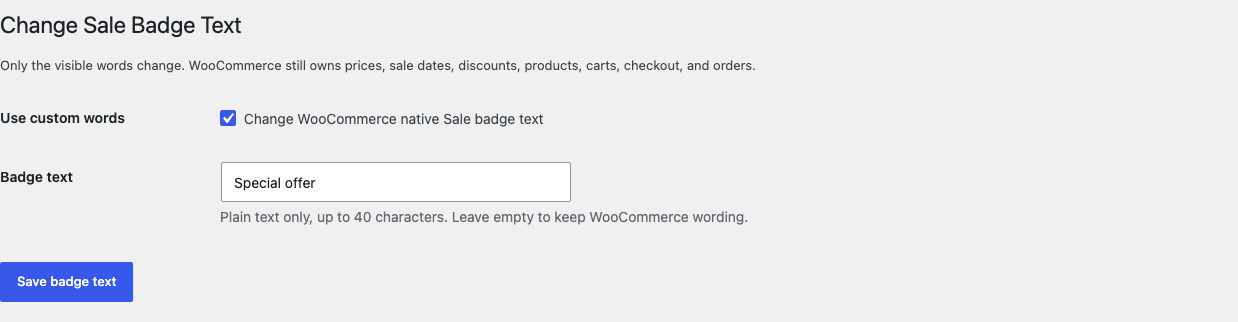
The label is plain text and limited to 40 characters. HTML, shortcodes, icons, scripts, discount formulas, dynamic tokens, and remote content are not rendered.
Leave the field empty, turn the setting off, or deactivate Free to restore WooCommerce's exact incoming badge immediately.
Confirm the storefront result
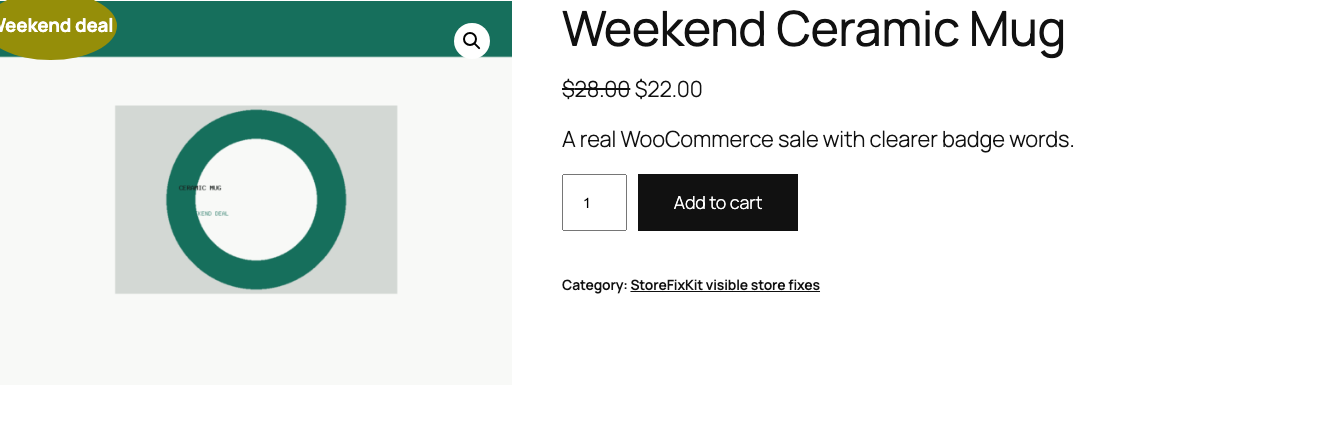
Test these conditions before launch:
- a published simple product with an active sale price;
- a variable product with at least one discounted variation;
- a product whose sale has not started yet;
- a product whose sale has ended;
- a regular-price product;
- an empty custom label and the disabled setting;
- the real shop, category, search, and single-product layouts used by the site.
The plugin does not calculate a percentage, schedule a sale, create a badge, or decide whether a product is discounted. It receives WooCommerce's native badge HTML and can replace only its visible words.
Free and Pro precedence
Free always remains usable without an account, checkout, trial, license, or StoreFixKit connection.
With an active Pro license, the rule order is:
- Use native Sale text on an individual product restores WooCommerce's exact incoming badge.
- An individual product label wins next.
- A matching category label wins next.
- The Free store-wide label is the final StoreFixKit fallback.
- An empty or invalid value returns the previous label unchanged.
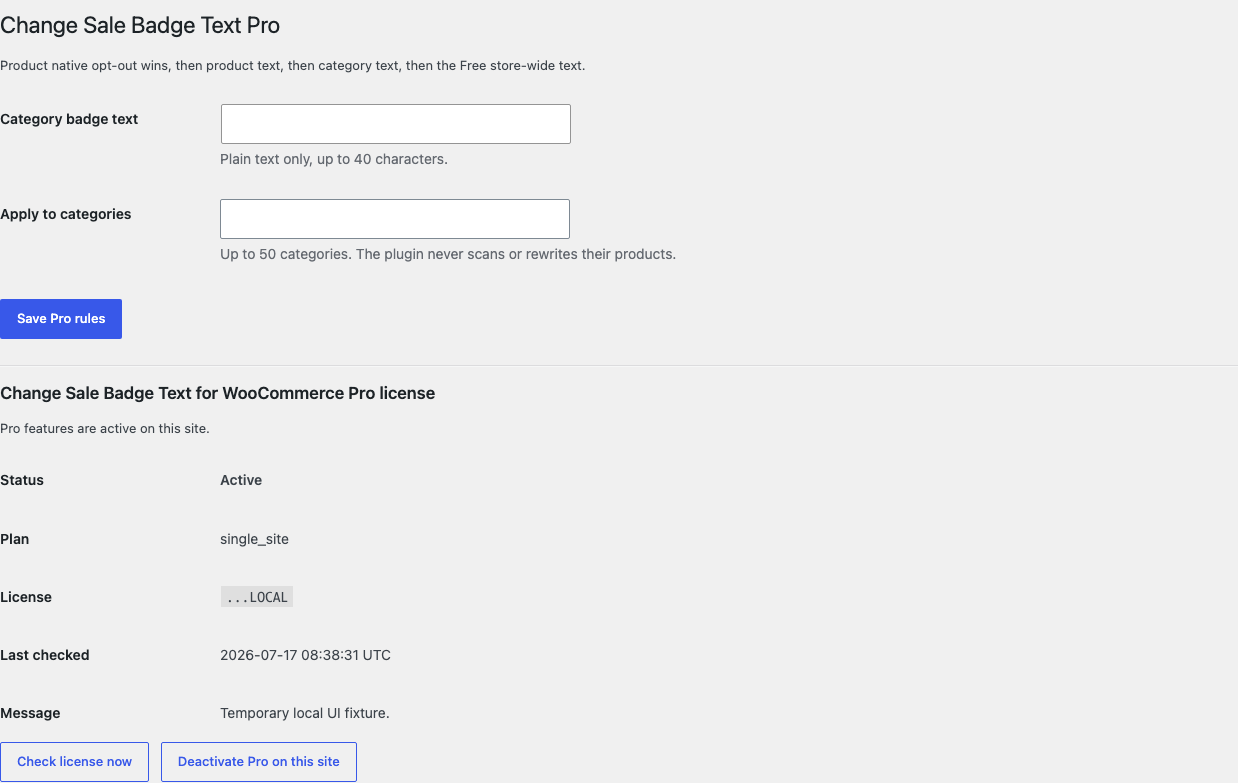

Pro accepts up to 50 selected categories. It checks the current product only; it does not scan or rewrite products in those categories.
Start and activate Pro
- Open the Change Sale Badge Text product page.
- Select Start 14-day trial. No card is required to begin.
- Stripe returns to the StoreFixKit success page after creating the subscription.
- The signed StoreFixKit webhook creates a
sale_badge_text_proproduct-bound license and makes the Pro 0.1.2 ZIP available. - Upload and activate Pro beside Free.
- Open WooCommerce > Sale Badge Text Pro.
- Paste the license key and select Activate Pro.
- Add category or product wording only where the Free label is not enough.
Stripe cancels the trial at its end when no payment method has been added. A billing, network, webhook, or license outage cannot turn off the local Free badge label.
Compatibility boundary
This release supports a storefront surface only when it runs WooCommerce's native woocommerce_sale_flash filter and supplies a valid published on-sale product.
A theme, builder, product block, quick-view panel, or badge plugin can own different markup or bypass that filter. StoreFixKit then leaves the surface unchanged. It does not force support with CSS selectors, JavaScript replacement, copied templates, translation overrides, or third-party adapters.
Troubleshooting
The product is discounted but the words did not change
Confirm the Free setting is enabled and the label is not empty. Clear page, object, and CDN caches. Then test a default WooCommerce product page. If the default page changes but the custom layout does not, that layout owns its badge output.
The product block still says Sale
Ask the block or theme vendor whether that surface applies woocommerce_sale_flash. A block that renders its own badge is outside this release; CSS and browser-text replacement are deliberately not used.
The badge disappeared
Deactivate both StoreFixKit plugins. If the native badge is still absent, confirm the product is published, currently on sale, and supported by the theme. StoreFixKit does not create a badge when WooCommerce supplies none.
The wrong Pro rule wins
Check the product's Use native Sale text choice first, then its individual label, then the category rule, then the Free value. Clear the closer field when the broader rule should apply.
Free stopped after Pro was deactivated
Open WooCommerce > Sale Badge Text and confirm the Free switch and label. Pro does not own or delete the Free option. Test with Free only after clearing caches.
Rollback
- Keep the 0.1.2 and 0.1.1 ZIPs.
- Deactivate Pro, then Free.
- Confirm WooCommerce immediately restores its native badge words.
- Install and activate the previous Free ZIP.
- Install the matching previous Pro ZIP only if needed.
- Confirm the Free label, category rule, product labels, and native opt-outs remain saved.
- Test one active sale, one future or expired sale, and one regular-price product.
The verified 0.1.1 to 0.1.2 update and 0.1.2 to 0.1.1 downgrade preserved owned settings and historical order data.
Uninstall ownership
Deleting Free removes only sfk_sbt_settings.
Deleting Pro removes only:
sfk_sbt_pro_rules;_sfk_sbt_label;_sfk_sbt_native;- the Sale Badge Text Pro license option.
Products, prices, sale dates, discount calculations, stock, categories, carts, customers, orders, themes, templates, translations, and unrelated options remain unchanged.
StoreFixKit Support
Use StoreFixKit Support and include the product ID and URL, product type, sale start and end state, expected badge words, actual words, Free and Pro versions, WooCommerce version, theme or block name, cache/CDN details, and screenshots. Remove customer data, credentials, payment information, and the full license key.