Free 0.1.1 and Pro 0.1.1 documentation.
Hide Price for Selected Products for WooCommerce does one job: it replaces the catalog price of a selected product with one plain-text message and prevents new online additions of that product. It does not erase the stored price, convert WooCommerce into a full catalog system, add a quote form, change orders, or empty an existing cart.
Requirements
| Component | Requirement |
|---|---|
| WordPress | 6.0 or newer |
| PHP | 7.4 or newer |
| WooCommerce | 8.0 or newer, active |
| Products | Simple or variable WooCommerce products |
| Access | A user who can edit WooCommerce products |
Install the free plugin
- Install and activate WooCommerce.
- Install Hide Price for Selected Products for WooCommerce from WordPress.org after its directory listing is approved, or upload the supplied Free 0.1.1 ZIP for testing.
- Activate the plugin.
If WooCommerce is unavailable, the plugin registers no product editor or catalog behavior. WordPress continues loading and displays one admin notice.
Hide one product price
- Open Products and edit the product.
- In Product data > General, select Hide this product price.
- Enter an optional plain-text replacement such as
Contact us for price. - Select Update.

The message is plain text and is limited to 120 characters. When it is empty, the plugin uses Contact us for price. HTML, shortcodes, buttons, links, and forms are not rendered from this field.
For a variation, an explicit variation choice is checked first. If the variation has no choice, the parent product setting can apply.
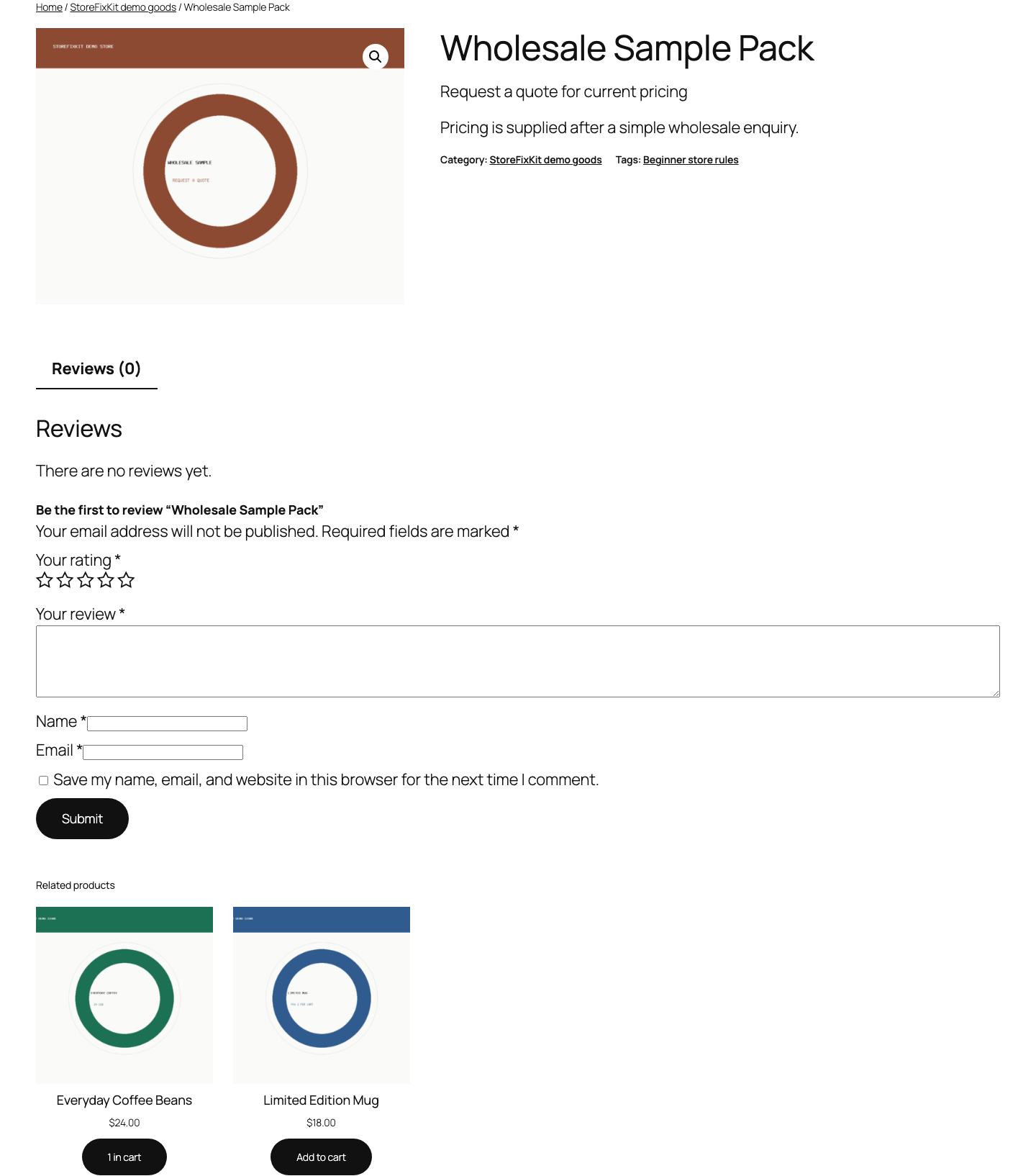
Test the storefront
- Open the shop archive and the product page in a private browser window.
- Confirm the saved message replaces the normal price.
- Confirm WooCommerce does not offer the normal new-purchase button.
- Try a direct add-to-cart URL or request.
- Confirm the request is refused with the saved message and the existing cart remains unchanged.
- Open an unselected product and confirm its price and button are unchanged.
Existing carts remain usable
This plugin blocks only a new add-to-cart request for a selected product. It deliberately does not remove a line that was already in the cart before the rule changed, hide that line's price in cart or checkout, or invalidate checkout.
That boundary avoids silently destroying a shopper's current cart. If the business needs existing carts cancelled or repriced after a policy change, that is a separate operational workflow.
Free and Pro
Free selects products one at a time. Pro reuses one message across selected categories or tags, supports explicit product exceptions, and can target everyone, logged-out visitors, or one customer role.
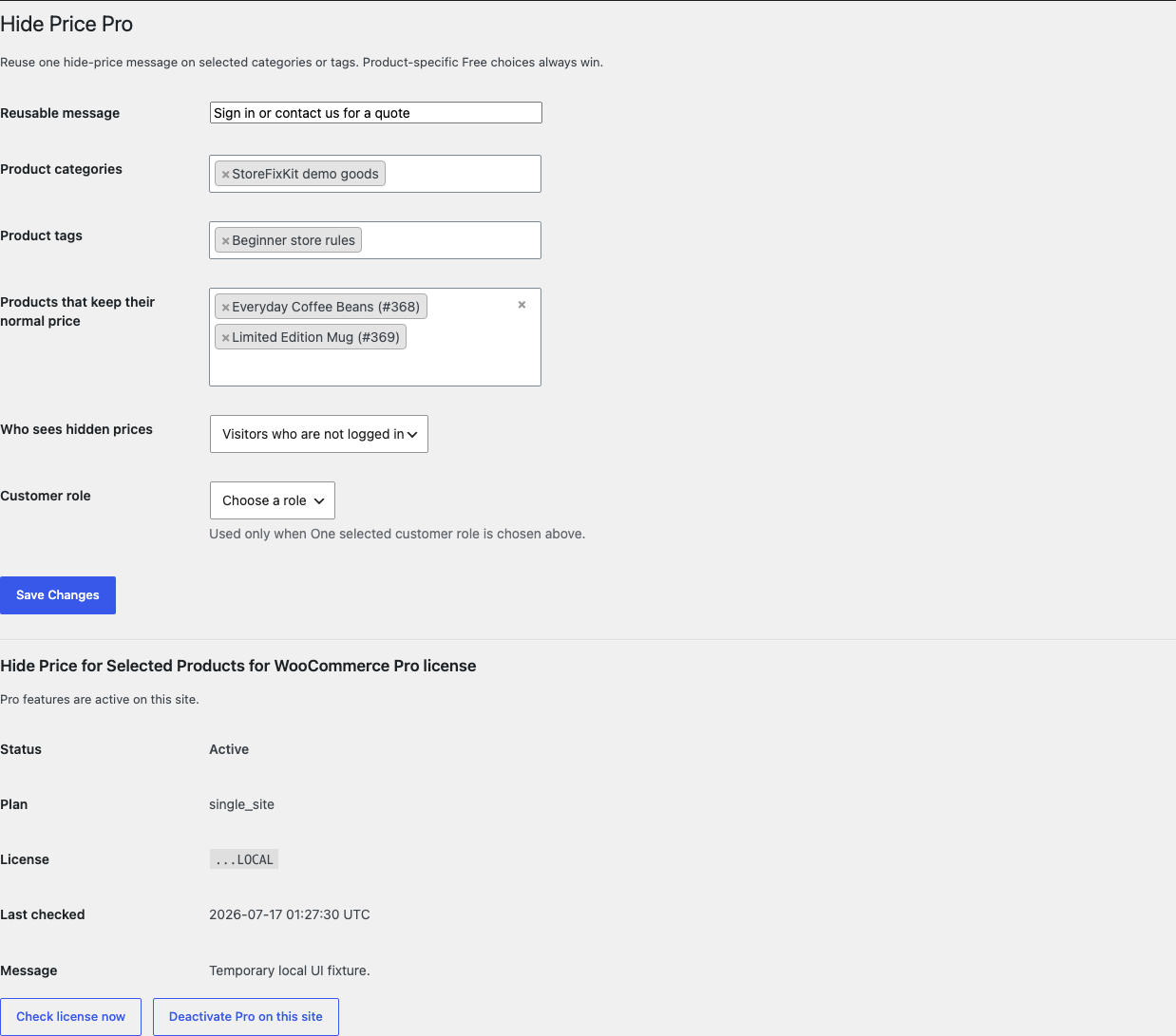
The priority is deliberate:
- A product explicitly selected in Free stays hidden and its Free message wins.
- A Pro product exception keeps its normal price unless Free explicitly selected it.
- Otherwise, a category or tag match uses the Pro message for the selected audience.
- An incomplete role choice fails passively and does not hide the price.
Pro does not create quote forms, wholesale pricing, login redirects, contact buttons, role-specific prices, downloadable price lists, or approval workflows.
Start the 14-day Pro trial
- Open the product page.
- Select Start 14-day trial. No card is required to begin.
- Stripe returns to the StoreFixKit success page and the signed webhook creates a license bound to Hide Price Pro.
- Copy the license key and download the Pro 0.1.1 ZIP.
- Add a payment method through Add payment method / manage billing before day 14 to continue the $39 annual subscription. Stripe cancels the subscription at trial end when no payment method has been added.
Install and activate Pro
- Keep WooCommerce and Free active.
- Upload and activate the Pro ZIP beside Free.
- Open WooCommerce > Hide Price Pro.
- Paste the product license key and select Activate Pro.
- Enter one reusable message and select at least one category or tag.
- Choose who sees hidden prices.
- Add product exceptions only where the shared rule should not apply.
- Save and test the selected audience, an unaffected visitor, a matching product, and an exception.
Use Check license now to refresh status or Deactivate Pro on this site before moving the license. A failed license or network check cannot disable explicit Free product choices.
Privacy, SEO, and structured data
The plugin sends no customer or product data to StoreFixKit during catalog use. It changes WooCommerce's visible price HTML and purchasability decision; it does not promise to remove every price reference generated by a theme, SEO plugin, feed plugin, cache, custom block, or external search index.
After enabling a rule, inspect the visible archive, product page source, structured-data test, product feed, and cache used by the store. A business that must suppress pricing from every feed and search engine needs a broader catalog-governance solution.
Safety and resource use
- The stored WooCommerce price is never changed, blanked, or deleted.
- No existing cart line, checkout, order, stock, tax, shipping, coupon, payment, refund, or subscription mutation.
- No template override, custom table, cron event, frontend JavaScript, frontend stylesheet, telemetry, customer cookie, or storefront remote request.
- Free stores two bounded product metadata keys. Pro stores one bounded rule option and its license state.
- Missing or malformed settings return WooCommerce's original price and purchasability unchanged.
Troubleshooting
The normal price is still visible
Confirm WooCommerce and Free 0.1.1 are active, the product was updated after selecting the checkbox, and all page, object, and CDN caches were cleared. Check whether the visible number comes from WooCommerce price HTML or from a separate theme field, block, schema plugin, feed, variation script, or manually written product description.
The Add to cart button is still visible
Test whether it actually adds the product. The plugin sets WooCommerce purchasability to false in catalog contexts and also validates direct new additions. A theme that renders a hard-coded button may still display markup even though the server rejects the request.
A product already in the cart still shows its price
That is intentional. Existing classic and Store API carts remain usable after a rule change. The plugin blocks new additions but does not rewrite or remove accepted cart lines.
Logged-in customers see the wrong result
Check the Pro audience and selected role, then test with a private logged-out window and a real account for the chosen role. Cached pages must vary correctly by login state when an audience rule is used.
The Pro rule does not apply
Confirm the license is active, a category or tag is selected, the audience matches, and the product is not an exception. An incomplete role selection safely returns the original storefront.
Rollback
- Back up the database and retain Free and Pro 0.1.1 plus the previous known-good ZIPs.
- Deactivate Pro and Free.
- Install the previous ZIPs.
- Activate Free first, then Pro.
- Confirm explicit product choices, messages, reusable assignments, exceptions, and audience remain saved.
- Clear caches and test one hidden product, one normal product, one direct add request, and one existing cart.
The verified package-replacement drill preserves owned settings. Deactivation immediately restores WooCommerce's normal price HTML and purchasability hooks without editing the stored product price.
Uninstall
Deleting Free removes only _sfk_hp_enabled and _sfk_hp_message product configuration. Deleting Pro removes sfk_hp_pro_rules and its license option. Product prices, products, variations, carts, orders, customers, and unrelated options remain unchanged.
StoreFixKit Support
Use StoreFixKit Support and include the product ID, product type, expected audience, product or Pro rule used, Free and Pro versions, WooCommerce version, theme name, cache/CDN details, exact page URL, expected result, actual result, and screenshots. Remove customer data, credentials, payment details, and full license keys.