Free 0.1.3 and Pro 0.1.3 documentation.
Hide Paid Shipping When Free Shipping Is Available removes paid delivery choices from a WooCommerce shipping package after that same package contains Free Shipping. Free Shipping and Local Pickup always remain. Pro can also keep up to ten other configured shipping choices.
Requirements
| Component | Requirement |
|---|---|
| WordPress | 6.2 or newer |
| PHP | 7.4 or newer |
| WooCommerce | 8.9 or newer, active |
| Free rule | Hide paid rates only when Free Shipping exists in the same package |
| Pro plan | One site, $39/year after a 14-day no-card trial |
Install Free
- Confirm WooCommerce is active and your shipping zones already contain the methods you want to offer.
- In WordPress, open Plugins > Add New > Upload Plugin.
- Upload the Free 0.1.3 ZIP, select Install Now, and then select Activate.
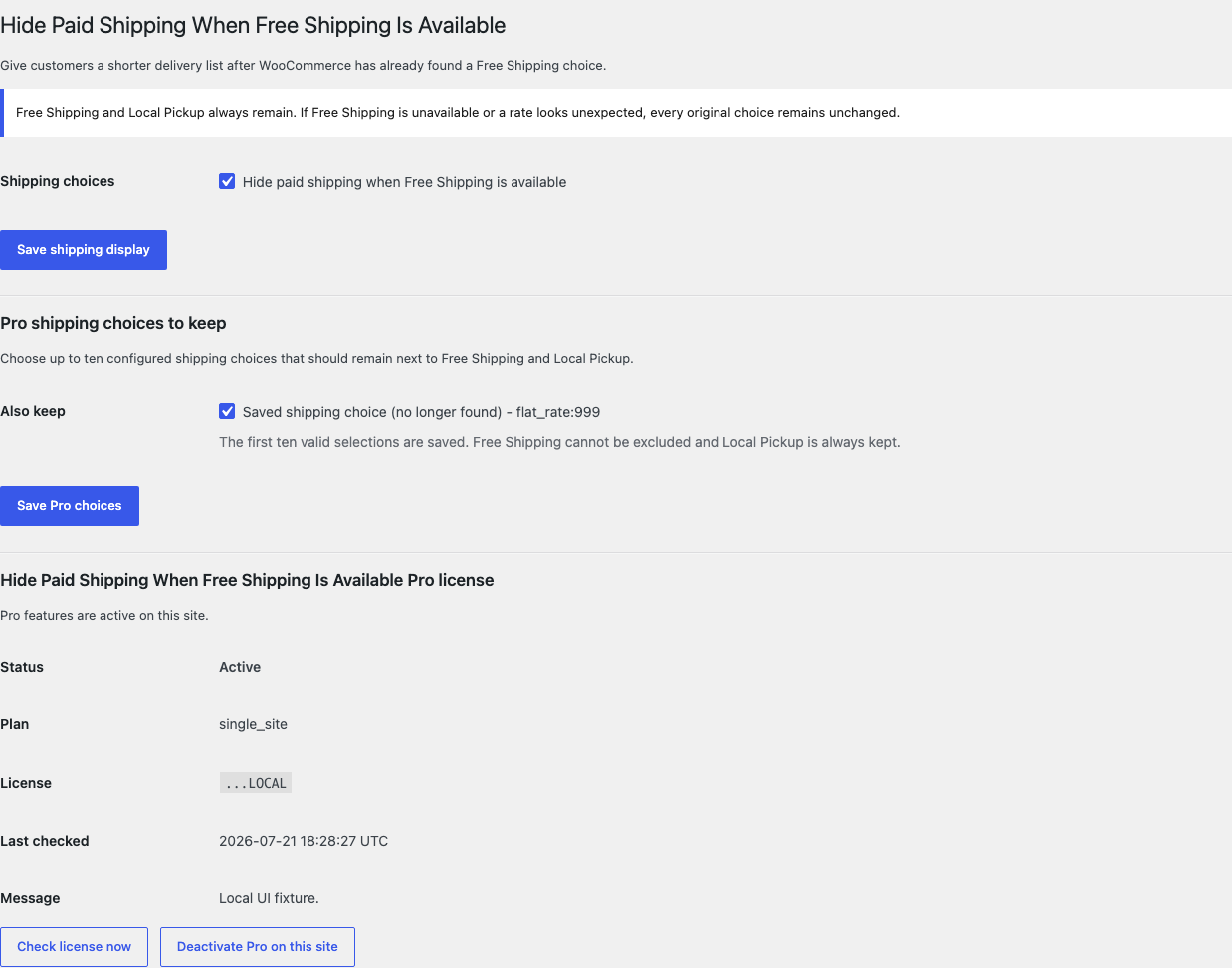
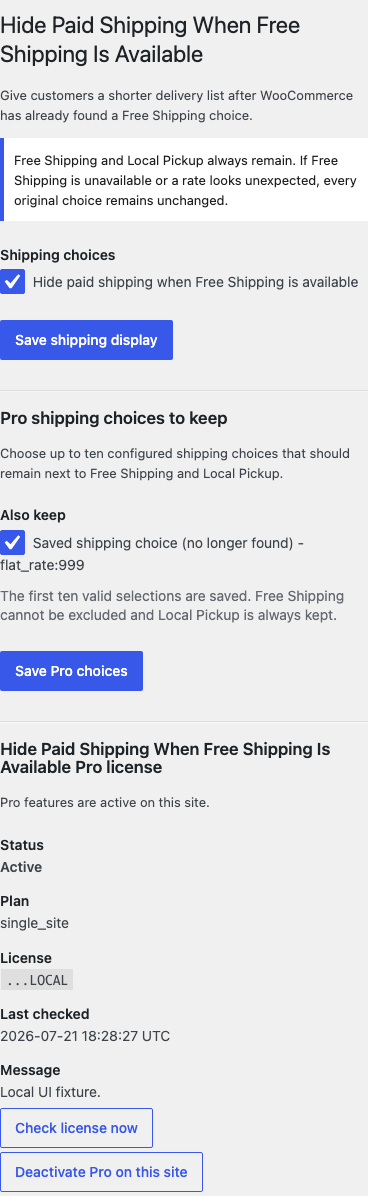
- Open WooCommerce > Hide Paid Shipping.
- Select Hide paid shipping when Free Shipping is available.
- Select Save Changes.
Verify the result
Use a test address and cart that match a real shipping zone.
- Add a product to the cart without reaching your Free Shipping condition.
- Open checkout and confirm all normal paid choices still appear.
- Change the cart so Free Shipping becomes available.
- Confirm Free Shipping remains.
- Confirm Local Pickup remains when it is configured for that package.
- Confirm paid choices disappear from that package only.
- If the order uses multiple shipping packages, test each package separately.
- Turn the setting off and confirm WooCommerce's original choices return.
What Free changes
Free reads the shipping rates WooCommerce has already calculated for one package. If the package contains a valid free_shipping rate, Free returns only Free Shipping and Local Pickup from that package.
If Free Shipping is absent, a rate is malformed, WooCommerce is missing, or the setting is disabled, the complete incoming rate list returns unchanged. The plugin does not edit shipping zones, prices, taxes, labels, defaults, carts, orders, customers, or products.
What Pro adds
Pro lets you keep up to ten additional configured shipping choices beside Free Shipping and Local Pickup.
- Keep Free active.
- Install and activate the matching Pro 0.1.3 ZIP.
- Activate the product license.
- Open WooCommerce > Hide Paid Shipping.
- Under Pro shipping choices to keep, select the named choices you still want to offer.
- Select Save Pro choices.
The list is built from your configured WooCommerce shipping zones. Free Shipping cannot be excluded, and Local Pickup is always kept. If Pro or its license is unavailable, the complete Free rule continues locally.
Classic and block checkout
Both classic checkout and the WooCommerce Checkout Block use server-calculated package rates. This plugin filters those package rates on the server and loads no checkout JavaScript or CSS.
The plugin does not change checkout markup, force a selected method, merge packages, or control express-payment interfaces. A third-party shipping extension can remain compatible when it returns normal WC_Shipping_Rate objects with stable rate IDs. Unsupported or malformed rate data is left unchanged.
Troubleshooting
Paid shipping still appears
Confirm Free Shipping is actually available for the same package. Check the customer address, shipping zone, minimum order rule, coupon requirement, tax display, and cart total. Clear the cart or full-page cache, then recalculate shipping.
Local Pickup disappeared
The plugin is designed to keep WooCommerce local_pickup rates. Disable the plugin. If Local Pickup is still absent, verify that the matched shipping zone contains an enabled Local Pickup method. If the method comes from another plugin under a different method ID, Pro may list it as an additional choice to keep.
A Pro choice is not listed
Confirm the method is enabled in a WooCommerce shipping zone. The settings page lists configured methods and the catch-all zone. Free Shipping and standard Local Pickup are omitted because they are already preserved automatically.
A saved Pro choice says it is no longer found
The shipping method or instance was probably removed or recreated. Remove the old saved choice, select the current named choice, and save again.
Checkout shows no shipping methods
Deactivate the plugin first. This plugin returns the complete original list when rate data is uncertain, but a shipping-zone, address, cache, or carrier-extension issue may stop WooCommerce from calculating rates before this plugin runs.
Roll back safely
- Back up the WordPress database and keep the exact Free and Pro ZIPs you installed.
- Turn off the Free switch and retest checkout.
- If needed, deactivate Pro. Free behavior remains available.
- Deactivate Free. WooCommerce receives its original shipping rates on the next calculation.
- To return to an earlier version, remove the current plugin files, install the previous deterministic ZIP, activate it, and repeat the verification steps.
The plugin does not migrate or rewrite WooCommerce shipping data, so disabling it is the immediate behavior rollback.
Uninstall and data removal
Normal uninstall preserves StoreFixKit settings and the license so an accidental deletion can be recovered.
Define STOREFIXKIT_DELETE_DATA as true before deletion only when you deliberately want to remove this product's owned settings. Free removes sfk_hpf_settings; Pro removes sfk_hpf_pro_settings and its own license option. WooCommerce shipping zones, methods, carts, orders, customers, products, and rates are never deleted.
Privacy, security, and resource use
- Settings changes require the
manage_woocommercecapability and WordPress nonce checks. - Free stores one enabled state. Pro stores at most ten exact rate IDs.
- No personal data or checkout contents are sent to StoreFixKit.
- Storefront and checkout requests make no StoreFixKit or carrier API call.
- No custom table, cron event, queue, telemetry, frontend script, or stylesheet is added.
- The plugin changes only the returned view of already calculated rates.
Frequently asked questions
Does this create Free Shipping?
No. Configure Free Shipping in WooCommerce first. The plugin acts only after WooCommerce makes that rate available.
Can I hide paid shipping for one product, role, coupon, country, or subtotal?
No. This release performs one package-local rule and does not include a condition builder.
Can Pro keep another pickup or courier choice?
Yes, if WooCommerce exposes it as a configured shipping rate with a stable exact rate ID. Select it under Pro shipping choices to keep.
Does it choose Free Shipping automatically?
No. It removes other paid choices after Free Shipping exists. WooCommerce still owns rate selection and checkout behavior.
Support and feedback
Use StoreFixKit Support. Include the test address country or region, matched shipping zone name, which methods should appear, which methods actually appear, whether checkout is classic or block-based, Free and Pro versions, WordPress and WooCommerce versions, and redacted desktop/mobile screenshots.
Do not send administrator passwords, API keys, payment details, customer data, full addresses, order exports, or a complete license key. For product feedback, describe the shortest repeatable cart and shipping-zone setup and say whether native choices return after deactivation.