Free 0.1.3 and Pro 0.1.3 documentation.
Gift Wrap at Checkout for WooCommerce adds one optional order-level gift-wrap checkbox, one short gift message, and one server-calculated flat fee. It supports classic checkout and WooCommerce Checkout Block without creating a hidden product or changing inventory, shipping, coupons, payment methods, or order status.
Requirements
| Component | Requirement |
|---|---|
| WordPress | 6.2 or newer |
| PHP | 7.4 or newer |
| WooCommerce | 8.9 or newer, active |
| Checkout | Classic shortcode checkout or Checkout Block |
| Access | A user who can manage WooCommerce settings |
WooCommerce 8.9 is the minimum because the Checkout Block integration uses its Additional Checkout Fields API.
Install the free plugin
- Install and activate WooCommerce 8.9 or newer.
- Install Gift Wrap at Checkout for WooCommerce from WordPress.org after its directory listing is approved, or upload the supplied release ZIP for testing.
- Activate the plugin.
- Open WooCommerce > Gift Wrap.
If WooCommerce is unavailable, the plugin registers no checkout field or fee and leaves checkout under WooCommerce control.
Configure gift wrap
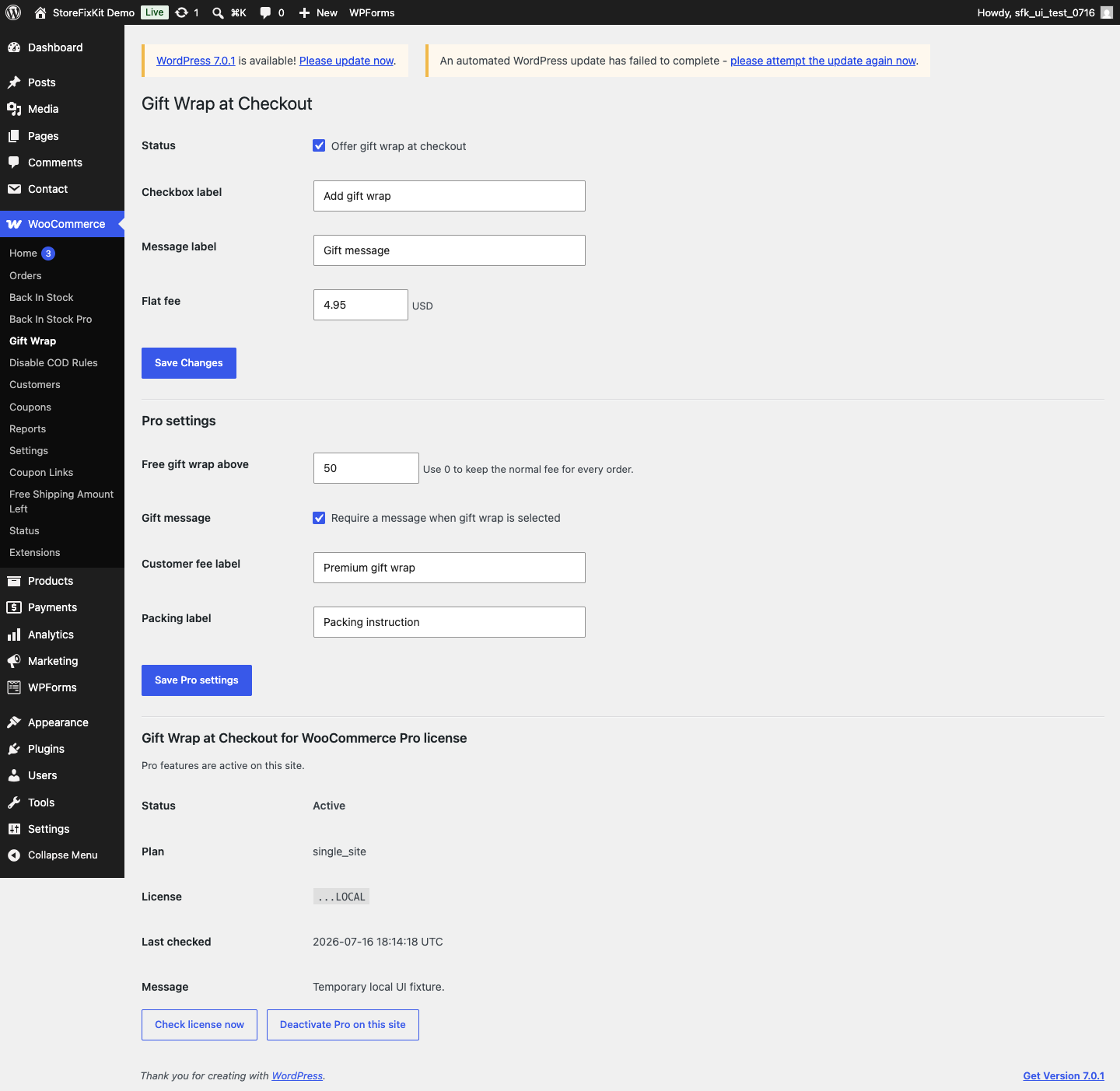
- Turn Gift wrap at checkout on.
- Enter the shopper-facing label.
- Enter one non-negative flat fee in the store currency.
- Enter the gift-message label.
- Select Save changes.
- Place one real test order through every checkout type your store uses.
Checkout Block behavior
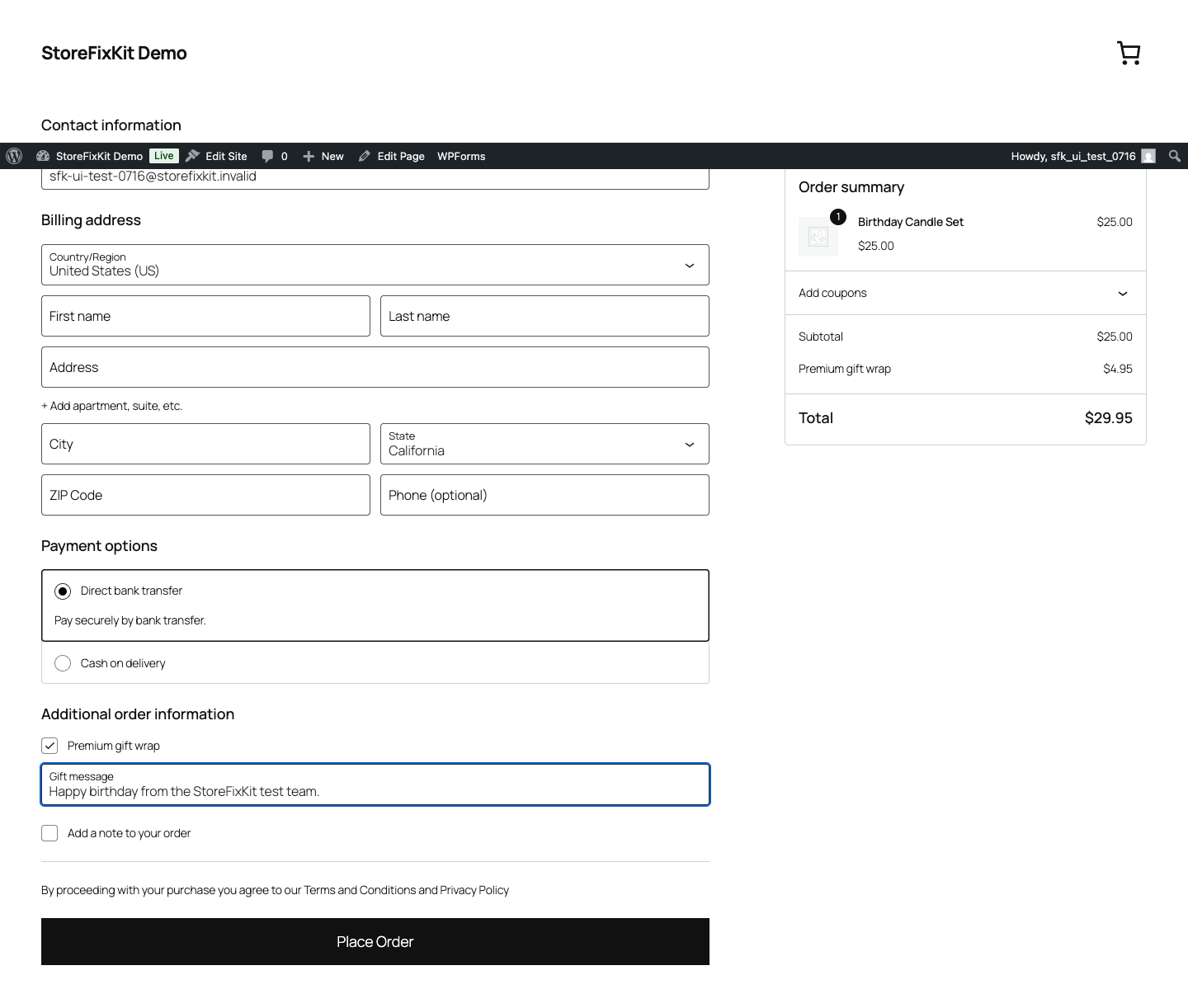
The checkbox and message are registered in WooCommerce's native order-information area. A change is sent through WooCommerce's Store API extension update callback, then the latest server-side cart and totals are returned.
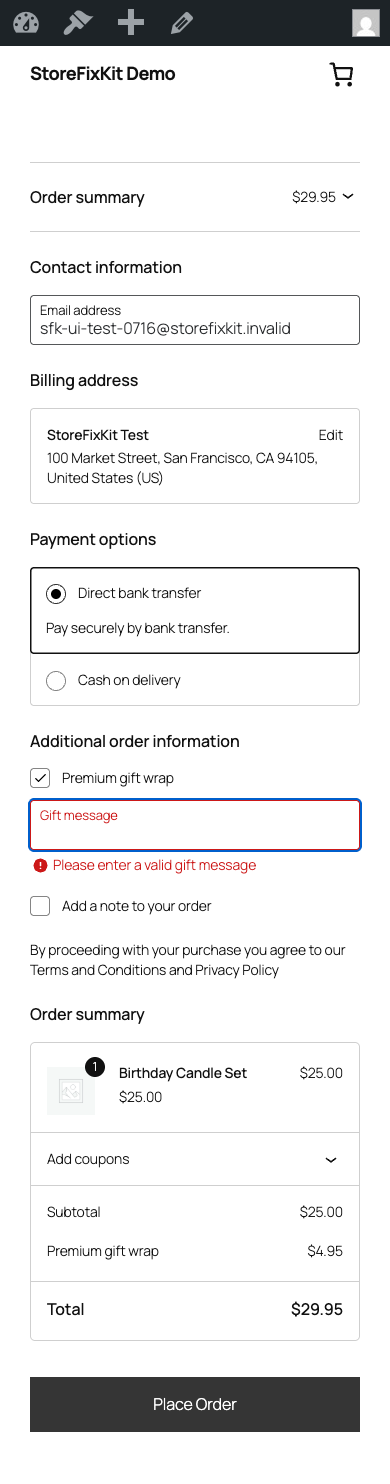
If the update fails, the visible controls return to the last server-confirmed state. On final order submission, the native field values must agree with that server state or checkout asks the shopper to review the option instead of creating an inconsistent order.
Classic checkout behavior
Classic checkout uses WooCommerce's normal update-totals flow. Selecting or clearing gift wrap refreshes the order review and fee. The message is limited to 240 characters and is sanitized as plain text.
Free treats the message as optional. Pro can require it when gift wrap is selected. The classic screen displays that rule in plain language, and Checkout Block enforces it with WooCommerce's conditional field schema.
Order records
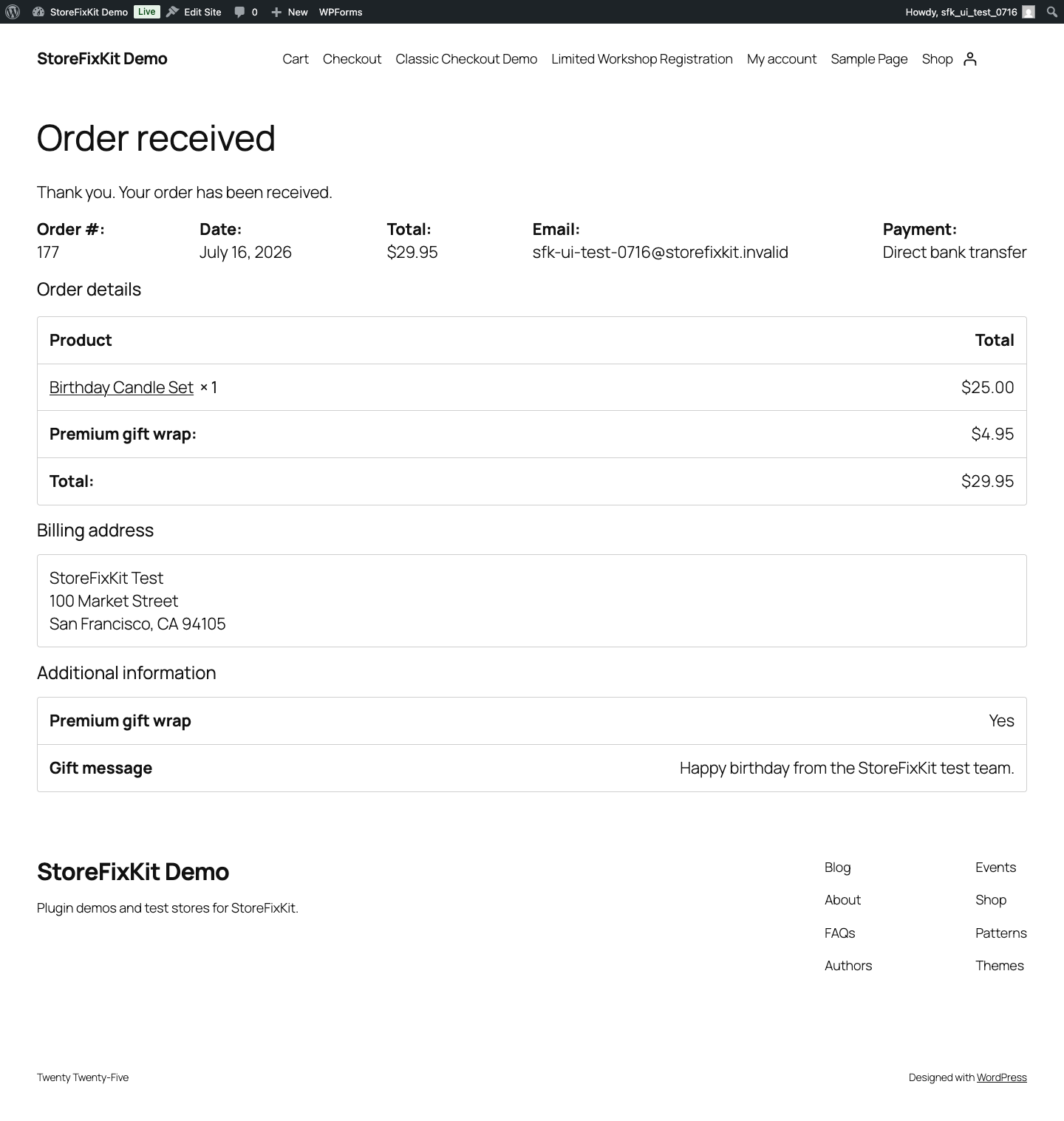
After a successful order, StoreFixKit saves only whether gift wrap was selected, the sanitized gift message, and the server-calculated fee as owned order metadata. WooCommerce also owns and displays the native additional checkout fields used by Checkout Block.
Historical order metadata is deliberately preserved on uninstall so past totals and fulfillment context do not disappear.
Free and Pro
Free provides one order-level option, one flat fee, and one optional message. Pro adds a free-wrap subtotal threshold, a required-message rule, a separate customer fee label, and a separate packing label.
The threshold can make the saved gift-wrap fee zero for an eligible cart; it does not alter merchandise prices, coupons, shipping, or taxes. Deactivating Pro restores the free flat-fee behavior and keeps checkout usable.
Start the 14-day Pro trial
- Open the product page.
- Select Start 14-day trial. No card is required to begin.
- Stripe returns to the StoreFixKit success page and the signed webhook creates a product-bound license.
- Copy the key and download the Pro 0.1.3 ZIP.
- Add a payment method through Add payment method / manage billing before day 14 to continue the $49 annual subscription. Stripe cancels the subscription at trial end when no payment method has been added.
Install and activate Pro
- Keep WooCommerce and the free plugin active.
- Upload and activate the Pro ZIP beside Free.
- Return to WooCommerce > Gift Wrap.
- Paste the product license key and select Activate Pro.
- Configure only the threshold and label rules you need.
- Test both below and above the threshold.
Use Check license now to refresh status or Deactivate Pro on this site before moving the license.
Fees, taxes, and resource use
- The browser sends only the yes/no choice and the bounded message, never a fee amount.
- WooCommerce adds the saved non-negative flat fee during its cart fee calculation.
- The plugin does not create a gift product, SKU, stock record, coupon, shipping rate, or payment rule.
- It creates no custom table, scheduled job, analytics record, or public remote request.
- One small checkout-only script is loaded for Checkout Block. It is not loaded on unrelated public pages.
- License state is not checked on ordinary non-checkout pages.
Troubleshooting
The option does not appear
Confirm that the feature is enabled, WooCommerce is active, and the store uses WooCommerce 8.9 or newer. For Checkout Block, confirm that the Order information block is present. For classic checkout, confirm the page uses the normal WooCommerce checkout shortcode.
The fee does not update
Wait for WooCommerce's totals refresh to finish. Check the browser network log for a failed Store API cart-extension request or classic update_order_review request. Clear checkout caches and test in a private window. The browser cannot force a different fee amount.
Checkout says the gift-wrap state changed
The visible fields and last server-confirmed fee state disagreed, often because a request failed or two tabs changed the same cart. Review the checkbox and message, wait for totals to refresh, and place the order again.
The required message is not accepted
Enter plain text of 240 characters or fewer. Confirm that Pro is licensed and the required-message rule is intentionally enabled. HTML, scripts, and overlong values are not accepted as gift messages.
The fee is zero
Check the saved free fee first. If Pro is active, check whether the cart reached the configured free-wrap threshold. Coupons and subtotal changes can move the cart across that threshold; the plugin never edits those values.
Rollback
- Back up the database and retain the current Free and Pro ZIPs.
- Deactivate Pro and Free.
- Install the previous known-good ZIPs.
- Activate Free first, then Pro.
- Confirm labels, fee, threshold, and message rule remain saved.
- Place one classic or Block test order and verify the fee and order metadata.
The verified 0.1.3 -> 0.1.2 -> 0.1.3 drill preserves owned settings. Rollback does not rewrite historical orders or WooCommerce totals.
Uninstall
Deleting Free removes the current sfk_gw_settings option and current owned shopper session state. Deleting Pro removes its owned rules and license option. Historical order metadata and fee totals remain intact by design. Products, inventory, shipping, taxes, coupons, gateways, customers, and order status remain owned by WooCommerce.
StoreFixKit Support
Use StoreFixKit Support and include the checkout type, WooCommerce version, Free and Pro versions, store currency, saved fee, threshold state, whether the message is required, cart subtotal with customer details removed, expected result, actual result, and screenshots. Never send customer addresses, payment details, credentials, or a full license key.