Free 0.1.2 and Pro 0.1.2 documentation.
Disable Add to Cart keeps a selected WooCommerce product and its price visible while preventing that exact product from being bought online. It does not turn the whole store into a catalog, hide prices, or change stock and orders.
Requirements
| Component | Requirement |
|---|---|
| WordPress | 6.2 or newer |
| PHP | 7.4 or newer |
| WooCommerce | 8.9 or newer, active |
| Free rule | One checkbox on a native simple product |
| Pro plan | One site, $79/year after a 14-day trial |
Disable online purchase for one product
- Install and activate WooCommerce.
- Install Disable Add to Cart for Selected Products from WordPress.org after its listing is approved, or upload the supplied Free 0.1.2 ZIP.
- Edit the native simple product that should remain visible.
- Open Product data > General.
- Enable Disable online purchase.
- Update the product.

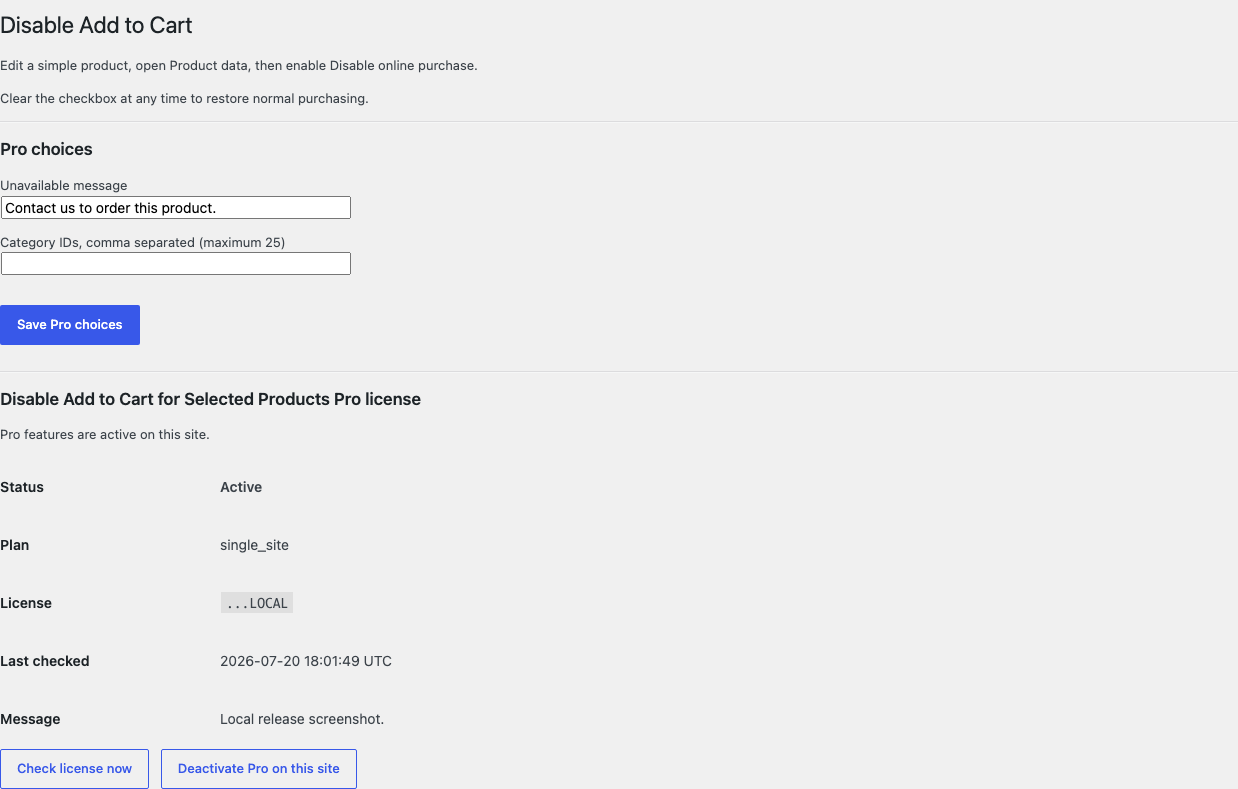
The WooCommerce submenu at WooCommerce > Disable Add to Cart points back to this product-level workflow.
Verify the storefront result
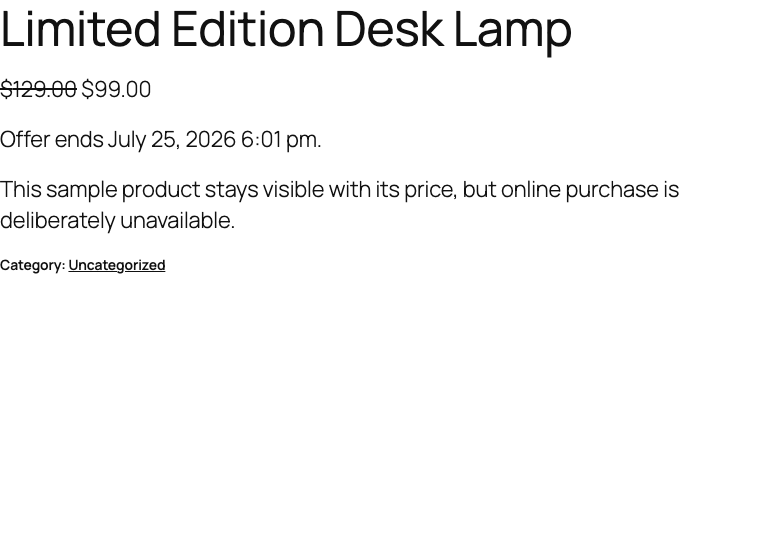
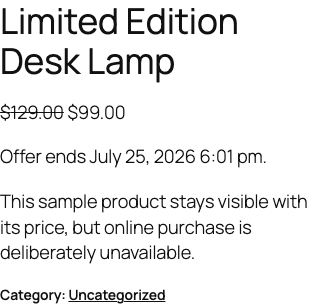
- Open the published product while signed out.
- Confirm the title, description, image, price, and URL remain visible.
- Confirm the native purchase action is unavailable.
- Open another unflagged product and confirm its Add to cart action still works.
- Try a direct add request for the flagged product. WooCommerce should reject it with one normal error notice.

What Free changes
Free stores only _sfk_datc_disabled on the authorized simple product. When WooCommerce asks whether that exact product is purchasable, Free can return false. The classic add-to-cart validation path checks the same flag again and adds at most one escaped notice.
Free does not change or hide a price, sale, stock value, backorder setting, product visibility, product status, category, cart line, checkout, order, payment, shipping method, customer, template, script, or stylesheet. Clearing the checkbox or deactivating Free immediately removes its runtime decision.
What Pro adds
Pro adds the same bounded choice to a native variation, a list of at most 25 category IDs, and one plain-text unavailable message of at most 120 characters.
The decision order is deliberately short:
- A valid Free simple-product flag remains authoritative.
- For a variation, its own Pro flag wins before its parent product flag.
- A configured category fallback can disable the exact simple product or variation parent.
- Missing, malformed, unsupported, over-budget, or unlicensed Pro state returns the Free or native result.

Free remains authoritative. If Pro, Stripe, the network, or the StoreFixKit license API is unavailable, every valid Free simple-product flag continues locally.
Start the 14-day Pro trial
- Open the Disable Add to Cart product page.
- Select Start 14-day trial. No card is required to begin.
- Stripe returns to StoreFixKit after checkout; a signed webhook creates a product-bound license.
- Copy the license key and download the Pro 0.1.2 ZIP.
- Keep Free active, upload and activate Pro, then activate the license from the plugin settings.
- Add a payment method before day 14 only if you want the $79/year subscription to continue. Without one, Stripe cancels it at trial end.
Compatibility boundary
This release supports native simple products, the native WooCommerce purchasability decision, and the documented classic add-to-cart validation path. Pro adds bounded native variation handling.
A theme, block, quick-view panel, builder, bundle, composite, subscription, booking, enquiry, or custom product type can own a different purchase surface. StoreFixKit does not remove buttons with CSS, replace templates, rewrite Store API requests, or guess how a third-party product should behave. Test every purchase surface used by the real store before launch.
Privacy, security, and resource use
- Product saves require permission to edit the exact product and WooCommerce's product-save nonce.
- The variation save path verifies the exact object is a
product_variationbefore writing. - Messages are plain text, capped at 120 characters, sanitized on save, and escaped through WooCommerce's notice output.
- The storefront performs no StoreFixKit or third-party HTTP request and stores no personal data.
- There is no catalog scan, product query, custom table, cron, queue, telemetry, JavaScript, or stylesheet.
- Pro license requests occur only from authenticated administrator actions.
Troubleshooting
The checkbox is missing
Confirm WooCommerce 8.9 or newer and Free 0.1.2 are active. Edit a native simple product and open Product data > General. Free deliberately does not show its field for grouped, external, variable, subscription, bundle, composite, or unknown product types.
The product page still has an Add to cart button
Clear page, object, and CDN caches, then test the default WooCommerce single-product template. If WooCommerce reports the product as not purchasable but a custom layout still prints its own button, that layout bypasses the native decision and is outside this release.
A product list still shows a button
Test whether that button actually adds the flagged product. Some blocks or themes render their own list markup. Free enforces the exact native purchasability and classic validation contracts; it does not remove arbitrary markup with CSS or JavaScript.
Direct add produces more than one notice
Record the exact URL, product ID, and active cart-related plugins. StoreFixKit adds at most one notice per target product per request; another validator may add its own message.
Pro rules do not apply
Confirm Free is active and the license belongs to this product. Check the variation flag, parent flag, category IDs, and the 25-category cap. An unsupported or uncertain product intentionally returns native behavior.
Rollback and uninstall
- Back up the database and keep the 0.1.2 and previous deterministic ZIPs.
- Deactivate Pro and confirm valid Free simple-product flags still work.
- Deactivate Free and confirm native WooCommerce purchase behavior returns.
- Install the previous Free ZIP, then the matching Pro ZIP if needed.
- Recheck one flagged product, one unflagged product, and one direct add request before restoring 0.1.2.
The verified release drill installed a synthetic 0.0.1 baseline, updated to 0.1.2, downgraded, rolled forward, deactivated, and exercised both uninstall modes while preserving WooCommerce product and order data.
Normal uninstall preserves the owned flag, Pro settings, and license for accidental recovery. Define STOREFIXKIT_DELETE_DATA as true before deletion only when you deliberately want Free to remove _sfk_datc_disabled and Pro to remove sfk_datc_pro_settings plus its license option. Products, prices, stock, carts, customers, orders, and third-party metadata are never deleted.
StoreFixKit Support
Use StoreFixKit Support and include the affected product URL and ID, product type, where the button appears, expected and actual behavior, Free and Pro versions, WordPress and WooCommerce versions, theme or builder, cart type, cache/CDN status, and redacted desktop/mobile screenshots. Never send credentials, customer or order data, API keys, payment details, or a complete license key.
For feedback, state the result you expected, what happened, and the shortest repeatable steps. After the issue is resolved, the support reply will include the correct WordPress.org review link once the official listing exists.