WooCommerce product details

Show Product Attributes on Shop Pages for WooCommerce

Show Material, Capacity, or another existing global attribute on shop cards.

$39per year after a 14-day trial

No card required. Add a payment method before day 14 to continue; otherwise Stripe cancels the subscription automatically.

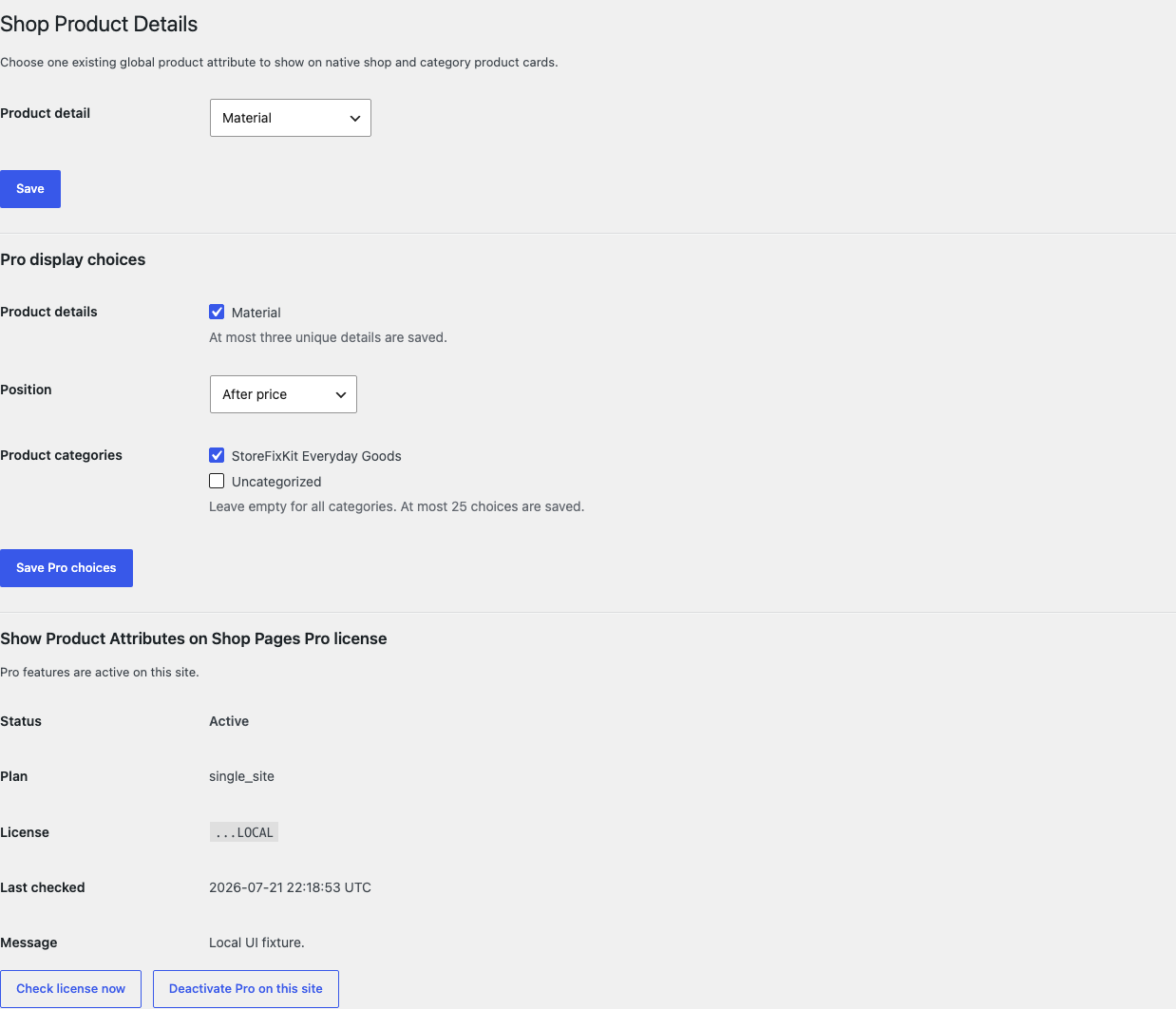
Shop Product Details settings with a selected Material attribute and Pro display choices
Real WordPress interfaceFree 0.1.9 / Pro 0.1.9
One jobShow existing global product attributes as escaped text in native classic WooCommerce shop and category cards without creating or editing product data.
RequiresWooCommerce 8.9 or newer
Free statusRelease candidate prepared for WordPress.org review

Three decisions

Set it up without code.

01

Create a global attribute under Products > Attributes and assign a value to a product.

02

Open WooCommerce > Shop Product Details and choose one Product detail.

03

Verify the label and value on a native classic shop card, then select Do not show a detail to test rollback.

Actual product

What you configure and what the visitor sees.

Shop Product Details settings with a selected Material attribute and Pro display choices
The desktop settings use readable attribute and category names rather than code-like rules.
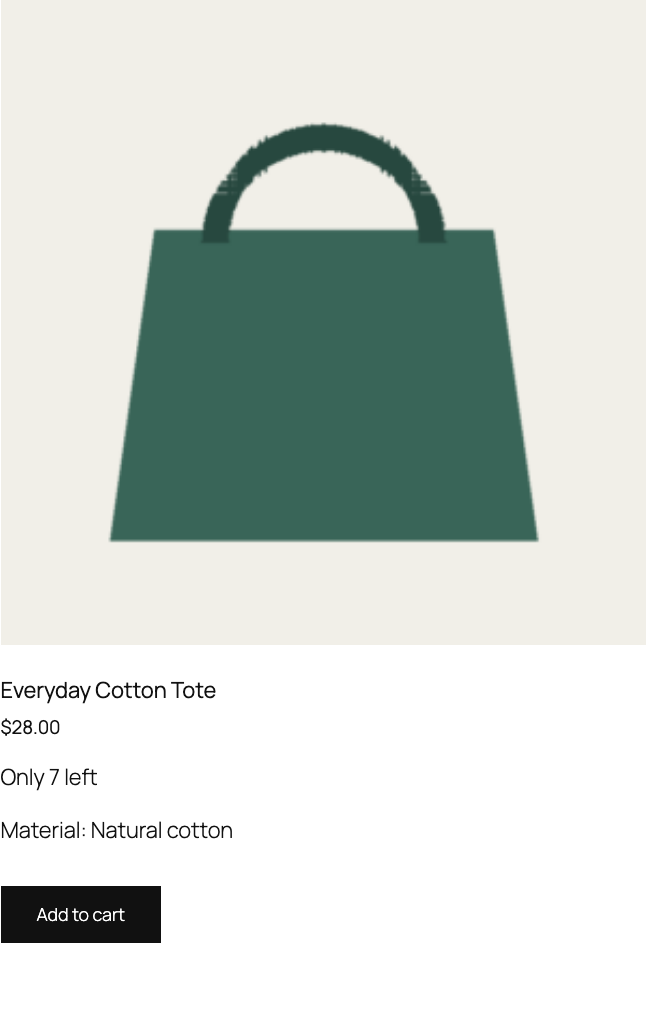
Classic WooCommerce product card showing Material Natural cotton
A real classic product loop shows an existing global Material value as escaped text.
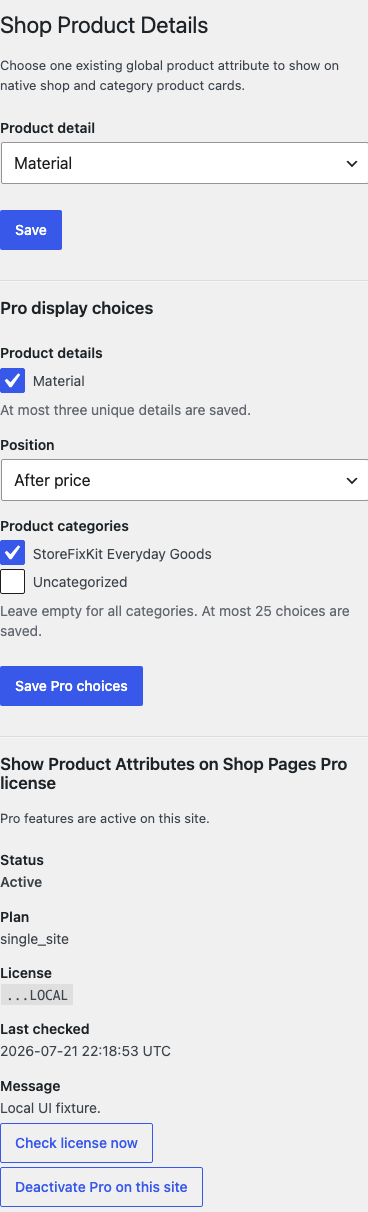
Shop Product Details settings on a phone-width screen
Attribute, position, category, and license controls remain readable on a phone-width screen.

Free and Pro

Free keeps working. Pro adds capacity.

Free 0.1.9

No account or license required

  • Choose one existing global WooCommerce product attribute by its readable name.
  • Read the current product and show its existing formatted value as escaped text.
  • Return no added output when the attribute or value is missing or uncertain.

Prepared for WordPress.org submission; no public-directory approval is claimed yet.

Failure boundary

Designed to stop quietly instead of changing store truth.

The free workflow is independent of Stripe, the StoreFixKit license API, and Pro. A billing or network problem cannot rewrite the parent plugin's data.

  • Attributes, terms, values, products, variations, categories, orders, and customers are never written.
  • Only existing registered global pa_ taxonomies are accepted.
  • Product-only custom attributes, Product Collection blocks, and unknown builder grids remain unchanged.
  • No custom table, cron, queue, telemetry, frontend asset, extra product query, or product-card remote request.

14-day trial

No card required to test Pro on one site.

Stripe hosts checkout and billing. The StoreFixKit success page creates a product-bound license and Pro download. Add a payment method before trial end only if you want the annual plan to continue.

Before installing

Short answers to the important questions.

Does this create or edit attributes?

No. It only reads existing global attributes and values already assigned to products.

Can Free show more than one attribute?

No. Free shows one existing global attribute; Pro supports up to three.

How do I restore native output?

Select Do not show a detail or deactivate Free. Product attributes remain unchanged.